




Many Shopify store owners realize something is wrong when their traffic flatlines while their ad spend keeps climbing. The products are there, the design looks good, and the checkout works — but Google still isn’t bringing in meaningful traffic. What is the reason?


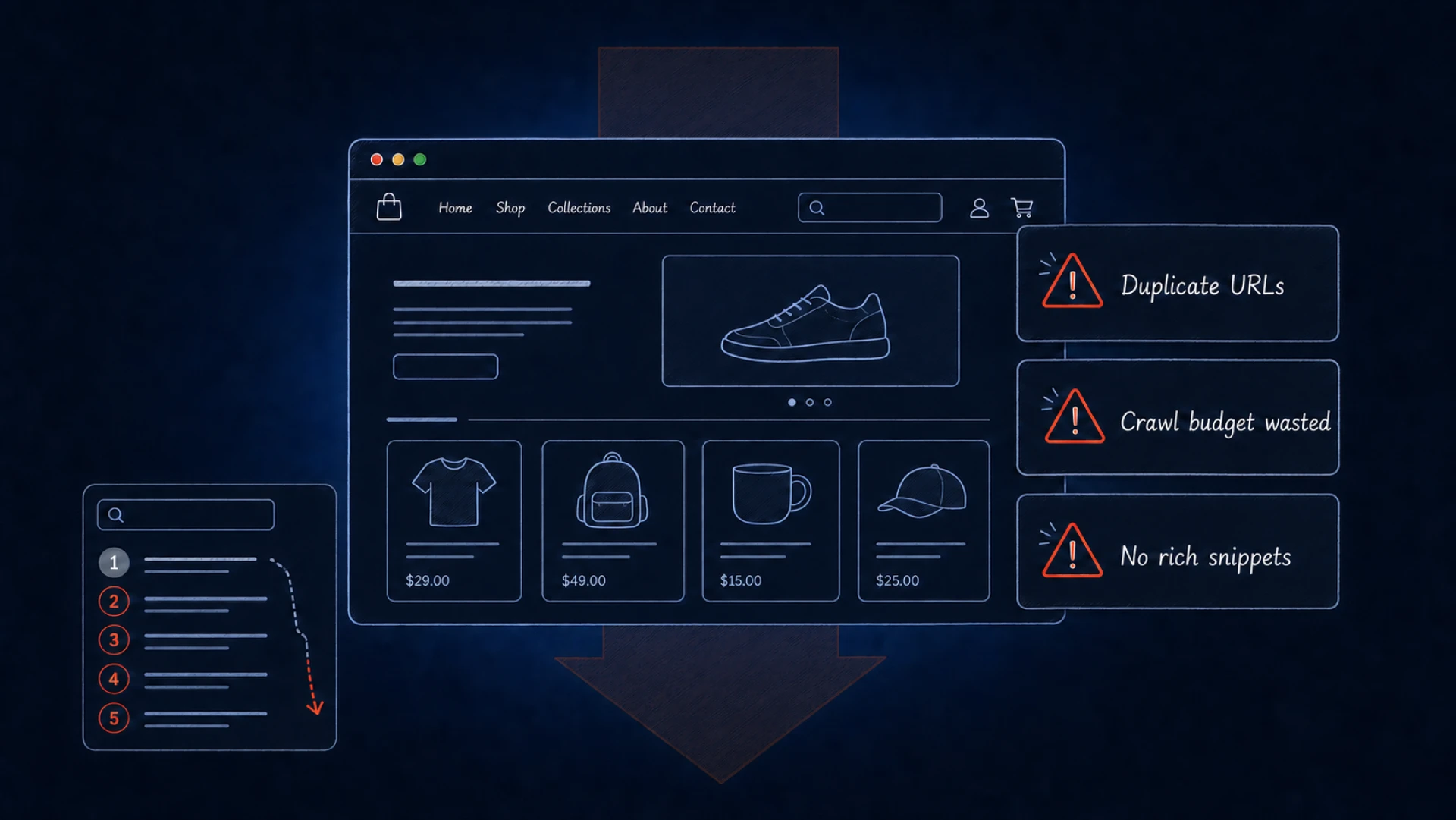
The culprit is almost always a cluster of structural problems baked into Shopify’s default setup that quietly erode your organic visibility from day one. If you are still evaluating whether Shopify is good for your specific business model, this article can give you an answer. It walks through the 15 most common Shopify SEO issues — what causes them, how much they cost you, and exactly how to fix each one.
{{banner}}
Why Shopify SEO matters
Organic discovery remains one of the most cost-effective ways to acquire customers without relying entirely on expensive ad campaigns. When you resolve Shopify SEO problems, you are essentially making your store easier to read for both humans and bots. A well-optimized environment ensures that your categories and products appear when potential buyers enter high-intent queries, capturing them at the exact moment they are ready to purchase.
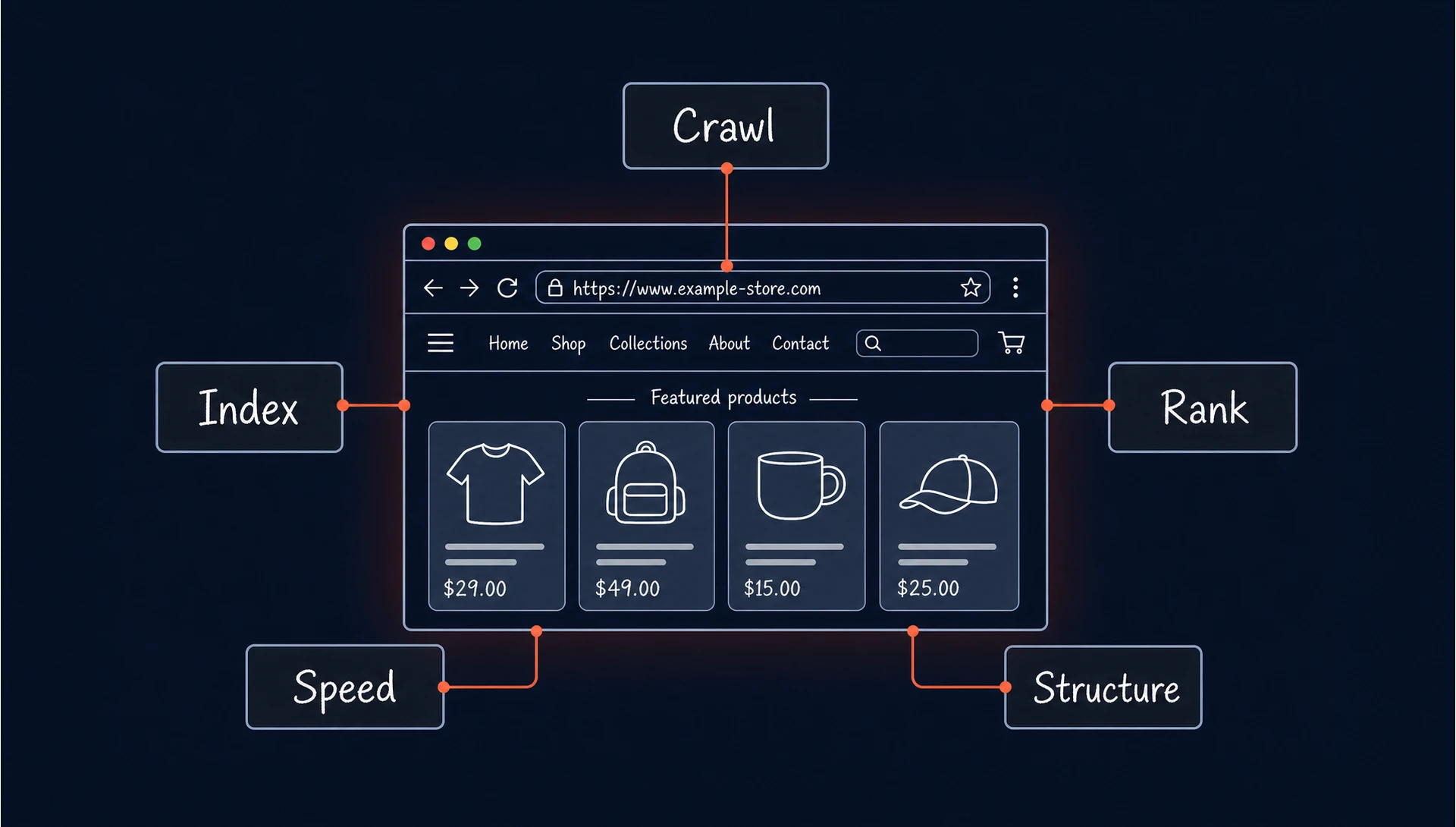
When that visibility is blocked by unresolved SEO issues, the impact builds gradually. Page authority weakens, customer acquisition costs rise, and profit margins can come under pressure. A strategic approach to your site health is an investment in the longevity of your brand, helping protect you from the volatility of ad prices. For those looking for a roadmap, our Shopify SEO optimization guide provides a baseline for growth.
The importance of this optimization goes deeper than just “being found.” In 2026, search engines use sophisticated behavioral signals to determine which websites deserve a top spot. If your technical setup is flawed, you are providing a friction-heavy experience that the algorithm will eventually penalize. Consider these specific reasons why technical precision is your biggest competitive advantage:
- Crawl budget efficiency: Google does not assign a fixed crawl budget per site. Crawl activity depends on site authority, server performance, and URL demand. On large or inefficient websites, duplicate and low-value pages can reduce crawling efficiency and delay the discovery of important content. By cleaning up these issues, you ensure that Google spends its time indexing your high-margin products instead of empty tag pages.
- Entity association: Modern search is about identifying relationships between products and brands. Proper optimization helps the algorithm categorize your store as a topical authority in your niche, making you the “default” choice for specific category searches.
- Mobile-first dominance: With the majority of e-commerce traffic originating from mobile devices, even a minor layout shift or a slow-loading page can lead to an immediate drop in rankings. SEO is no longer only about keywords; it is about the technical reliability of your mobile interface.
- Conversion rate synergy: The same technical fixes that please bots, such as fast load times and clear navigation, directly improve the user journey. A store that is easy to crawl is almost always the one that is easy to buy from.
When you shift your perspective from “ranking” to “platform performance,” SEO becomes part of a more resilient business model.
SEO is the only marketing channel that builds equity over time. While ads stop the moment you stop paying, an optimized store continues to generate revenue long after the work is done.
Shopify SEO checklist: common issues and fixes
Technical limitations in Shopify can quietly create a ceiling for organic performance. Some issues come from the platform’s default URL structure, while others appear over time as products, collections, apps, filters, and redirects accumulate. Fixing them requires more than generic SEO advice — you need to understand how Shopify handles crawling, indexing, internal links, and theme-level code.
The checklist below covers the most common Shopify SEO problems, why they happen, and how to resolve them before they dilute authority, slow down discovery, or make important product pages harder for Google to understand.
URL structure limitations
The platform enforces a rigid hierarchy that adds prefixes like /products/ or /collections/ to every link. Shopify URLs are not fully customizable, so the goal is to keep the editable slug clean, descriptive, and stable. These are 3 steps you should take:
- Ensure the slug contains only your primary keyword and reflects the user intent.
- Remove unnecessary words like “the,” “a,” or “and” when they do not affect clarity.
- Avoid changing slugs once they are live to prevent unnecessary redirects and preserve existing ranking signals.
Many technical roadblocks require professional intervention to avoid data loss, so explore our technical SEO services to streamline your backend today.
Breadcrumb URLs
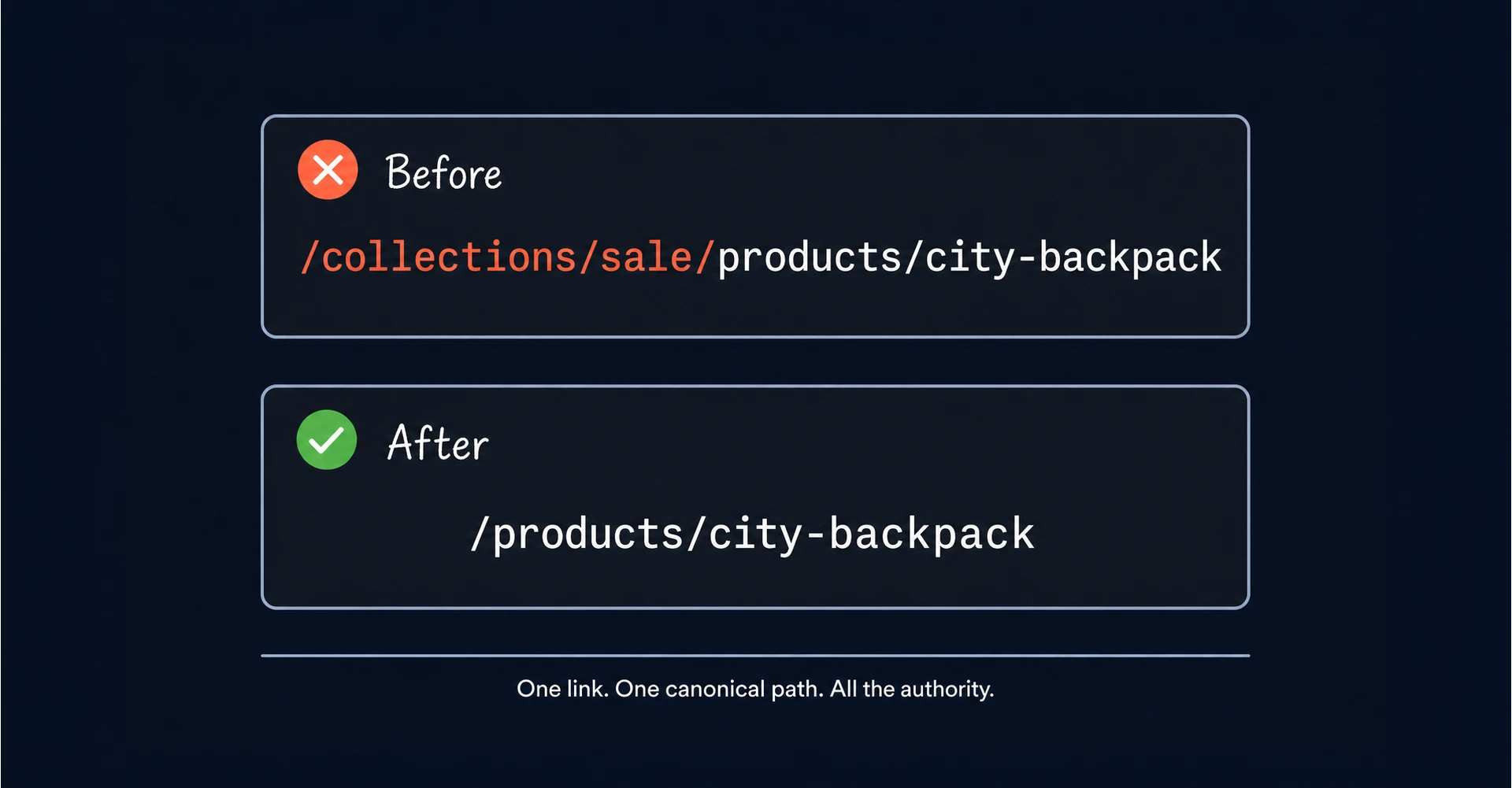
Shopify often creates multiple paths to the same product based on which collection the user clicked through. This leads to internal links pointing to different variations of the same item, which effectively wastes your crawl budget. To fix this, you must edit the theme code so that breadcrumbs always point to the “root” product link (/products/item-name) rather than the collection-aware version like /collections/sale/products/item-name.
In practice, this means locating the breadcrumb snippet in your theme (usually breadcrumbs.liquid or a similar snippet file) and ensuring the product URL is rendered using product.url rather than product.url | within: collection. This consolidation ensures that all link equity flows to a single source, preventing the search engine from seeing fragmented authority across your catalog.
Sitemap problems
The system generates an automated Sitemap that is generally reliable but can become bloated with irrelevant pages. For instance, deleted products or hidden collections sometimes linger in the XML file long after they have been removed from the navigation. You should manually inspect your sitemap by appending /sitemap.xml to your domain and checking for any dead ends. If errors persist, resubmit the file via Google Search Console to trigger a fresh crawl and check if the search engine sees the most current version of your store.
One often-missed issue: Shopify’s sitemap_products_1.xml sometimes includes product variants as separate URLs. Check whether your variant pages are being submitted and if they share content with the parent product page. Then, either remove them from the sitemap or ensure they carry canonical tags pointing to the parent.
Limited control over robots.txt
Historically, businesses had zero control over their robots file, but the platform now allows for basic customizations through a liquid template. A common mistake is allowing the site to index “tagged” versions of collections, which creates massive amounts of duplicate content.
To implement this fix: go to Online Store → Themes → Edit Code, then create a new template file and select “robots.” Add disallow rules for parameterized URLs such as /collections/*?sort_by= and /collections/*+(tagged collection paths). This prevents Googlebot from crawling the combinatorial explosion of filter URLs that a store with 50 products and 10 filters can generate. For a more detailed explanation, review our Robots.txt guide on how to disallow specific parameters that do not add value to the index.
Canonical tag conflicts
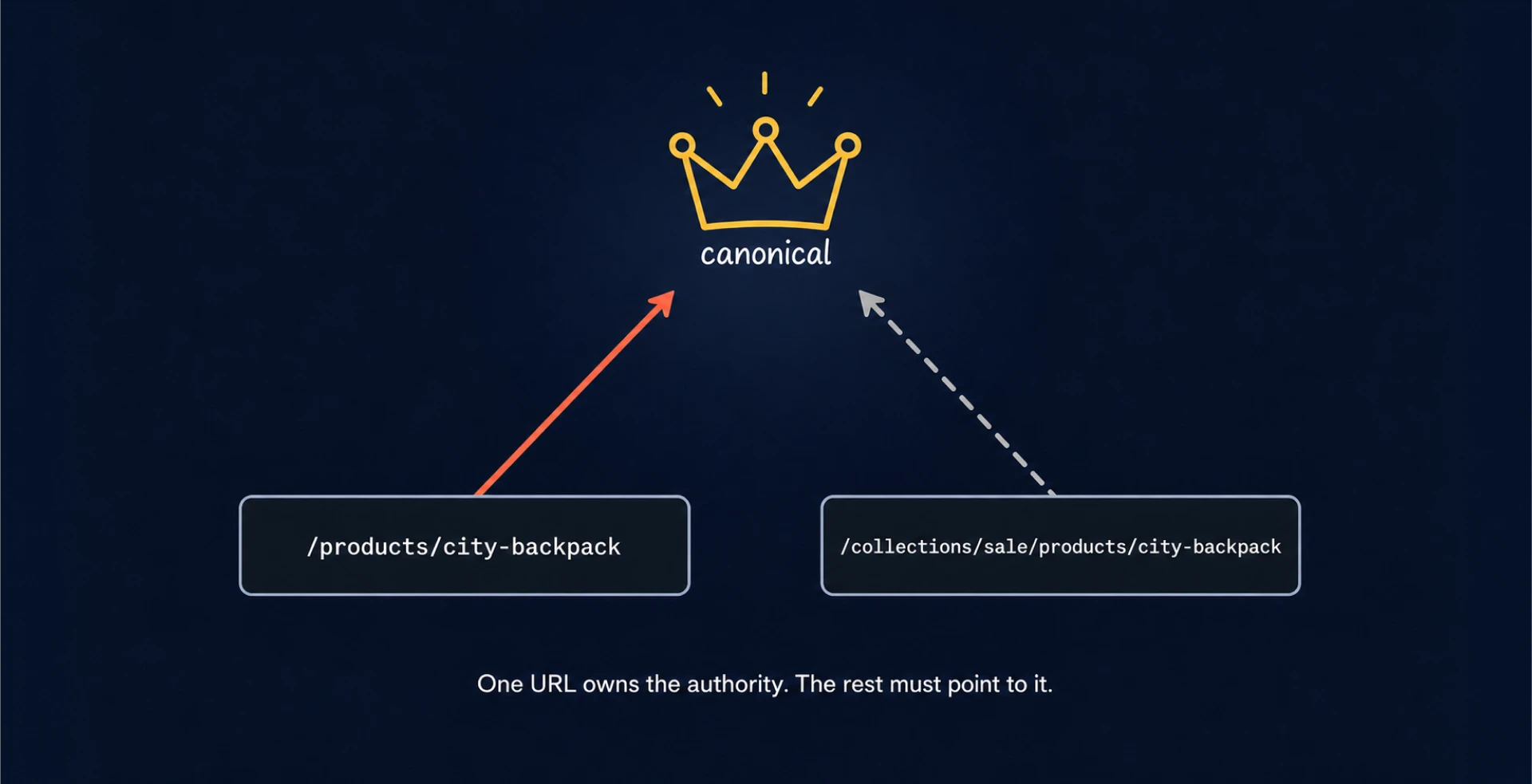
Canonicalization errors occur when the website fails to tell Google which version of a page is the “master” copy. This is common in Shopify because of how collections and products interact. To solve this, verify that your theme’s header.liquid file contains the correct logic to point all variations back to a single source.
The canonical tag in header.liquid should render as <link rel="canonical" href="{{ canonical_url }}">. But you should verify that canonical_url is resolving to the /products/ path and not to a /collections/-prefixed variant. If your theme is pointing canonical tags at collection-aware URLs, you are actively telling Google to treat those as the master pages. In fact, you want the opposite, so check this by viewing the source on a product page and searching for canonical in the page HTML. If you are unsure of the details, our article on what a canonical tag is covers the fundamentals.
Tag and filter pages flooding Google
Collection filters based on color, size, or material can create many low-value URL variations. These thin pages can pull authority away from your main categories. You should use a “noindex” tag for any filtered view that does not target a specific high-volume keyword. This keeps the index clean and ensures that only your most valuable landing spots are visible.
To implement noindex on filter pages: in your collection.liquid template, add conditional logic that outputs <meta name="robots" content="noindex, follow"> whenever the URL contains a filter parameter. The “follow” directive is important because you want Google to follow links on these pages even while excluding them from the index.
Missing or broken structured data
Those eye-catching star ratings and price displays in the search results, called rich snippets, depend entirely on the accuracy of your schema markup. Many Shopify themes suffer from “broken” schema, where the price fails to update in real-time after a sale or the “in-stock” status remains static. These inconsistencies can make your product data harder for Google to validate and may reduce your eligibility for rich results.
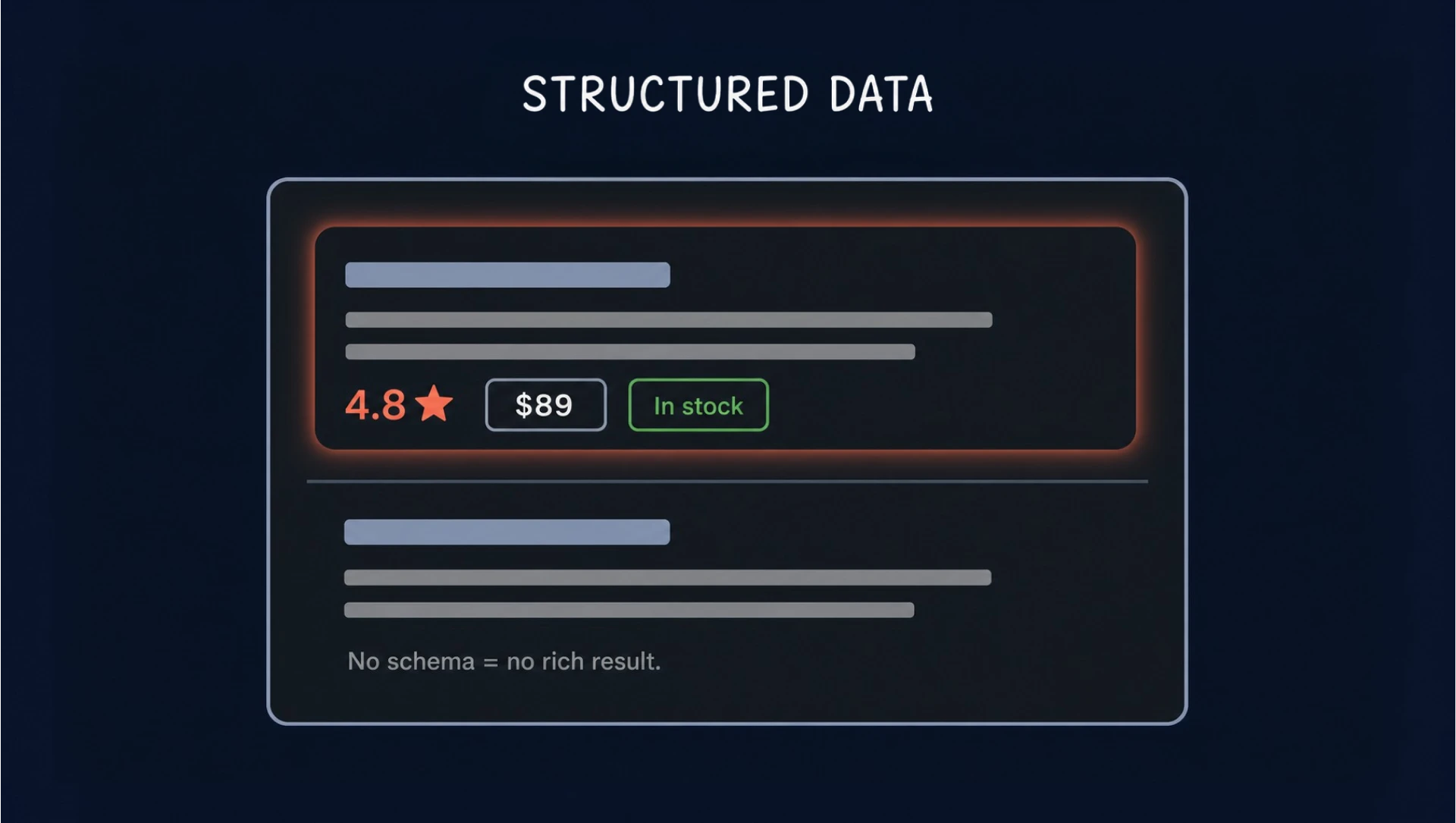
You should use a validation tool to check your product pages for “missing field” warnings, specifically focusing on the Price, Availability, and Review properties. Manually correcting these in your product.liquid or main-product.json file makes your store data readable by bots. Providing clear data also sets a professional tone that significantly improves your organic click-through rate.
{{banner-2}}
Broken links and redirect chains
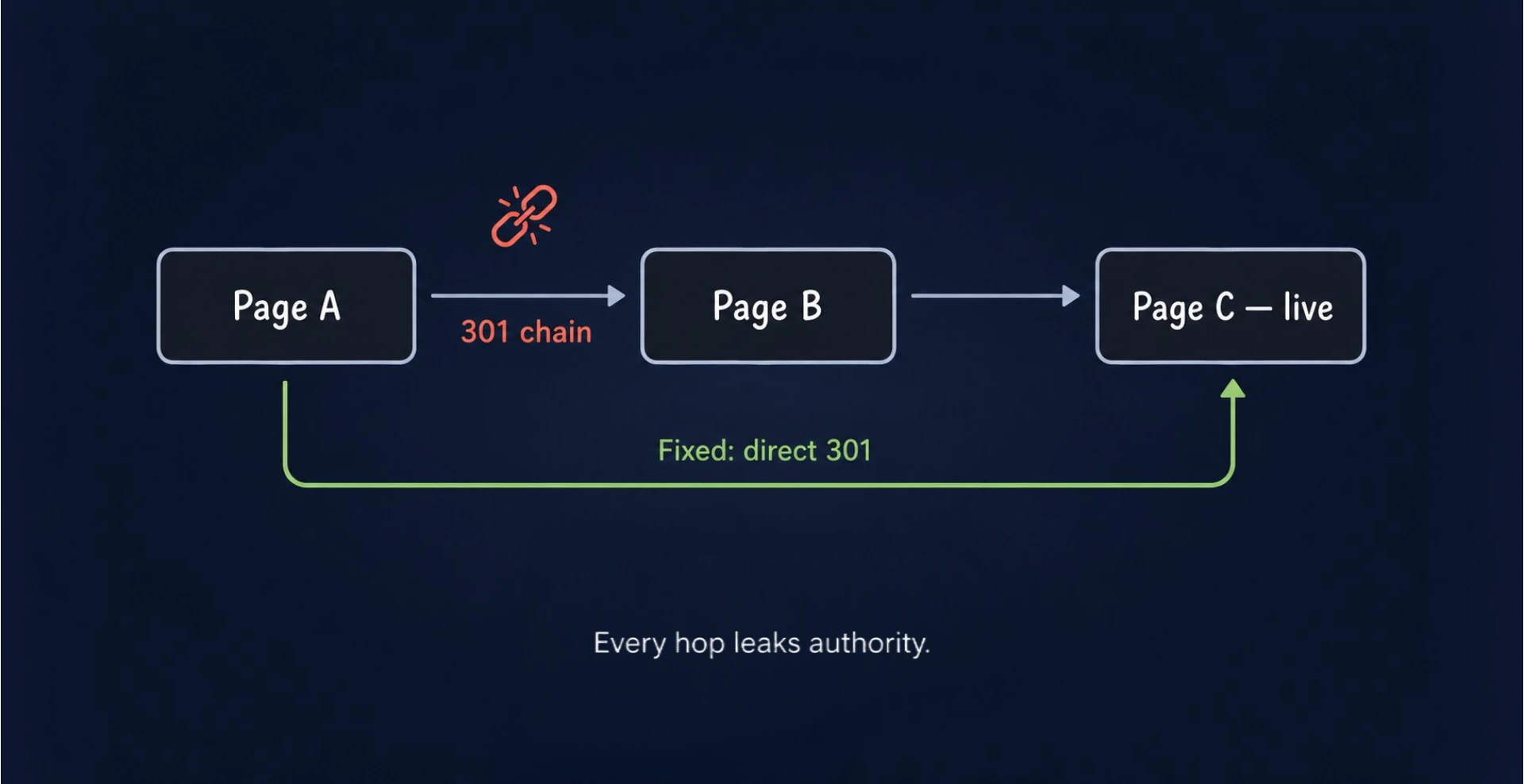
Every time you delete an out-of-stock product without implementing a 301 redirect, you create a 404 error that disrupts the user journey. Redirect chains — where Page A leads to Page B, which eventually points to Page C — are even more damaging as they can weaken signal flow and slow crawlers down. Here is what you should do:
- Crawl your site regularly, especially after product removals, collection changes, or theme updates.
- Map your deleted products to the most relevant parent collection rather than the homepage to maintain relevancy.
- Clean up existing redirect chains in your Shopify “Navigation” settings by pointing the original URL directly to the current live destination.
A practical rule: when you discontinue a product permanently, redirect to the most specific relevant category (e.g., /collections/hiking-boots). This preserves topical relevance and keeps the authority within the same content cluster.
Slow site speed
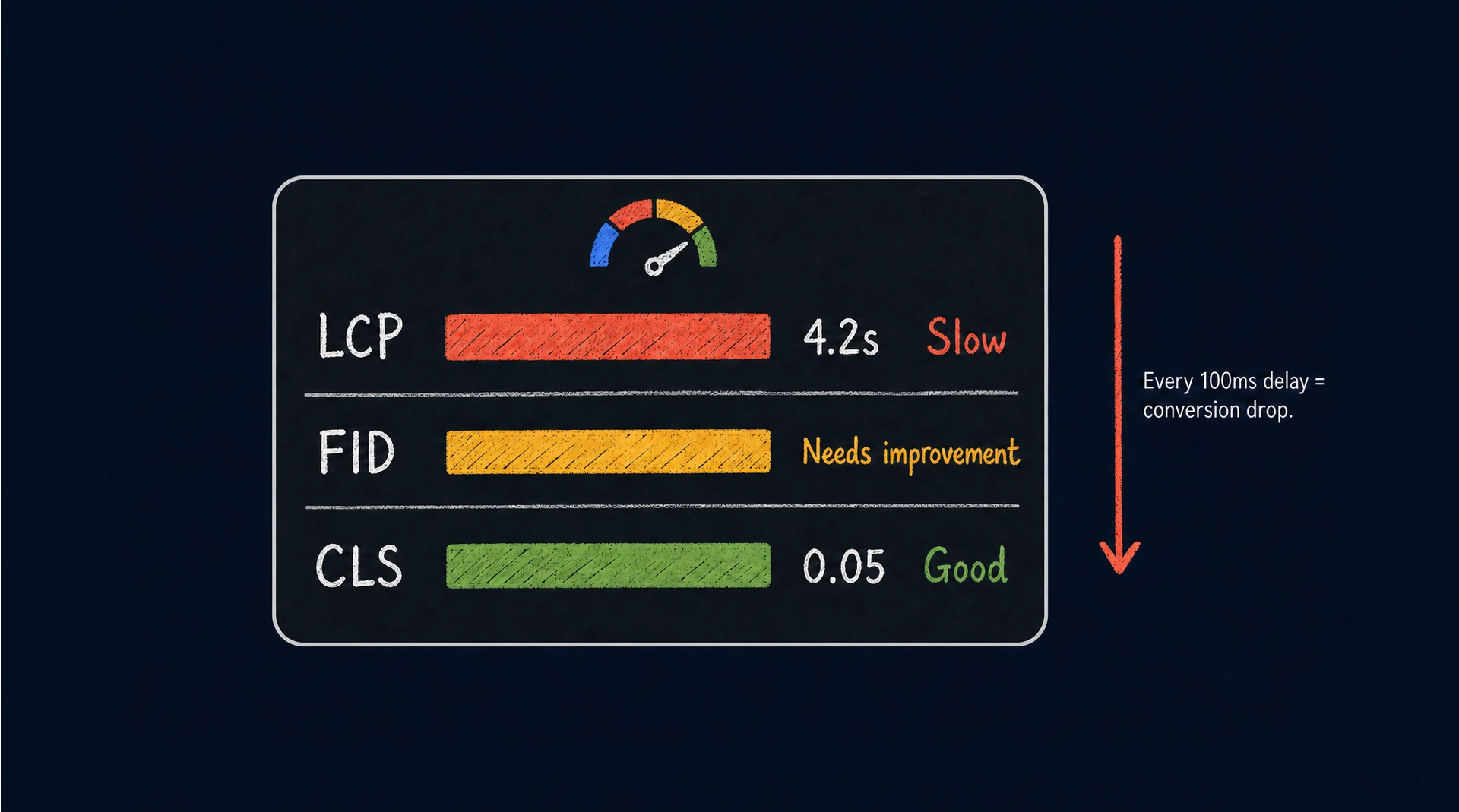
Shopify stores often become sluggish due to bloated Liquid files and a surplus of third-party apps that inject heavy scripts into the header. Site speed and Core Web Vitals can affect rankings and strongly influence user behavior. If pages take too long to become interactive, bounce rates often increase, especially on mobile.
To rectify this, audit your installed applications and prune any that do not contribute directly to revenue. Implementing “lazy loading” for images and off-screen content ensures that the browser prioritizes the elements the user sees first. Reducing the number of external cookie requests and tracking pixels during a single session can shave critical milliseconds off your load time, keeping both customers and algorithms satisfied.
One Shopify-specific speed issue that’s frequently overlooked: apps that add JavaScript to the <head> block rather than loading asynchronously. Check your theme’s layout/theme.liquid file and look for <script> tags injected by apps. Any script that isn’t explicitly async or defer is a render-blocking resource. It forces the browser to pause page rendering until the script fully loads. Either configure the app to load asynchronously or remove it if it isn’t contributing to revenue. This single change often has a larger LCP impact than image compression.
Weak meta titles and descriptions
A common issue with the platform is its tendency to use the product title as the sole meta tag, which often lacks the specificity needed to match search intent and earn clicks. Each description must be crafted to address the buyer’s pain points while staying within the character limits to avoid truncation.
Instead of relying on a generic template, write unique metadata for your top 20% “hero” products. This is your primary opportunity to communicate value before a visitor even reaches your website. Including specific features or a clear call to action in these snippets turns a simple search result into a compelling invitation to browse your store.
Duplicate content
The way the platform generates URLs for product variations is a major source of Shopify SEO problems. If a single stock-keeping unit (SKU) is available in multiple colors or sizes, the system might treat each variant as a standalone page with identical text. This creates internal competition, where Google isn’t sure which version to rank.
Using a “master product” strategy — where all variants are housed on one URL with a functional toggle — is the most effective fix. If you must have separate pages for different colors, ensure that each has a unique description and that they all point back to the main version via a canonical tag. This reduces internal competition and consolidates ranking signals.
The fastest way to audit your own duplicate situation: enter site:yourdomain.com in Google search and scan for pages with similar titles. More precisely, use Screaming Frog or Sitebulb to crawl your store and filter results by “Duplicate Title” and “Duplicate Description.” These will surface the product variant pages that are competing with each other.
Thin product or collection content
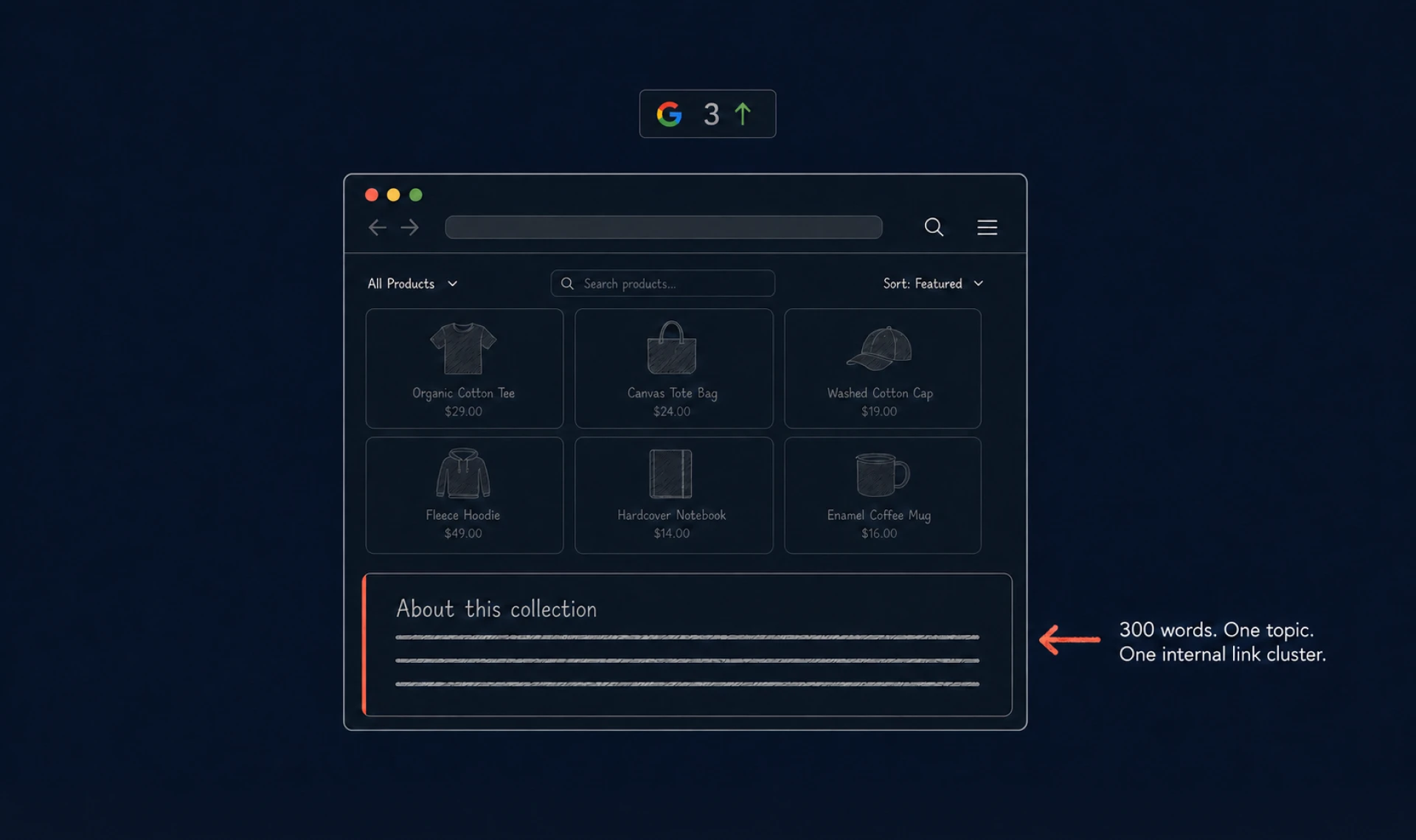
A collection page that only displays a grid of images provides very little contextual information for a crawler to analyze. To rank for broader category terms, you need to add enough useful copy either above or below the product grid.
Developing a smart SEO content strategy involves using this space to answer common buyer questions or describe the unique benefits of the collection. This additional content helps search engines understand the “topical depth” of your category. It transforms a simple product list into a resource that satisfies the user’s intent more effectively than a bare-bones competitor site.
Unoptimized images
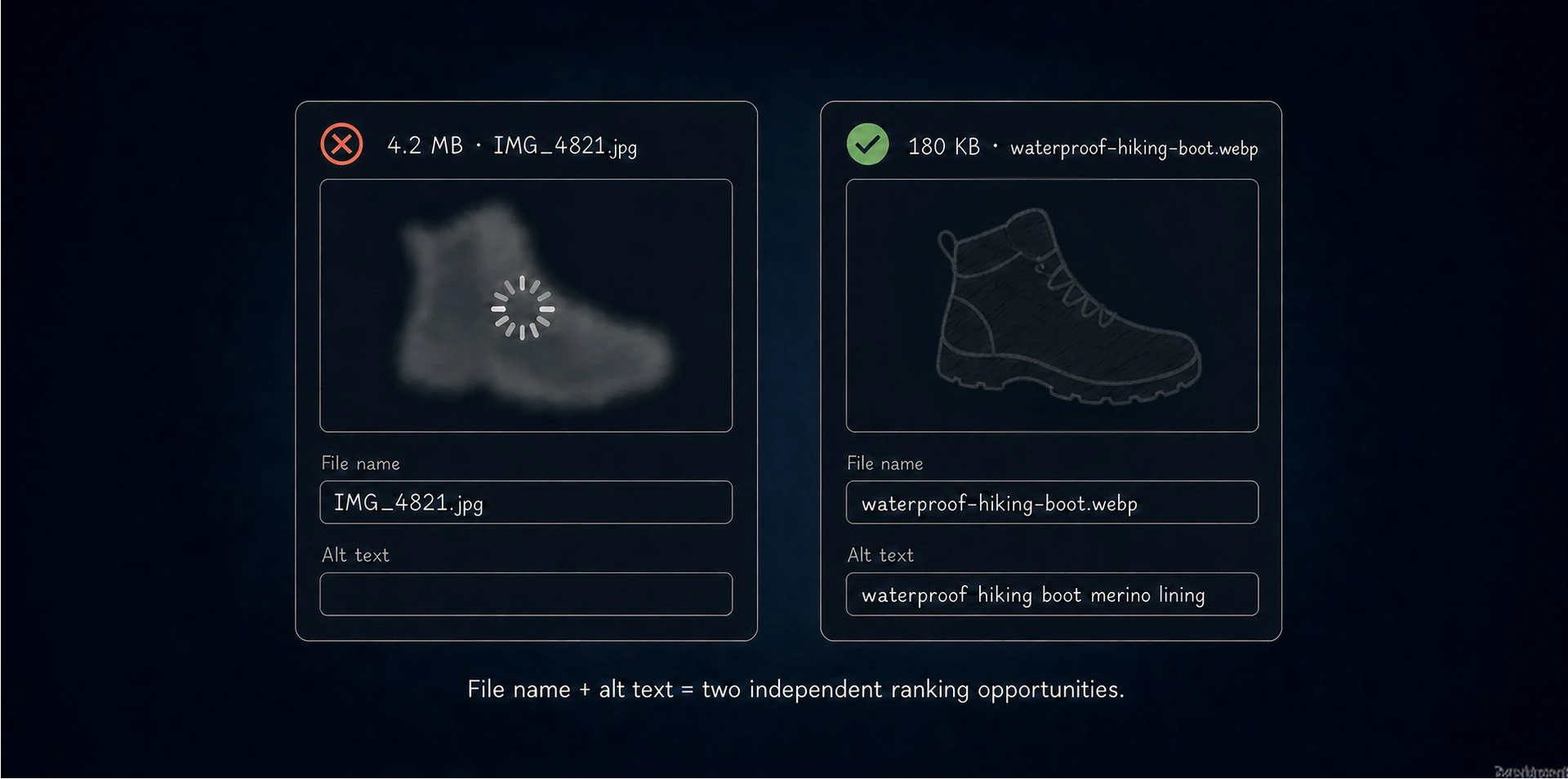
High-resolution photography is the lifeblood of e-commerce, but uncompressed files are the primary cause of slow store performance. You should convert your images to the WebP format, which offers superior compression without a noticeable loss in visual quality.
Furthermore, every important product image should include descriptive alt text that explains what appears in the image naturally. This isn’t just a requirement for accessibility — it allows your products to appear in Google Image search, which can be a valuable secondary traffic source for visual products. A well-tagged image acts as a secondary landing page, pulling in customers who are browsing for visual inspiration.
Before uploading, name files descriptively using hyphens, not underscores ( waterproof-hiking-boots-merino-lining.jpg). After upload, you should write alt text that describes the product specifically for that image, not just the product name. Remember that crawlers index each image independently, so each alt tag is a separate keyword-targeting opportunity.
Blog problem
Many Shopify owners treat the blog as an afterthought, posting short, “news” style updates that offer no value to a search engine. The “sub-folder” structure of the blog can make it difficult to rank if the content is thin or infrequent.
To turn this around, focus on long-form “problem-solving” articles that link directly to your product collections. If you sell hiking gear, write a 2,000-word guide on how to choose hiking boots for wet trails and interlink your boots and backpacks. Each blog post should contain 2–3 contextual links to product collections using descriptive, relevant anchor text for the terms those collection pages are targeting. This internal linking structure passes authority from your informational content to your transactional pages, boosting the overall ranking potential of the entire domain.
Ignoring analytics and search data
Operating a store without a deep dive into your data is like driving in the dark. If you are not monitoring how users move through your checkout funnel, you cannot identify where your technical issues are costing you money.
Integrating Google Analytics allows you to track specific events, such as “Add to Cart” or “Initiate Checkout,” alongside your organic traffic sources. Analyzing your session data helps you spot patterns. For instance, if mobile users on a specific browser are bouncing at a higher rate, you likely have a technical bug. Regular analytics audits check if your optimization efforts are based on hard data.
In the competitive world of e-commerce, the winner is often the brand that removes the most friction between the customer and the product.
Final advice: The most valuable GA4 report for Shopify SEO work is the Landing Page report, filtered by organic traffic source and sorted by bounce rate. This shows you exactly which pages Google is sending organic visitors to and how those visitors behave. High bounce rate on a product page from organic traffic usually means either a keyword mismatch (you’re ranking for the wrong intent) or a page experience problem (slow load, confusing layout, missing information).
Real Shopify case: from marketplace dependence to Google sales
One of our clients — a Shopify-based online store — relied heavily on marketplaces and generated less than 5% of total sales through its own website. After a technical audit and structured SEO fixes across indexing, filters, outdated URLs, metadata, product pages, and categories, the website became a much stronger sales channel. Within 12 months, orders grew by 10x, organic purchases increased by 981%, and Google generated nearly 50% of total sales.
The takeaway is simple: Shopify SEO issues rarely disappear after one quick fix. But when technical cleanup, content improvements, and internal structure work together, organic search can become a scalable revenue channel instead of a secondary traffic source.
Start with smarter SEO fixes if you want better rankings
Successfully navigating Shopify SEO issues requires shifting from a “set it and forget it” mindset to one of continuous technical refinement. While the platform handles the heavy lifting of hosting and security, owners are responsible for the architectural nuances that define search visibility. By systematically addressing these common Shopify SEO problems, you build a foundation that is resilient to algorithm changes and rising ad costs.
Your website is a living entity that requires regular maintenance to stay at the top of the index. A proactive approach to technical health improves rankings and creates a cleaner, more trustworthy experience for your customers. A professional assessment makes that work easier by uncovering hidden errors and turning them into a clear list of fixes.
{{banner-3}}
FAQ
How often should I check my Shopify store for SEO issues?
You should conduct a technical review at least once a month. E-commerce sites are dynamic, thus a monthly check ensures that small errors, like broken links or missing alt text, don’t snowball into a major drop in visibility.
Has Google properly indexed all my Shopify pages?
Use Google Search Console and navigate to the “Indexing” report. This page will show you exactly how many URLs are indexed and which ones are being excluded. If a large number of your product pages are marked as “Discovered — currently not indexed,” it usually indicates a quality issue or an internal linking problem.
How can I tell if slow speed is hurting my rankings?
Check your “Core Web Vitals” report in the Search Console. If your “Largest Contentful Paint” (LCP) is consistently over 2.5 seconds, the algorithm may prioritize faster competitors over your site. High latency often correlates with a high bounce rate, which is a secondary signal that the user is not having a good experience.
Do broken links really affect Shopify SEO performance?
Yes, because they waste your crawl budget. When a bot hits a 404 error, it stops exploring that path, meaning other valuable pages might never be discovered. Furthermore, a high frequency of broken links suggests to the search engine that the store is not being maintained, which can lead to a lower overall trust score.
Can I fix Shopify SEO issues without using paid apps?
Most Shopify SEO problems can be solved by editing the theme’s Liquid files or adjusting settings in the admin panel. While paid apps can automate tasks like image compression or bulk meta-tag editing, they are not a requirement. Manual optimization is often cleaner and prevents the “code bloat” that comes with installing too many external scripts.
What’s the highest-impact fix for a new Shopify store?
Fix the canonical breadcrumb URL issue first — remove | within: collection from your product tile links so every internal link in your store points to the /products/ canonical path. For a store that has been live for more than six months, run a full crawl with Screaming Frog first to identify how many duplicate URLs currently exist. This tells you whether the canonical fix alone is sufficient or whether you also need robots.txt noindex rules for filter pages.