



If you are looking for an online platform with a strong reputation to drive your store’s success, then Shopify is a good choice. However, simply being on this platform is not enough to hit the big game. Your company’s prosperity depends on several factors and on how well you implement them. What are those, and how can tweaking them help you succeed on Shopify?


For Shopify to become a growth platform, rather than just a virtual space for an online store, developing the right SEO strategy is necessary. Spoiler alert: the key factor in achieving positive dynamics is increasing the digital store’s visibility online. In this article, our team will outline step by step how to turn Shopify’s opportunities into measurable indicators through SEO optimization, along with the mistakes to avoid.
Shopify SEO fundamentals every store owner should know
What should you start with while working with Shopify? Now, it’s time for us to break down SEO features and strategies, and for you to embrace them.
First, you need to answer the question: Why do independent sellers and large companies choose Shopify? Mainly, because of its key features:
- Scalability and resilience. This refers to the ability to handle surges in site traffic during peak consumer activity days and capitalize on opportunities to drive sales growth.
- Convenience and flexibility. In this context, integration with POS, window customization, and store localization are meant.
- Direct-to-customer (D2C) strategy. This strategy provides direct sales to clients, brand building, and consumer data collection.
Undoubtedly, these Shopify features are beneficial to entrepreneurs, but these aren’t the only ones it provides. Keep reading to know what Shopify can do and what challenges you might face.
Built-in Shopify SEO features and what’s missing
Shopify offers several built-in features that help merchants easily and effectively optimize their stores’ SEO strategy. It’s about something you get without making any effort on your part. Here’s what Shopify takes care of automatically:
- Automatic sitemap generation
- Custom SEO metadata for all pages, collections, and product items
- SSL certification for secure browsing
- Mobile-friendly and responsive design by default
- Clean and crawlable URL structure (within Shopify’s limits)
- Built-in 301 redirects management
- Automatically generated robots.txt and sitemap.xml
- Fast page load speeds due to optimized infrastructure
- Google Analytics integration
“Shopify gives you a head start — but not the finish line.”
While the platform includes many critical SEO components by default, one day you might run into its limitations. These include:
- Limited control over URL prefixes (e.g., inability to remove /products or /collections)
- No native advanced schema markup customization beyond basics
- Lack of built-in keyword research or content optimization tools
- Limited control over canonical tags in some cases
- No built-in A/B testing for SEO elements
- Dependence on third-party apps for comprehensive SEO auditing and recommendations
SEO settings you can manage in the Shopify admin panel
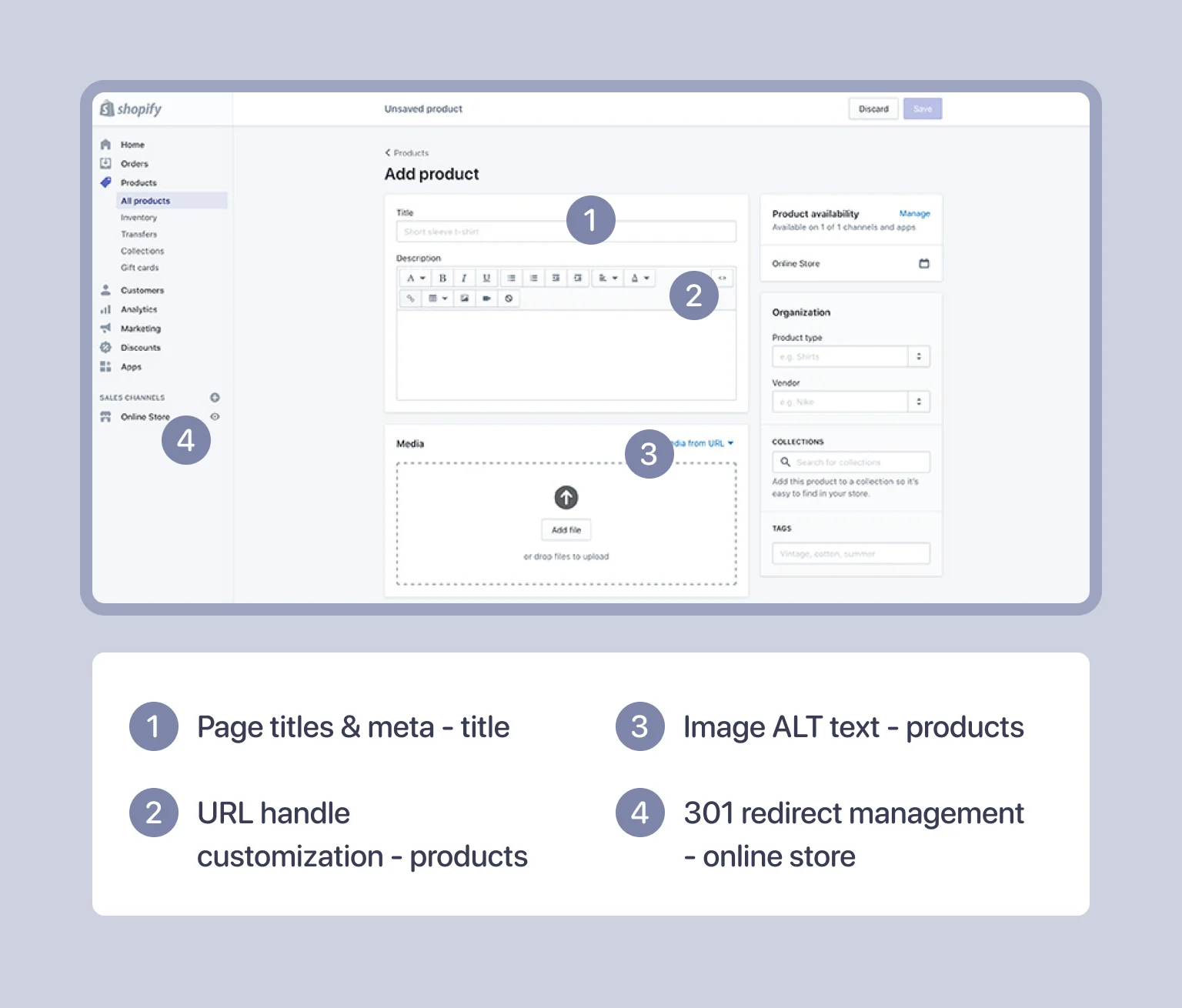
Shopify’s admin dashboard empowers merchants with hands-on control over many vital SEO components. Simply put, once you fine-tune these components, you can enhance search engine visibility and improve user experience — no external tools needed.
Here are some of the essential SEO elements you can adjust directly within the Shopify admin panel:
- Editing page titles and meta descriptions for all pages, product listings, and collections
- Customizing URL handles for pages, products, and collections
- Applying ALT text to images for better accessibility and search optimization
- Managing 301 redirects to maintain link equity after URL changes
- Controlling password protection to turn site indexing on or off
- Editing the robots.txt file for controlling crawler access (via apps or manual updates)
- Managing blog content and SEO for posts
- Turning automatic sitemap updates on or off
So, whether it’s order processing, sales analytics, or product management, open the admin panel and run your business efficiently.
Technical SEO
Technical SEO is often the backbone that supports all your optimization efforts behind the scenes. If the technical foundation is lacking, even the best content and marketing strategies may not reach their full potential. So, how can you avoid that? We’ve prepared five recommendations to keep you on track.
Create a clear, crawlable site structure
Establishing a clear, well-thought-out site structure is fundamental for both search engines and visitors alike. When your Shopify store’s architecture is logical and easy to navigate, it boosts crawling efficiency and enhances user satisfaction. Crafting this foundation requires attention to hierarchy, accessibility, and navigation aids that guide both bots and shoppers effortlessly.
Here are the key aspects to focus on:
- Organize products into relevant categories and collections
- Use a logical hierarchy with no more than 3–4 levels deep
- Ensure essential pages are quickly accessible from the homepage
- Implement breadcrumb navigation for better indexing and usability
For a deeper dive into creating a logical and SEO-friendly site structure, check out our guide on website structure.
Make your store lightning-fast
Ensuring your Shopify store loads quickly can significantly reduce bounce rates and encourage visitors to stay longer. Start by optimizing images using compression tools. The best practice is to compress images ahead of uploading them to Shopify. You can use image optimizers, like Tiny SEO, or apps, like Smart SEO. Don’t forget that Shopify’s Content Delivery Network (CDN) can automatically compress and serve images in an optimal format (JPG or PNG).
The next step is to deal with heavy apps and scripts. You need to uninstall unnecessary Shopify apps. Here is how you do it: Shopify admin portal > Sales apps > Apps and sales channels > Uninstall. Besides, if you have manually installed any third-party code, such as tag managers, your website’s loading speed can decrease. To avoid it, minimize HTTP requests. It means reducing the number of requests a browser has to make to your server (for HTML, CSS, and JavaScript files).
Moving on, your theme choice significantly impacts site speed, too. To reduce this impact, test theme demos for speed before purchasing and choose mobile-responsive themes (like Dawn, Impulse, or Minimal). Generally, consider upgrading to a 2.0 theme for better performance.
The last step to boost site speed is implementing lazy loading. In essence, lazy loading speeds up your site by loading visible content first and delaying off-screen elements until needed. This helps meet Google’s Core Web Vitals. If you want to test it out, you can use tools like Tiny SEO Image Optimize.
Optimize for mobile-first buyers
With mobile traffic dominating e-commerce, optimizing your Shopify store for mobile-first buyers is essential. Once your store delivers a seamless customer experience on smartphones and tablets, you’ll likely see a significant boost in engagement and conversions.
These are the best ways to satisfy your mobile-first buyers:
- Check how your site performs on multiple devices
- Simplify navigation for smaller screens
- Avoid intrusive pop-ups on mobile
- Ensure fast mobile load times
Mastering mobile optimization both meets customer expectations and aligns with search engines’ priorities.
Use clean, descriptive URLs
Clear and well-structured URLs serve as navigational cues for users and search engines, guiding them effortlessly through your store’s content. Crafting URLs that are concise yet rich in keywords can enhance click-through rates and improve rankings.
Focus on these URL best practices:
- Keep URLs short and keyword-rich. Opt for short, descriptive slugs. For example, instead of /collection/item-5565, you can choose /collection/white-casual-jeans.
- Avoid unnecessary parameters or numbers. Overly long URLs with details like /collection/white-casual-jeans-comfy-baggy-120cm must be avoided. Also, steer clear of parameters marked with ? as they aren’t indexed as individual pages.
- Use hyphens to separate words. Here is an example of how you should do it: white-casual-jeans.jpg.
- Remove stop words when possible. Stop words are words like “in,” “at,” “a,” “the,” etc.
A polished URL structure not only boosts SEO but also creates a more trustworthy and user-friendly browsing experience. Now that your URLs are tidy and purposeful, it’s time to tackle the hidden pitfalls lurking beneath the surface.
Eliminate crawl errors and broken links
Resolving crawl issues is critical to maintaining your Shopify store’s health, search engine credibility, and a great browsing experience, free from frustrating dead ends. What can you do in order to guarantee all these?
Well, the first thing is to update or remove broken internal and external links. The most common type of broken link is a 404 error. To fix it, you should set up 301 redirects. It means that users and search engines are sent from broken or deleted URLs to working ones. Indeed, noticing crawl errors might be time-consuming, but some tools can ease this process:
- Google Search Console and SE Ranking help detect pages with 4XX, 5XX, and 3XX status codes
- Shopify apps such as Smart SEO, SEO Manager, SEO Metrics, Plug In SEO, Tiny SEO Image Optimize, and Booster SEO also monitor, identify, and fix broken links automatically
In addition, you can review our article on the SEO audit checklist to ensure you’re covering all critical technical aspects. If you’d prefer professional assistance, consider our technical optimization services to address these issues efficiently.
On-page SEO
On-page SEO focuses on fine-tuning each page to enhance your Shopify store’s visibility and relevance in search results. This process involves optimizing various elements to match user intent while satisfying search engine algorithms. Let’s look at the main ways to make your on-page SEO work harder.
Find the right keywords for your products
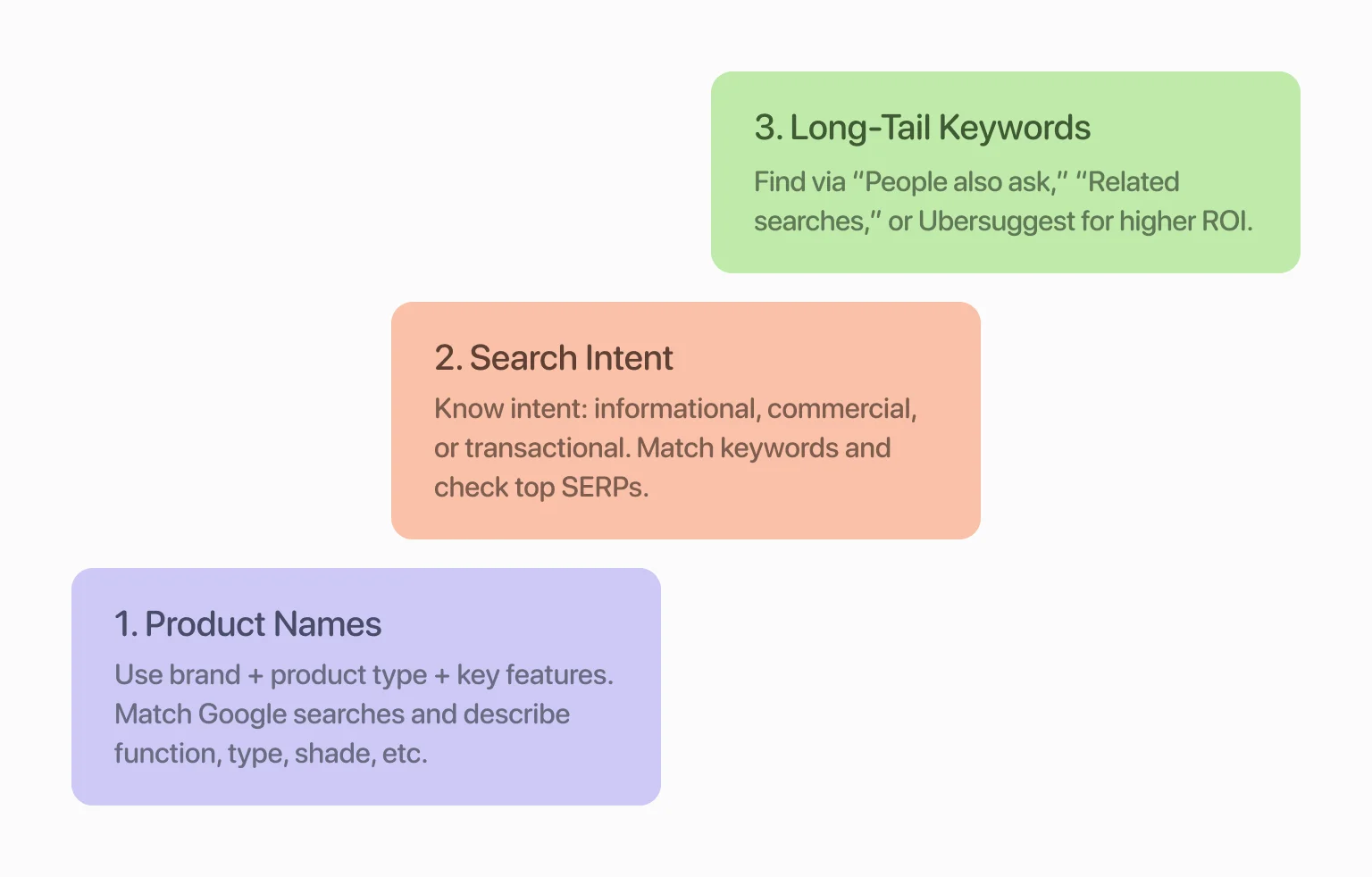
One of the major steps in optimizing on-site SEO is finding the right keywords to attract qualified traffic. First things first, consider product names and features. Check if your titles explicitly include your brand name, key product features, and product type. Then, tailor the product names and page titles to match the relevant Google searches. Finally, use the words that describe your product’s function, type, shade, etc.
After that, pay attention to the buyer’s intent and search phrases. Search intent falls into three main types: informational (learning), commercial (researching options), and transactional (ready to buy). Your task is to understand this search intent and ensure your keywords align with it. How can you determine this intent? Start by auditing the existing search engine result pages (SERPs) for their target keywords. Note what types of content Google favors for its target keywords. Try using them to attract visitors to your site.
But what if you use these keywords and still can’t outrank the top pages? Then, it’s high time you used long-tail keywords. These are more specific variants of general keywords; for instance, a long-tail variant of “phone case” might be “eco-friendly biodegradable phone case.” If it seems difficult to come up with long-tail keywords on your own, you can use Google’s features “People also ask” and “Related searches” or tools like Ubersuggest.
Looking for more effective word strategies? Our keyword research services can help you find and target the terms that drive real results.
Craft SEO-friendly product titles and meta descriptions
Creating product titles and meta descriptions that resonate with both search engines and shoppers is an art form worth mastering. These elements are the first things your customer sees, so they must be unique, clear, and relevant. Here is some advice on how to achieve just that:
- Make titles unique and descriptive
- Avoid keyword stuffing
- Include main keywords in your page titles, H1s, and meta descriptions
- Place the main keyword near the start of the title
- Include modifiers like “best,” “top,” or “affordable”
- In meta descriptions, prioritize writing that appeals to potential customers
- Write meta descriptions with a clear call-to-action (CTA)
- Keep titles between 50–60 characters and meta descriptions around 150–160 characters
You might say that Shopify automatically fills in metadata, but if you customize it, you can improve click-through rates and accuracy.
Add ALT text to your images
Adding ALT text to your images is a vital but often overlooked aspect of Shopify SEO. Using ALT text improves accessibility and helps search engines understand your visual content. Properly described images can boost your store’s relevance and help it rank better in image search results.
When writing ALT text, keep these guidelines in mind:
- Be clear and descriptive, accurately reflecting the image content
- Add relevant keywords organically, avoiding keyword stuffing
- Steer clear of phrases like “image of” or “picture of”
- Use concise wording, ideally under 125 characters
- Differentiate ALT text for similar images to avoid duplication
Optimizing ALT text enhances both the user experience and your site’s SEO health. This way, your potential customers can discover your products through multiple pathways.
Use internal links
Internal linking helps connect different pages within your Shopify store, allowing users and search engines to navigate your content effortlessly. Properly placed links improve site navigation and distribute SEO value across essential pages.
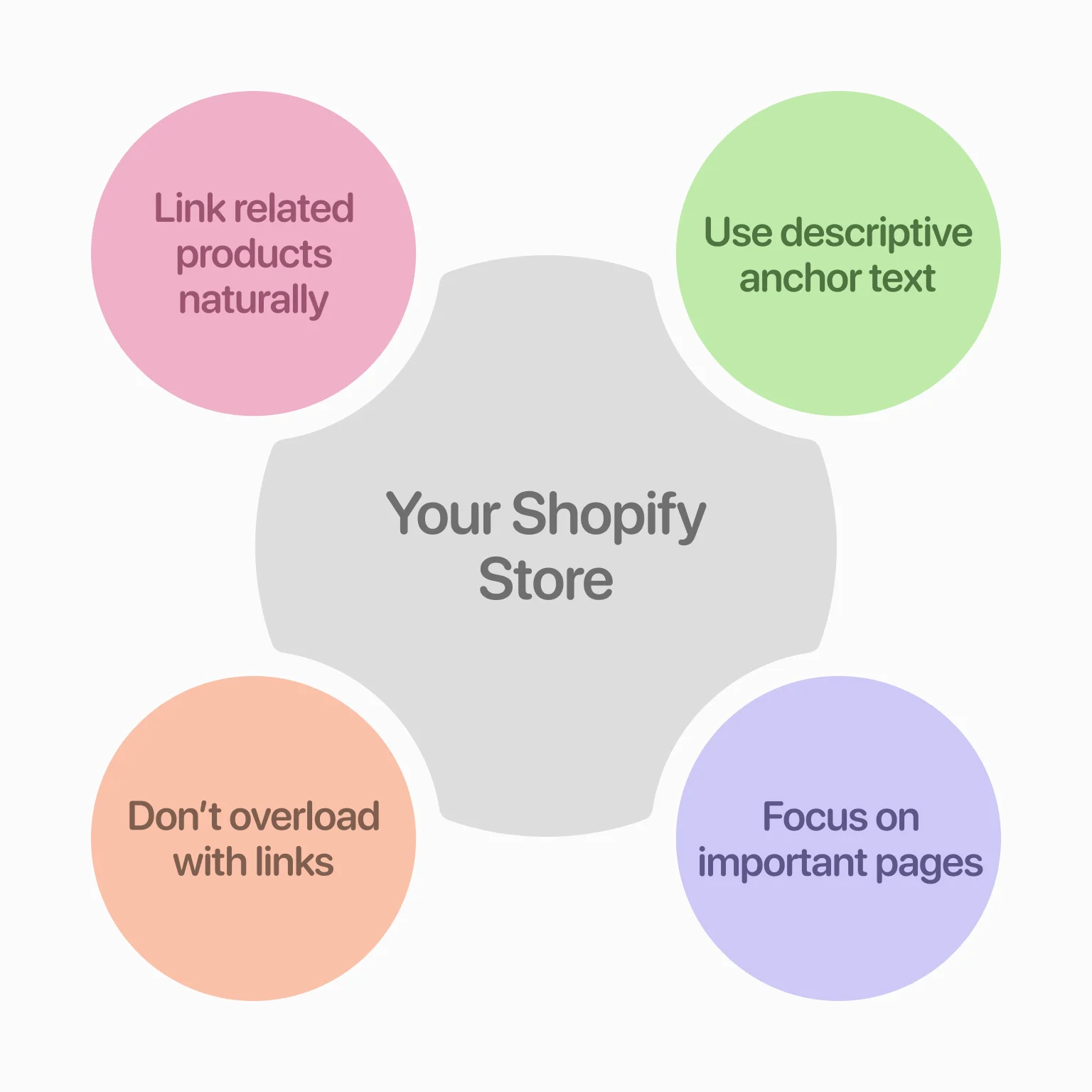
Therefore, you should link related products and collections naturally. If you are describing a product, mention and link to related items that a customer might also buy. Even informational content should include product mentions and CTAs to encourage purchases.
Next, use descriptive anchor text that reflects the linked page. The best tip here is to choose specific words so both shoppers and search engines understand the destination. Lastly, don’t overload pages with too many links and prioritize your high-value pages.
Write product and listing descriptions that sell — and rank
Well-written product and listing descriptions do more than inform — they persuade. The goal is to blend clarity, value, and SEO in a way that appeals to both algorithms and real people. There are three ways for you to reach this goal:
- Highlight unique selling points and key benefits. Focus on solutions, not specs. Ask yourself, “How can my product improve my customer’s life?”
- Integrate keywords naturally within the text. Don’t overuse keywords, but try sprinkling them throughout product descriptions, blog titles, headings, and subheadings.
- Avoid using identical content across multiple listings. You should write original product descriptions to prevent duplication across pages.
Mastering on-page SEO takes time, testing, and attention to detail. If you’d rather rely on proven expertise, our on-page SEO services can help you implement these strategies effectively across your Shopify store.
Content marketing
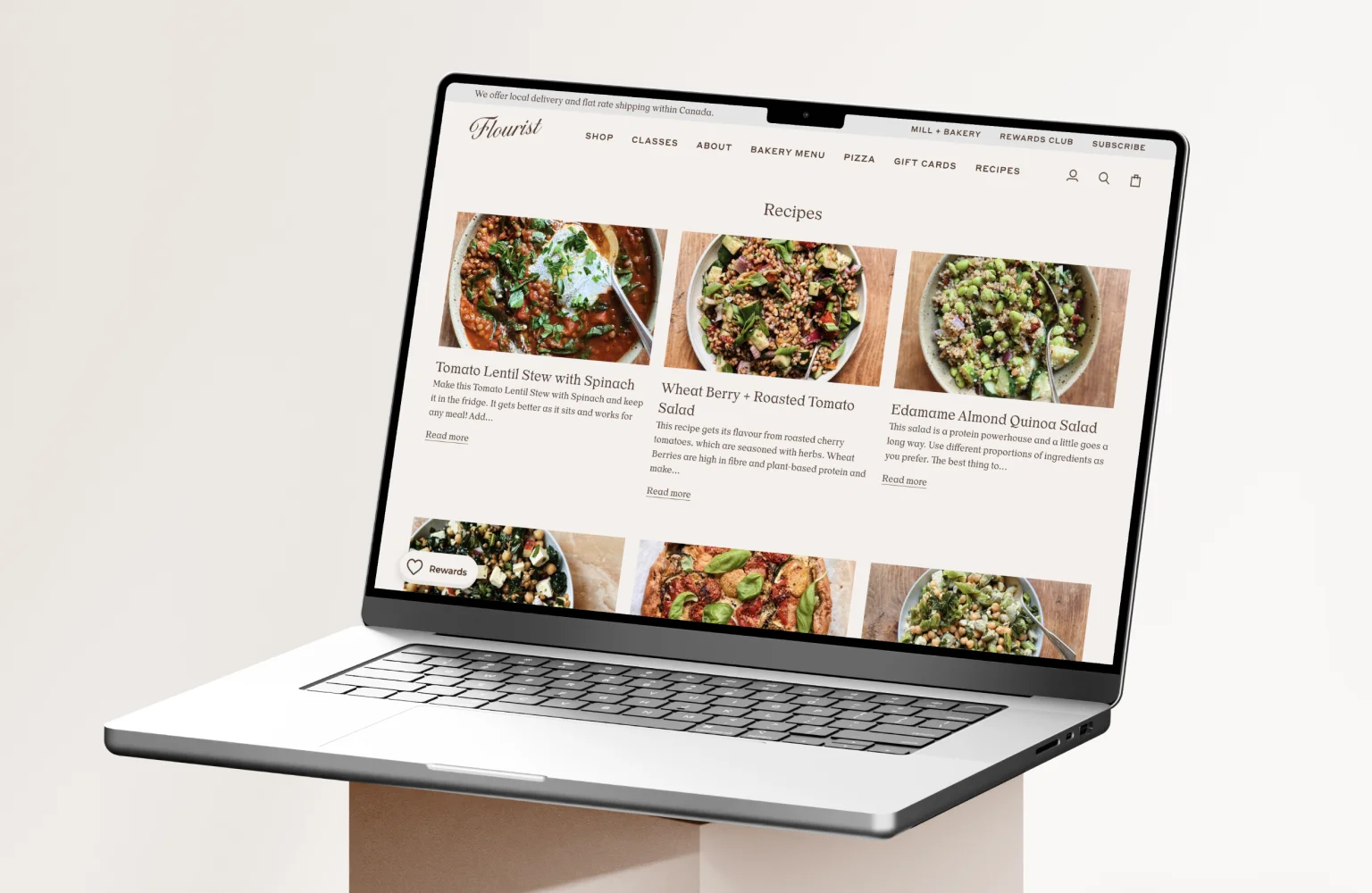
Creating valuable content beyond product pages can significantly strengthen your store’s SEO and build long-term trust with your audience. Starting a Shopify blog allows you to target informational keywords, answer common customer questions, and showcase your expertise within your niche.
Make your blog work for you with these tips:
- Stay consistent with your publishing schedule
- Focus on topics and questions your target audience is actually looking up
- Include your target keywords naturally in headlines, subheadings, and body text
- Add links to relevant products and other blog posts, so visitors can keep exploring your site
Of course, developing a good blog strategy isn’t an easy task, but our article on SEO content strategy can assist you with this.
Off-page SEO
While on-page tactics shape your store internally, off-page SEO builds its authority in the broader digital landscape. To compete in search rankings, your Shopify store needs strong external signals — and backlinks are at the heart of that equation.
Apply practical link-building strategies
Earning quality backlinks requires a mix of creativity and consistency. Not only that, you should emphasize quality and authority rather than quantity:
- Pitch guest posts to blogs in your specific niche
- Collaborate with influencers in your market
- Submit your site to high-authority directories
These strategies bring in referral traffic and demonstrate credibility to search engines. Over time, a steady flow of high-quality links can dramatically elevate your domain authority.
Leverage reviews and social proof for SEO
Social proof isn’t just about building trust with customers — it’s also a subtle SEO asset. Reviews often include naturally occurring keywords, giving your site more contextual signals.
To make the most of it:
- Encourage product reviews post-purchase
- Display testimonials prominently on your store
- Share user-generated content across platforms
Not only do these practices support SEO, but they also enhance credibility and improve conversion rates — a win on all fronts.
Tools and apps to simplify your Shopify SEO workflow
Managing SEO manually can be overwhelming, especially as you scale. Thankfully, a range of tools and apps exist to streamline tasks and keep your strategy consistent. Check out some of them below.
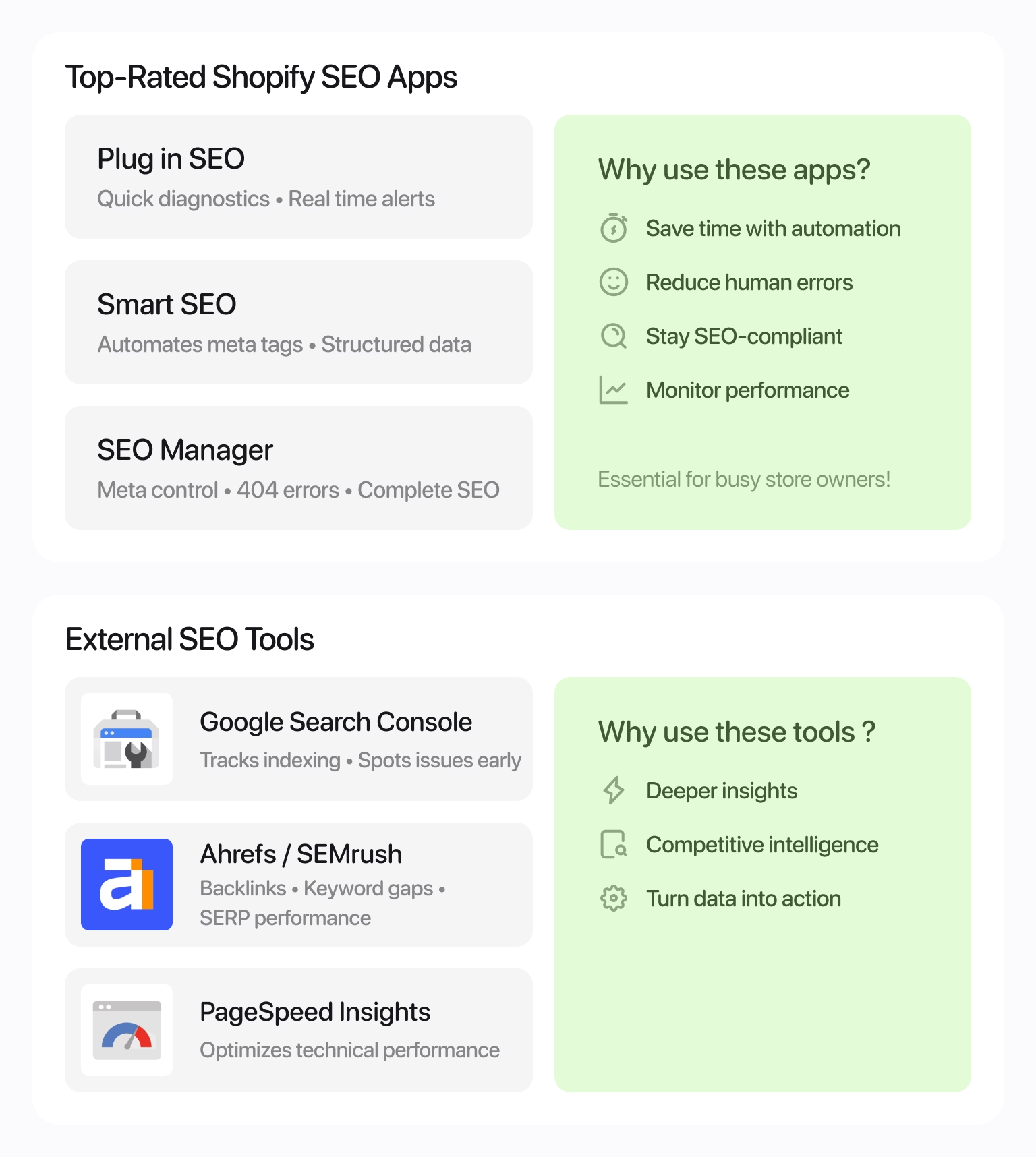
Top-rated Shopify SEO apps
The Shopify App Store offers powerful tools to automate, monitor, and optimize SEO efforts. Here are some of the most useful ones:
- Plug in SEO: Great for quick diagnostics and real-time alerts
- Smart SEO: Handles meta tags and structured data automatically
- SEO Manager: Offers complete control over meta content, 404 errors, and more
These apps save time, reduce errors, and ensure nothing slips through the cracks — essential for busy store owners looking to stay SEO-compliant.
External SEO tools you should be using
Beyond Shopify, third-party tools can give you deeper insights and competitive intelligence. So, let’s look at some of them:
- Google Search Console: Track indexing and spot issues early
- Ahrefs / SEMrush: Monitor backlinks, keyword gaps, and SERP performance
- PageSpeed Insights: Optimize technical performance
Integrating these tools into your workflow gives you a more complete picture, while turning raw data into explicit action. If you’re not sure where to start, consider booking an SEO audit service to assess your current performance and identify areas for improvement.
Common Shopify SEO mistakes that hurt rankings
Even well-intentioned stores can fall into traps that quietly damage visibility. Recognizing these errors early is key to staying ahead of competitors and search engine penalties. So, what should you know about them?
Duplicate product pages
Having multiple product URLs with identical content dilutes authority and confuses crawlers. To fix this:
- Consolidate duplicates using canonical tags
- Create unique product descriptions wherever possible
Missing schema markup
Structured data provides context for search engines to interpret your pages — yet many stores overlook it entirely. Not to repeat their mistakes, do the following:
- Add schema for products (price, availability, reviews)
- Include breadcrumbs and organization markup
Poor site navigation and UX
Confusing menus or cluttered layouts harm both user experience and crawlability. These two quick steps can fix the problem:
- Simplify menus and group products logically
- Ensure mobile navigation is just as intuitive as desktop
For tailored help with your store structure, explore our local SEO services.
Advanced Shopify SEO strategies for competitive niches
To outperform in saturated markets, you need more than just the basics. Going deeper with advanced SEO tactics gives your Shopify store a lasting edge. This means anticipating how users search, tailoring your presence to different buyer segments, and ensuring your content speaks directly to varied intent across borders. One of the most impactful ways to scale this strategically is through international optimization.
Targeting global customers means thinking beyond language. With Shopify Markets, you can:
- Customize meta tags for regional keywords
- Automatically serve localized domains
- Adapt content to local search behavior
This approach positions your brand for international growth and makes you more discoverable across multiple regions.
“With Shopify, you aren’t limited by borders: keep your audience in mind and reach further.”
How to track your Shopify SEO results and improve continuously
Success in SEO isn’t static — it’s a constant cycle of testing, measuring, and refining. Monitoring your store’s performance lets you focus more on successful strategies and drop the ineffective ones. With the right tools, you can identify patterns, catch issues early, and refine your strategy with confidence.
To keep progress on track:
- Use Google Analytics to follow traffic sources and behavior
- Track keyword rankings weekly with dedicated tools
- Review crawl reports and indexing status monthly
Doing so allows your store to grow sustainably — adapting to algorithm updates, shifting trends, and rising competition.
Turn visibility into sales
While rankings are important, a solid Shopify SEO strategy is about getting the right traffic that converts. From clean site structure to optimized product pages and innovative use of tools, every step directly impacts your bottom line. Regular audits, content updates, and performance tracking should be built into your workflow. Don’t wait for results — shape them through consistent action. With the proper focus, your store can go from being one of many to standing out where it matters most.
FAQ
How do I know if my Shopify store has SEO issues?
Review Google Search Console for any crawl errors, monitor traffic drops, and run SEO audits regularly.
What keywords should I target for my Shopify store?
Focus on relevant, high-intent keywords specific to your products and niche, including long-tail variations.
Can I rank a Shopify store without blogging?
Yes, but blogging significantly improves organic traffic and keyword reach over time.
How do I handle out-of-stock products for SEO?
Use 301 redirects to related items or implement “back in stock” notifications with minimal content removal.
Will installing too many Shopify apps hurt SEO?
Excessive apps can slow down your site, negatively impacting SEO and user experience.