




How does Google decide which language version of a website to show in search results? The answer depends on more than the text itself. Even when the whole site has been translated, technical mistakes can keep the right version from reaching its intended audience.


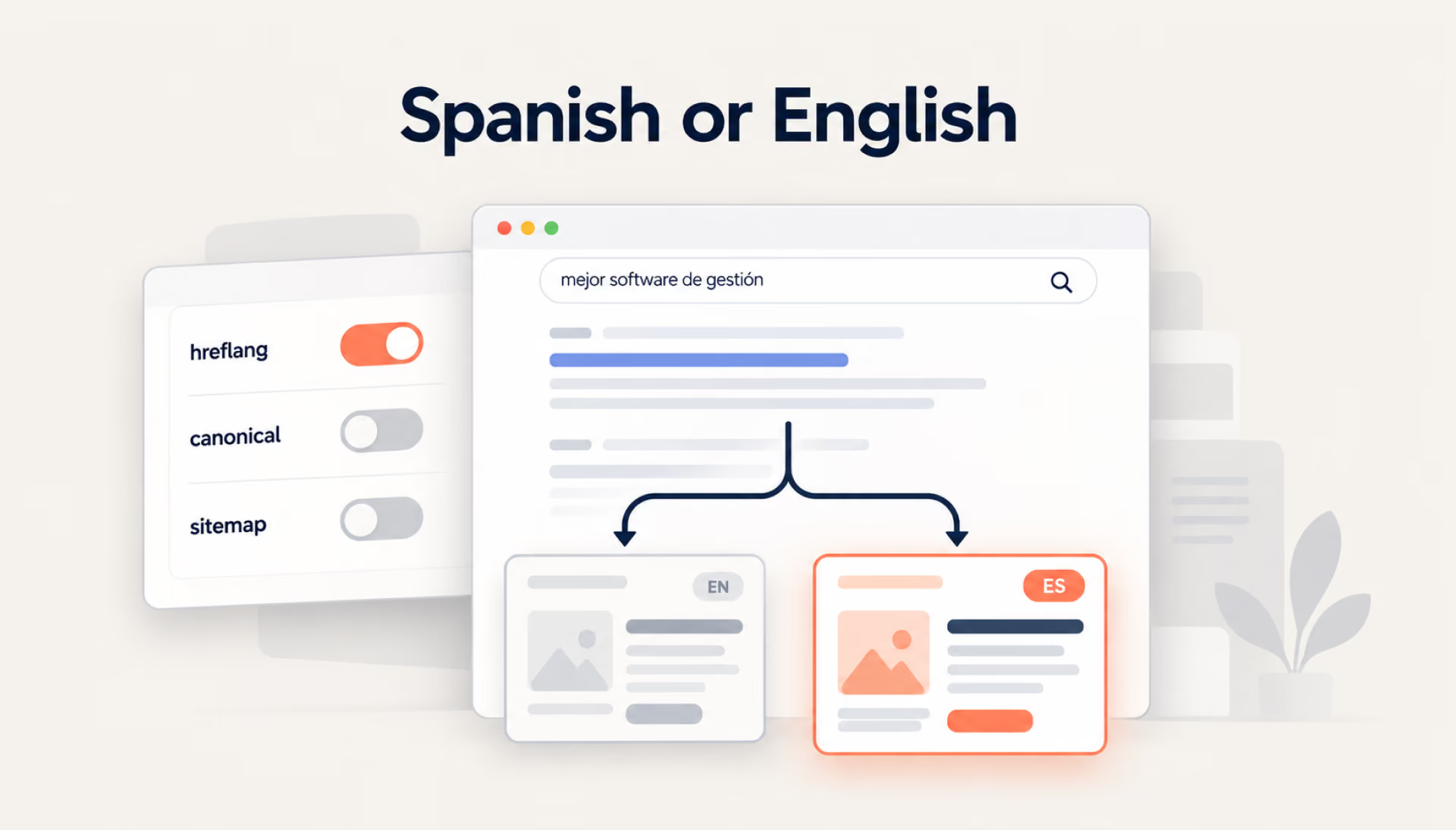
Technical setup is only one part of multilingual SEO. People in different markets may search for the same products using entirely different terms, so localized content needs to reflect how they actually search. Each language version also needs a clear place in the website’s structure and a way for search engines to discover it.
This guide walks through the key decisions behind multilingual SEO, from local keyword research and URL structure to hreflang implementation, indexing checks, and performance tracking across markets.
What is multilingual SEO?
Multilingual SEO is the process of optimizing a website that offers content in two or more languages, so that a search engine can match each version with people searching in that language. The work combines local keyword research and content adaptation with technical signals that help search engines find the right language version.
Multilingual SEO vs. international SEO
Language and location don’t always go hand in hand in SEO. A company targeting the US and UK may need separate regional strategies despite using English in both markets. International SEO addresses those geographic differences, while multilingual SEO focuses on searches in different languages. Many websites need both.
Why translation alone is not enough
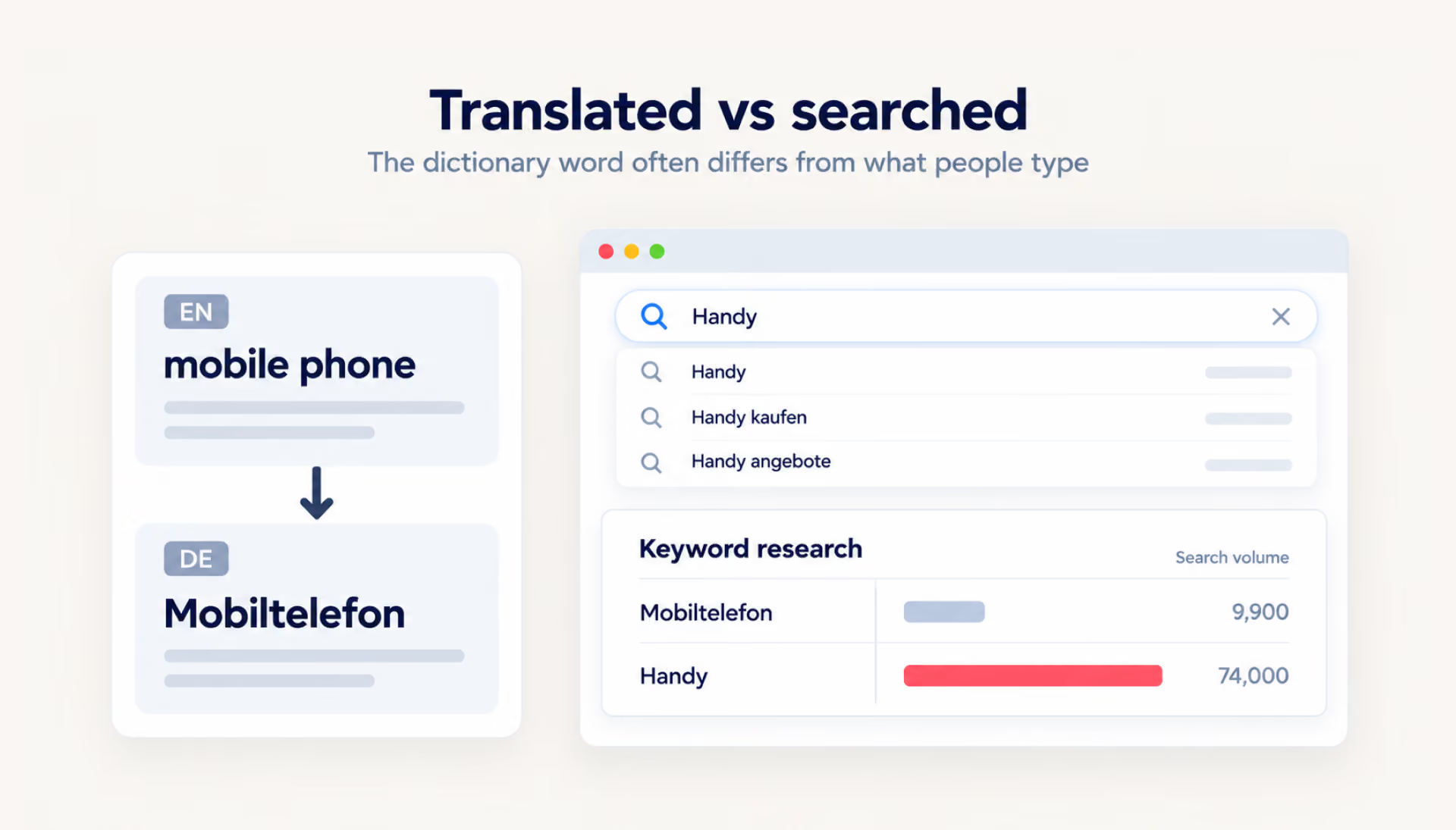
A translated keyword can be correct and still be a poor choice for SEO. In Germany, “Handy” is a common everyday term for a mobile phone, while “Mobiltelefon” is more formal. Local keyword research helps identify the terms people actually use. Publishing large volumes of low-value translated content mainly to manipulate rankings may also violate Google’s spam policies.
Why multilingual SEO matters for global growth
Expanding into new markets means competing for searches that may look very different from those in your home market. Even a website with strong rankings at home has to account for local competitors and different search habits abroad.
Reach users in their preferred language
Someone who speaks English fluently may still search for products or services in their native language. And when they do, the results they see can be quite different from those shown for the same query in English. Having a localized page gives your website a chance to reach those searches while making the information easier for visitors to read and use.
Improve organic visibility across markets
Localized pages can rank for searches the original website doesn’t cover, bringing your business to people in new markets. The same principles used to increase organic traffic still apply, but keywords and competition need to be assessed locally.
Build trust with localized content
A product page may be translated perfectly, but a customer can still lose confidence at checkout if delivery terms apply only to another country or familiar local payment methods are missing. Those details matter as much as the language itself.
Prevent duplicate content and indexing issues
Suppose a UK and an Australian page differ mainly in prices and delivery details. Google may select one canonical URL for both. Correct hreflang annotations help identify the regional alternatives, but they do not guarantee that both URLs will be indexed separately.
The real test of multilingual SEO isn’t how many languages a site supports, but whether those pages bring in the right visitors.
How to build a multilingual SEO strategy
Before launching another language version, you need to know where to focus, what people are searching for, and how to adapt your content to their needs.
Step 1: Identify target markets and languages
A rise in Search Console clicks from a country you don’t yet target can be a useful signal. Before deciding to launch a localized version, check:
- Demand. Search volumes for your core terms in the local language suggest whether a separate version is worth building.
- Capacity. Each language needs people who can write, review, and update content.
- Business fit. Shipping, payments, and legal requirements may limit which countries the company can serve.
- Competition. Strong local players may make some markets slower to enter through organic search.
Step 2: Conduct multilingual keyword research
Start with the search intent behind your core keywords rather than their direct translations. Local language experts can help identify natural phrasing, while keyword tools reveal search demand in each target market. Our guide to SEO keywords explains how to group terms by intent and assign them to relevant pages.
Step 3: Analyze local SERPs and competitor strategies
Local competitors have already learned which pages and topics attract search traffic. Check the results for your target queries: are the top pages product listings, guides, or comparisons? Look for questions they answer well and gaps your content could fill.
Step 4: Localize content, not just words
Local keyword research may call for different terminology, examples, or even page structure. After launch, a shared changelog can keep those versions from drifting apart: each market’s team can review changes to the original page and decide what needs updating locally.
Choose the right URL structure for a multilingual website
Once you’ve chosen your target markets, the next decision is where each language version will live. Subfolders, subdomains, and separate country domains all have their trade-offs, especially as the website expands.
Subdirectories
With a URL like example.com/de/, the German version stays under the main domain. There’s no need to manage a separate website for each language, though moving a section to its own domain later can involve a complicated migration.
Subdomains
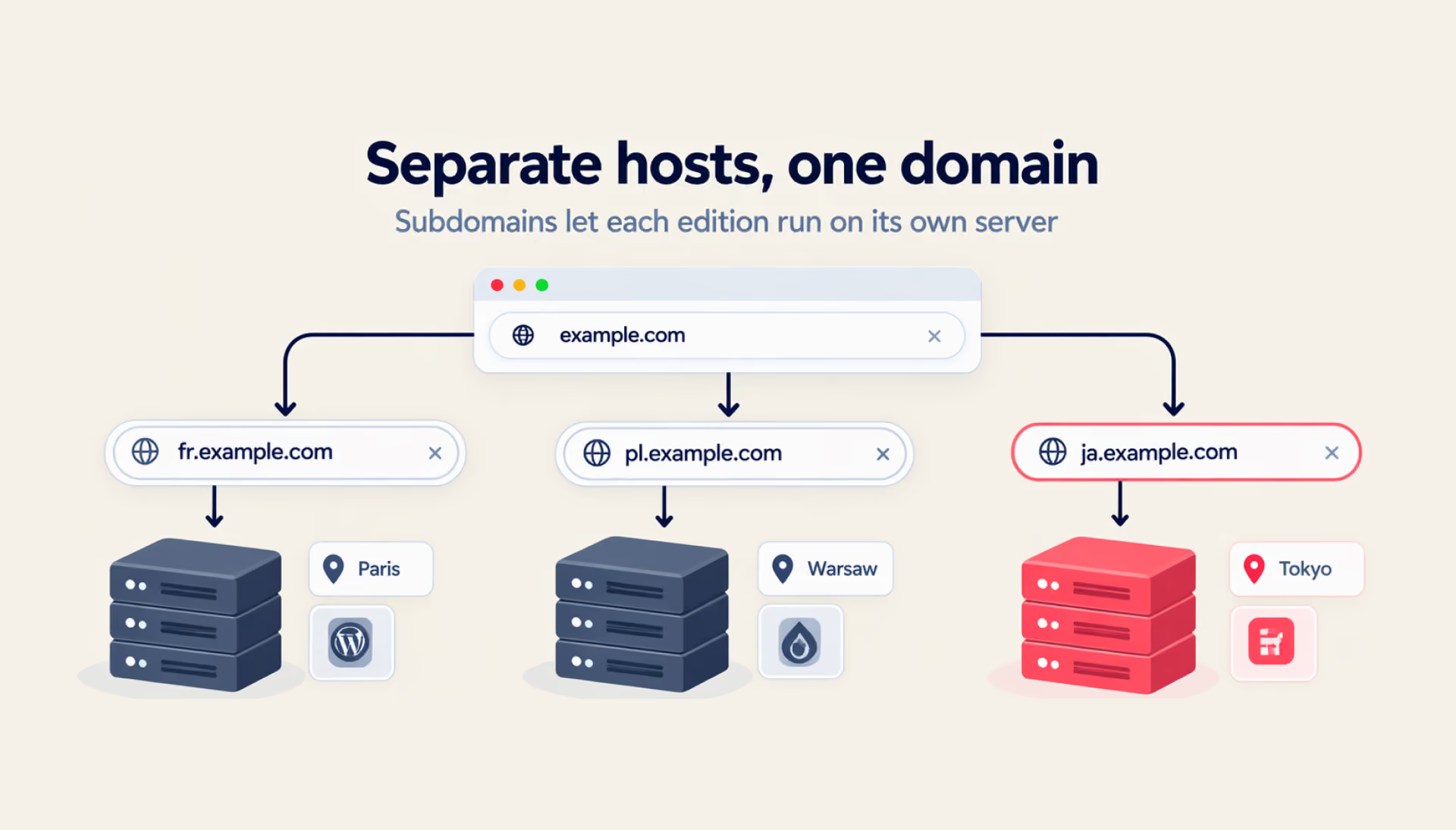
Sometimes a localized website needs a different platform or hosting setup. A subdomain such as de.example.com makes that possible without moving it to a separate domain. The downside is more work coordinating analytics and maintenance across sites.
ccTLDs
A .fr domain makes it immediately clear that a website targets France. For companies operating in several countries, separate domains offer more independence, but they also need their own hosting, maintenance, and SEO efforts.
URL parameters
Parameters such as ?lang=pt can make language versions harder to manage and distinguish in search. Google doesn’t recommend this structure for localized websites. Incorrect canonical settings can create additional indexing problems if they point translated pages back to the original URL.
Which URL structure is best for SEO?
For many businesses, subdirectories are a practical starting point because new markets can be added without extra domains or hosting. Subdomains or country-code domains may suit companies with established teams, platforms, or operations in other markets. Changing the structure later can mean redirecting hundreds of localized URLs and updating hreflang annotations, sitemaps, and internal links.
How hreflang tags help search engines serve the right language version
Hreflang is an annotation that identifies language and regional versions of a page for search engines. This helps distinguish the alternatives when selecting a URL to show in search results. Google’s guide to managing multi-regional and multilingual sites explains the setup in detail.
The annotations can sit in the HTML head, in HTTP headers, or in the XML sitemap. Google treats these methods as equivalent. A few rules shape hreflang implementation:
- Self-referencing and reciprocal links. Each language version should list itself and its alternatives, with links pointing back from those alternatives.
- Fully qualified URLs. Every hreflang URL must include the complete address, including https://.
- Language detection. Hreflang helps Google identify alternative versions, but the language itself is determined from the page content.
Language-only vs. language-region hreflang
A language-only value, such as hreflang="de", targets German speakers anywhere, while hreflang="de-AT" targets German speakers in Austria. Language codes follow ISO 639-1, region codes conform to ISO 3166-1 Alpha 2, and a region code cannot be used alone. The United Kingdom uses GB, and Google notes that values like “UK” or “EU” have no effect.
When to use x-default
The x-default value identifies a fallback URL for users whose language or region settings don’t match any available version. This could be a language selection page or the site’s default language version. The fallback URL should also be included in the hreflang annotations of the other alternatives.
Common hreflang mistakes
As a site grows, its annotations can fall out of sync in several ways:
- Return links are lost after updates. A new page may be added to one version without being added to the annotations on its alternatives. Google may then ignore annotations that lack reciprocal links.
- Incorrect language codes. Swedish uses sv, not se. Confusing language and country codes can prevent Google from interpreting hreflang annotations correctly.
- Links to redirects or noindex pages. These targets can prevent hreflang annotations from pointing directly to the intended, indexable version.
- Invalid HTML placement. When implemented through HTML, hreflang link elements must appear inside a well-formed <head> section. Incorrect markup may prevent Google from reading them.
Optimize each language version for indexing and crawlability
Hreflang helps Google identify language alternatives, but it can’t compensate for pages that search engines struggle to access or index. Each localized version needs to be discoverable before it can compete in search results.
Make every language version crawlable
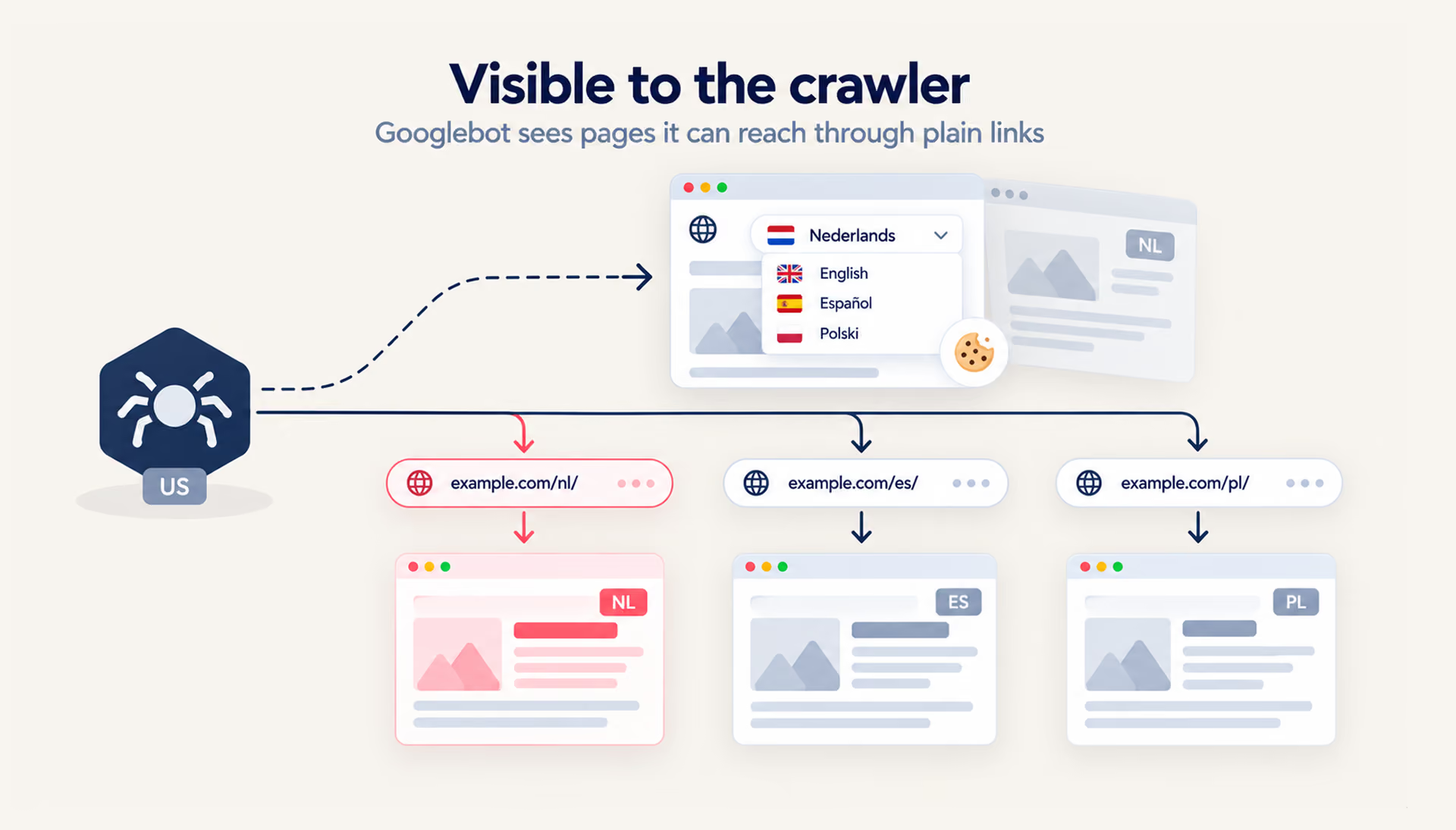
A Dutch edition that appears only after a visitor changes their language preferences may remain undiscovered by Google. Its crawler doesn’t send an Accept-Language header, so relying on browser settings or cookies to serve localized content can cause problems. Giving each language version a separate URL with crawlable internal links is an important part of SEO and web development.
Avoid blocking localized pages by mistake
A staging rule left in robots.txt can prevent Google from crawling a localized page and reading hreflang tags in its HTML. A leftover noindex tag creates a different problem: it may keep an otherwise crawlable page out of the index. URL Inspection can help diagnose both issues.
Use canonical tags correctly
Each language version usually points its canonical tag to itself, and Google recommends a canonical page in the same language, or the closest substitute language if no such page exists. For example, a canonical from a German page to its English equivalent signals that Google should treat the English URL as preferred, which may lead to the German page being excluded from search results.
Add multilingual URLs to XML sitemaps
If you implement hreflang through XML sitemaps, open a URL entry and inspect its xhtml:link elements. The entry should list every language or regional alternative, including the current page. Hreflang can also be implemented through HTML or HTTP headers instead.
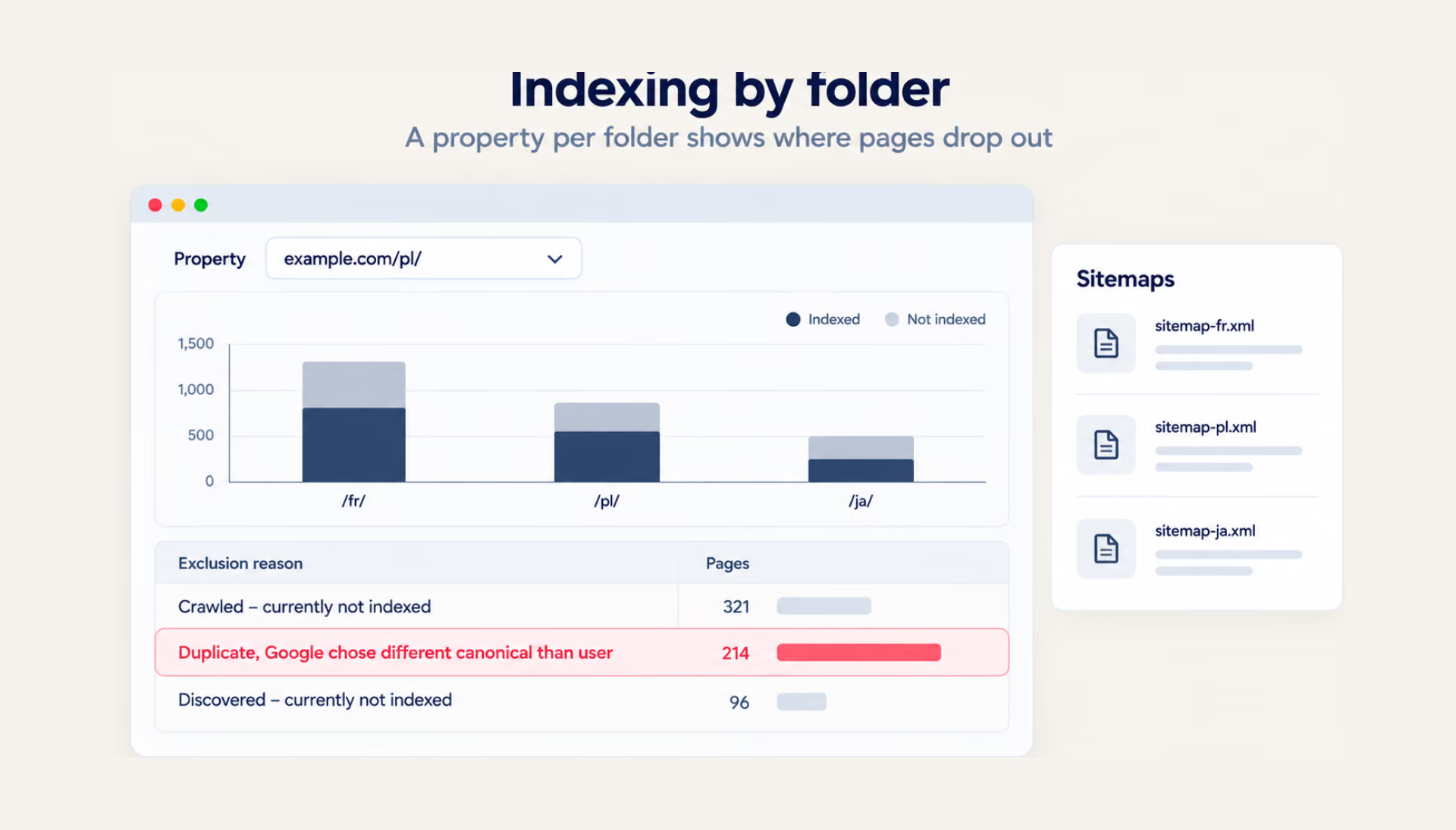
Monitor indexing in Google Search Console
Compare the Page Indexing report for each language-specific sitemap, if you use them. A rise in “Duplicate, Google chose different canonical than user” warrants checking the affected URLs and their canonical settings; the status alone doesn’t prove a multilingual configuration problem.
On-page SEO elements to localize for every language
Once search engines can access your localized pages, the next challenge is making those pages relevant to local searches. That requires attention to how each page is presented, structured, and connected to other content.
Title tags and meta descriptions
Before clicking, a searcher may see a title link and snippet drawn from your localized page. Rather than translating English metadata word for word, adapt titles and descriptions to local search terms and check how they appear in results. Google may also generate different title links or snippets.
Headings and body content
Untranslated buttons or footer links can make an otherwise localized page feel unfinished. Keep navigation and main content in the same language, and adapt headings to the topics and search terms people actually use in that market.
URL slugs
Localized slugs, such as example.com/de/preise/ instead of /de/pricing/, make URLs easier for local audiences to understand. For languages using non-Latin scripts, transliterated slugs can also be an option to keep URLs readable, provided the naming approach stays consistent across the website.
Internal links
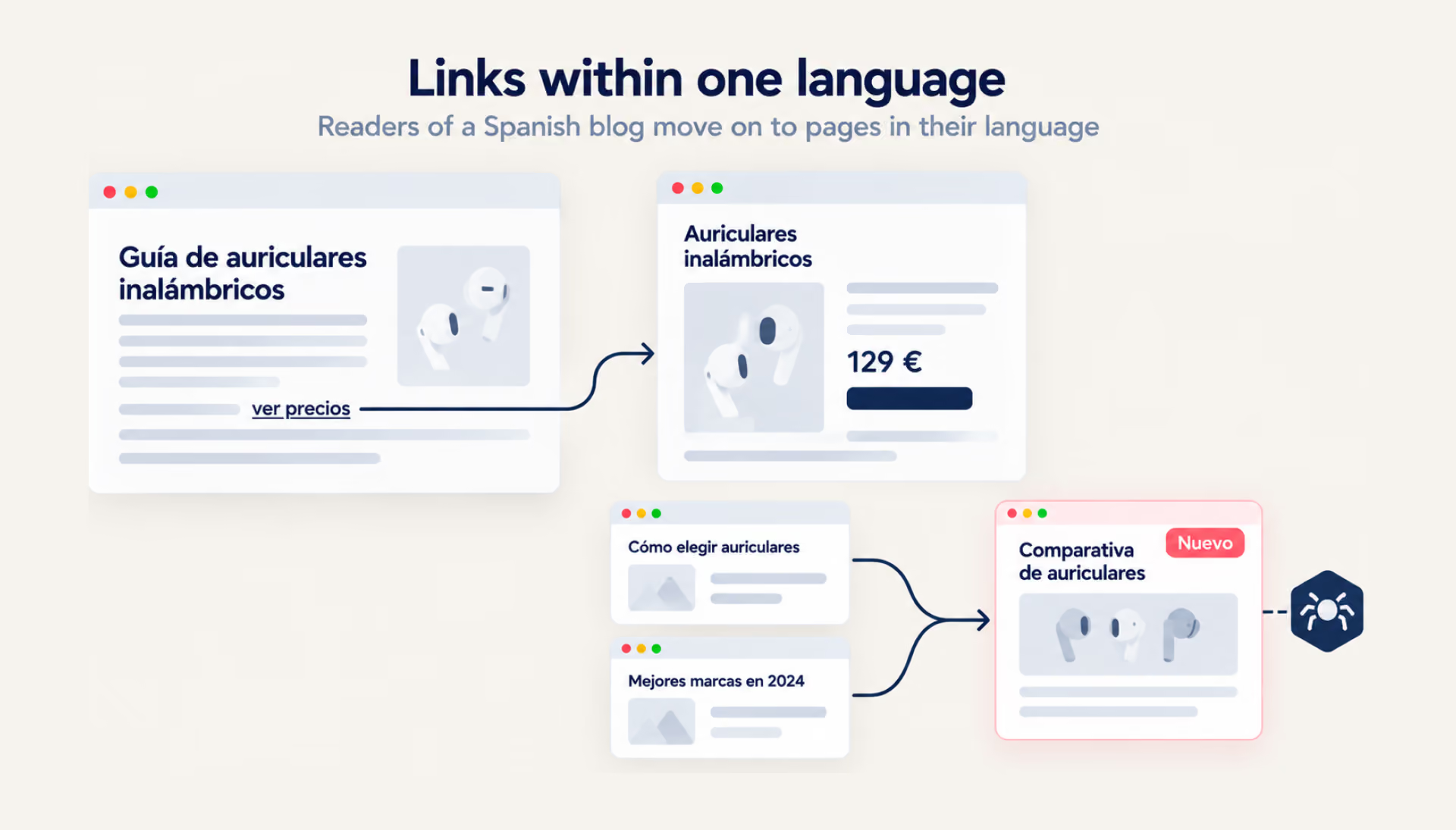
Within a localized section, links should generally lead to relevant pages in the same language, with anchor text that feels natural to local readers. Linking to newly localized content from related articles can also help search engines discover pages that might otherwise receive little attention.
Images, alt text, and media captions
Translate descriptive alt text, image filenames where appropriate, and video captions to match the language of each page, especially if the site expects traffic from local image search. Visuals containing text, such as interface screenshots or charts, may also need localized versions so visitors can understand them without switching languages.
Build authority in each target market
A localized website may be technically sound and well-optimized, yet still struggle to compete with established players in a new market. Building authority takes time, particularly when local audiences are unfamiliar with the brand.
Local backlinks and digital PR
Relevant backlinks can come from local publications, industry associations, and websites that serve your target audience. Digital PR campaigns built around original research or market-specific insights can help attract these links. For example, a survey conducted across several countries could produce separate reports with findings relevant to each local audience.
Country-specific partnerships and mentions
Distributors, resellers, and integration partners can link to the relevant language version from their websites. When partners feature your business, directing visitors to a localized page gives them content tailored to their language and market.
Why one global backlink profile may not be enough
Links earned in one market can support the wider domain, particularly when language versions use subdirectories. However, strong visibility at home doesn’t automatically carry over into authority in other markets. Local competitors may have more relevant coverage and established relationships with regional publications. With ccTLDs, each country-specific domain also needs its own link-building efforts.
Tools to support your multilingual SEO workflow
Managing SEO across several languages becomes harder as the website grows. Tools can help teams spot issues that are easy to miss manually and keep track of how each localized version performs.
Keyword research tools for local search intent
Most keyword tools let you set the country and language to see search volumes and keyword suggestions specific to each market. Google Keyword Planner allows this filtering, while autocomplete and “People also ask” boxes when searching from the target market may reveal local phrasing that tools miss.
Hreflang testing and validation tools
Site crawlers such as Screaming Frog SEO Spider can check hreflang across a website and flag missing return links, invalid language codes, or links to non-indexable pages. These checks are particularly useful after site updates or migrations.
Google Search Console for indexing checks
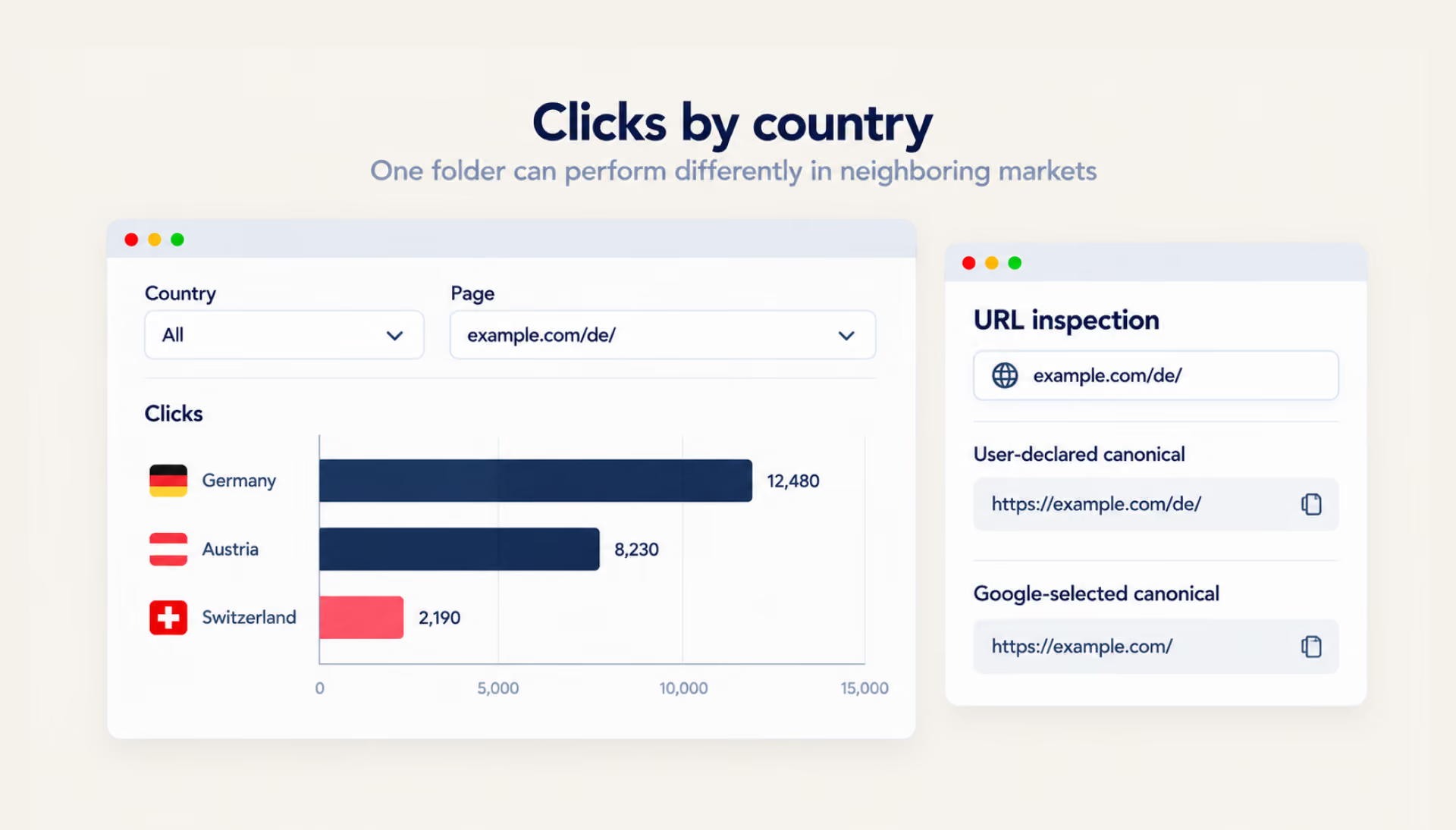
The Page Indexing report helps identify localized URLs that haven’t been indexed, while URL Inspection shows the indexing status and Google-selected canonical for individual pages. Separate language-specific sitemaps can make it easier to monitor indexing across versions.
Analytics tools for tracking multilingual performance
Google Analytics 4 can segment traffic and conversions by language folder, hostname, or country. Teams can also configure content groups for each version or create Looker Studio dashboards to track performance by market.
How to measure multilingual SEO performance
Launching a localized website is only the beginning. Once the pages start attracting visitors, the next question is whether they’re reaching the right audiences and contributing to business growth.
Track rankings by language and country
Rankings depend on the searcher’s location and language, so each market needs its own keyword list. A rank tracker set to the target country can show daily positions, while Search Console shows average positions for queries that already bring impressions.
Segment organic traffic by language version
Organic traffic for each version can be separated in GA4 by folder, subdomain, or domain. Comparing visitor locations can also reveal unexpected demand and opportunities for further localization.
Measure conversions from localized pages
Traffic shows reach, while conversions show whether localized pages meet the market’s needs. Depending on the business model, useful milestones may include:
- Purchases and revenue, reported in local currency where possible.
- Leads and demo requests, connected to CRM records to follow them to closed deals.
- Sign-ups and downloads, which may show interest in markets with longer buying cycles.
A version with steady traffic and few conversions may warrant a review of local trust signals, payment options, and other relevant factors.
Common multilingual SEO mistakes to avoid
A multilingual SEO setup involves many details, and some are easy to overlook during implementation or updates. Watch out for these common mistakes:
- Translating keywords without local research. A translated term may have little search demand in the target market.
- Using one URL for multiple languages. When content changes by cookie on the same URL, search engines may index one version.
- Relying only on machine translation without review. Unreviewed translations may contain errors or miss local context. Large amounts of low-value content produced mainly to manipulate rankings may violate Google’s spam policies.
- Pointing canonicals to the wrong language version. A canonical to the English page may cause Google to exclude the localized version from search results.
- Forgetting to return hreflang links. Without reciprocal annotations, Google may ignore the hreflang links between those pages.
- Ignoring local search behavior. Devices, search features, and query styles may differ by country.
- Measuring all markets as one audience. Global averages may hide a version that loses traffic.
- Not updating internal links between localized pages. New pages without these links may be harder for search engines to discover.
Reviewing these areas as part of an SEO audit helps teams prioritize fixes across language versions rather than addressing problems one page at a time.
Make your next market count
You may be ready to reach customers in several countries, but launching every language version at once isn’t always the best approach. Start where demand is strongest, see how your pages perform, and use those insights to plan the next move.
As the number of language versions grows, so does the work of maintaining content, technical settings, and performance data. For larger rollouts, international SEO services can help coordinate those efforts across markets.
{{banner}}
FAQ
How can I improve my website’s multilingual SEO?
You can usually improve multilingual SEO by checking local keyword research, hreflang and canonical settings, and the indexing of each version first. The priorities depend on where the site loses visibility: an unindexed version needs technical fixes, while an indexed one with few clicks may need better local metadata.
What problems does multilingual SEO solve?
Multilingual SEO helps search engines show the right language version to each searcher and signals which localized versions of a page are intended for different audiences. It also helps teams spot indexing problems and avoid keywords that local audiences rarely search for.
How to implement a multilingual SEO strategy?
Implementation usually starts with choosing markets and a URL structure, followed by local keyword research and content localization. Set up hreflang, sitemaps, and internal links before launch so search engines can discover the localized pages and identify their language alternatives.
How does SEO differ for multilingual websites?
Multilingual websites have additional SEO considerations, such as hreflang annotations, localized URLs, and indexing across language versions. They also require separate research, link building, and reporting for each market, since competitors and search habits may differ between countries.
Is hreflang required for multilingual websites?
Hreflang is not mandatory, and Google notes that it might still find alternate versions without it. Still, Google recommends indicating localized versions explicitly, especially when a site has regional versions in the same language.
How do I check if multilingual pages are indexed?
The Page Indexing report in Google Search Console shows indexed and excluded pages. Separate URL-prefix properties for language folders can make it easier to review indexing by version. For a single page, the URL Inspection tool shows its indexing status and the canonical URL Google selected.