




Slow organic growth tends to set off a push to publish more, with new topics added to the plan. Yet some pages a site already has may be closer to the top search results than anything in that plan. What they often lack are internal links from related pages covering the same topic.


Adding such links usually takes less effort than creating new material, as the content is already in place. That makes reviewing internal links a sensible place to start. In this guide, we’ll look at how to build an internal linking strategy, from choosing which pages to strengthen to checking whether the changes moved them higher.
{{banner}}
What are internal links?
Internal links are hyperlinks that point from one page to another on the same domain. They can appear in navigation menus, body copy, footers, sidebars, breadcrumbs, and related-content blocks. To count for search, a link has to be crawlable. Google’s documentation explains that its crawler can generally follow <a> elements with an href attribute, so navigation built on scripts or buttons without a proper URL may never be discovered.
Internal links vs. external links
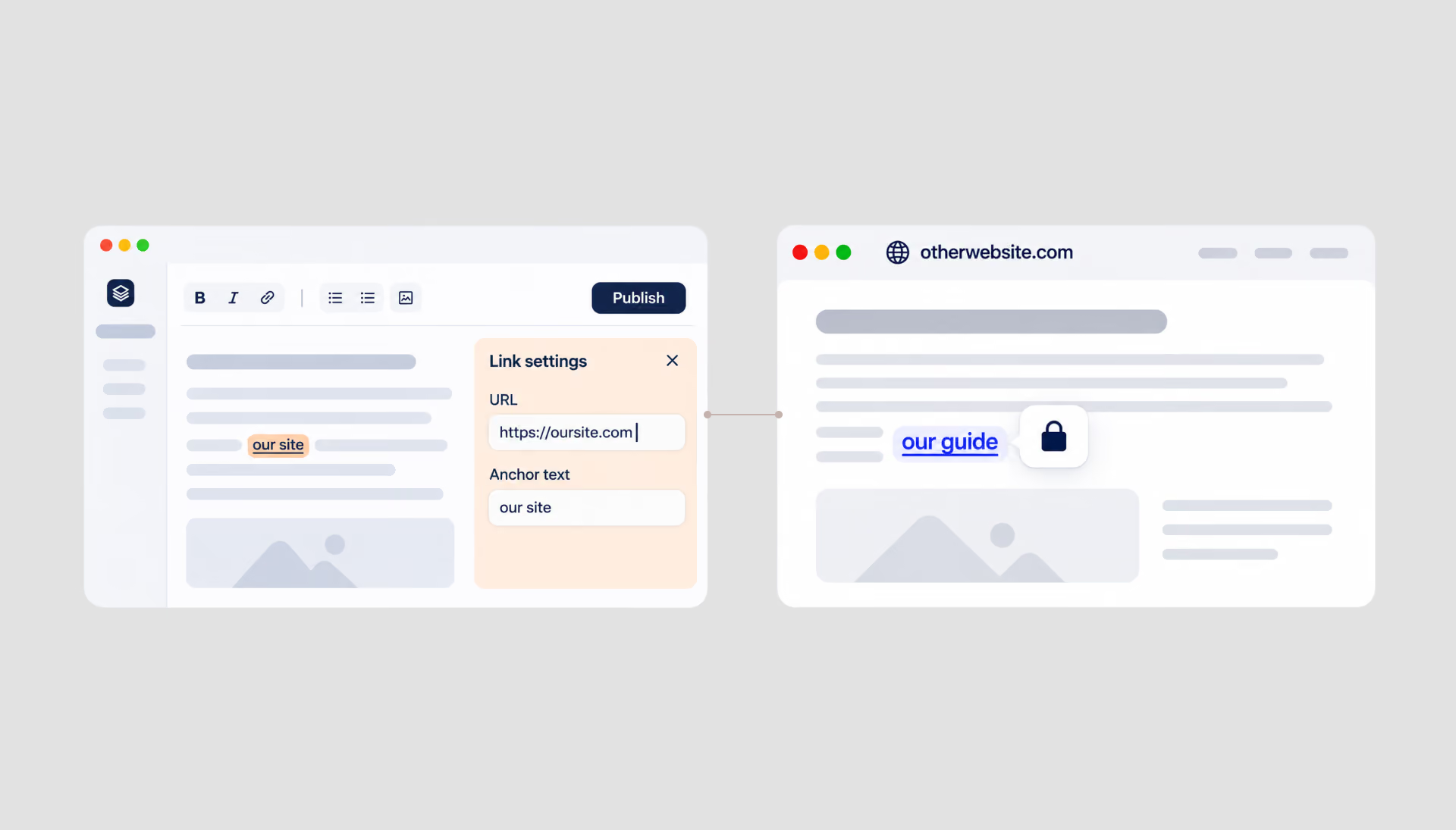
The main difference is how much control you have over them. External links come from other websites, whose owners decide whether to link to your content and what anchor text to use. With internal links, these decisions stay within your team. You can choose which pages to connect, adjust anchor text, and update link placement as your content or SEO priorities change.
Types of internal links
Internal links serve different purposes depending on where they appear and what they connect. Some are part of the site’s navigation, while others guide readers to related information within the content. A well-organized website typically uses several types together.
Navigational links
Menus hold links to the top categories, key service pages, the blog, and the contact page. Because they repeat on every URL, visitors and crawlers can reach the linked destinations directly. Menu space is limited, though, so most of a site’s depth has to be reached through other kinds of links.
Contextual links
They sit in the body copy and lead to a page that develops the topic of the paragraph further. The words just before and after the anchor add context of their own, according to Google’s guidance, so readers and search engines get a clearer idea of what the destination covers.
For most content teams, this type is where the main work of SEO internal linking happens. It can be added to any paragraph where related material would help the reader.
Footer and sidebar links
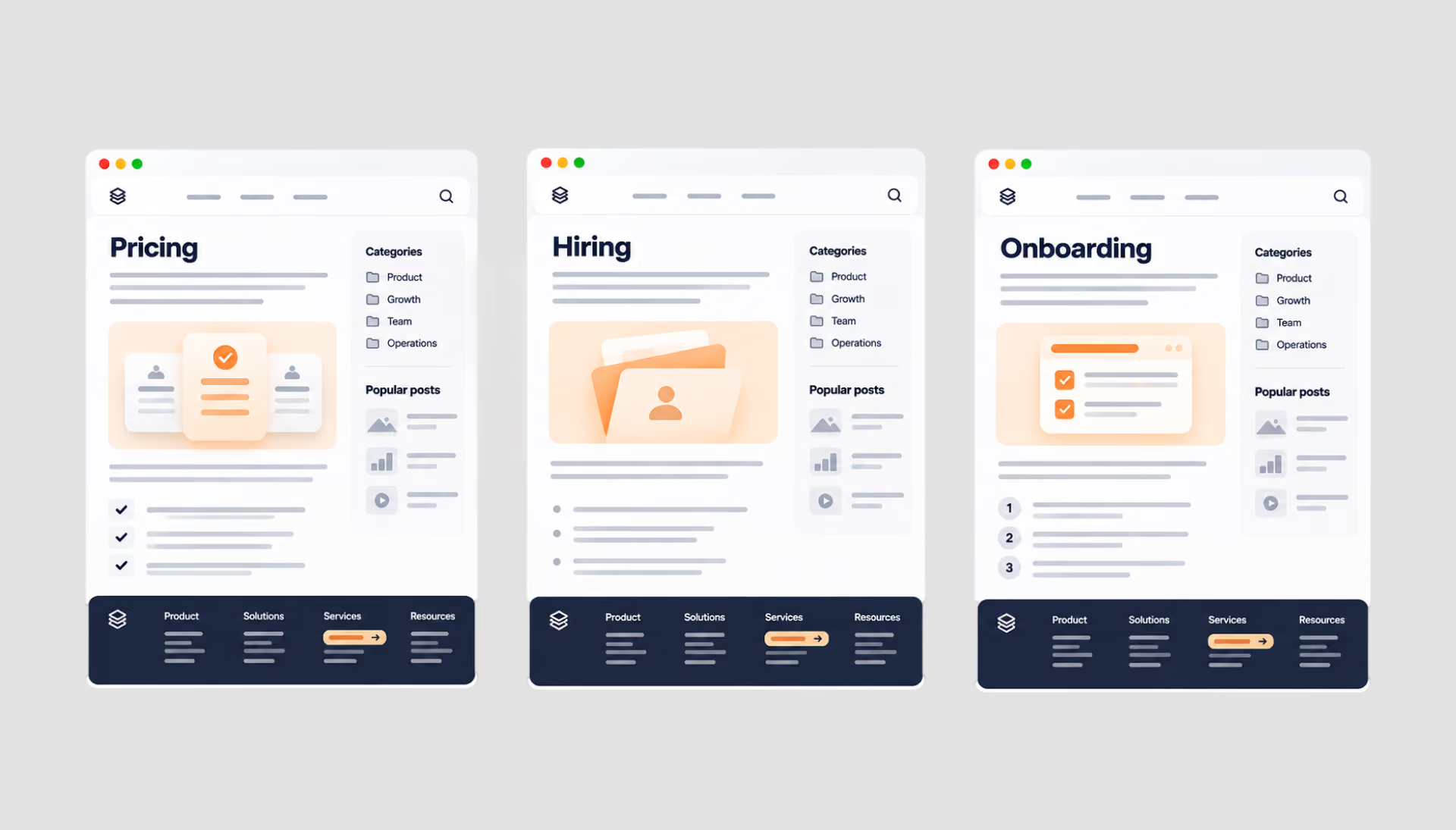
Footers usually hold links to legal pages and company information, and sometimes to key services or locations, while blog sidebars may list categories or popular posts. Since these links appear on many pages at once, they keep important URLs within easy reach.
Their repeated placement offers little insight into topic relationships. A service link in the footer looks the same whether the article above it covers pricing or hiring.
Breadcrumbs and related-content links
Breadcrumbs show the path from the homepage to the current page through its parent categories. Each level is a link, so visitors can move up the hierarchy in one click, and help clarify the site’s hierarchy for search engines.
Related-content blocks appear at the end of an article or product page and are sometimes filled by a plugin. Its automatic picks are worth reviewing, since they can favor loosely related or outdated content.
Why internal linking matters for SEO
According to Google, its systems look at how pages link to each other to work out what those pages are about, and crawlers find many new URLs the same way. The placement and destinations of internal links can therefore influence which content gets discovered and how much weight it receives.
They help search engines crawl and discover pages
A new URL usually becomes visible to bots when it is linked from somewhere they have already been. Google’s documentation advises that every important page on a site should be reachable through at least one internal link. An XML sitemap can point to a URL as well, but it doesn’t show how that address relates to the rest of the site.
Fresh articles can benefit from this approach. One that appears in the blog index and in a few related posts is easier to reach than one listed only in the sitemap.
They pass authority to important pages
Backlinks from other sites pass link equity to the URLs they point to, and part of that value can travel further through navigation and body copy. According to Google, PageRank, an algorithm built on this principle, has evolved considerably since its launch and is still among its core ranking systems.
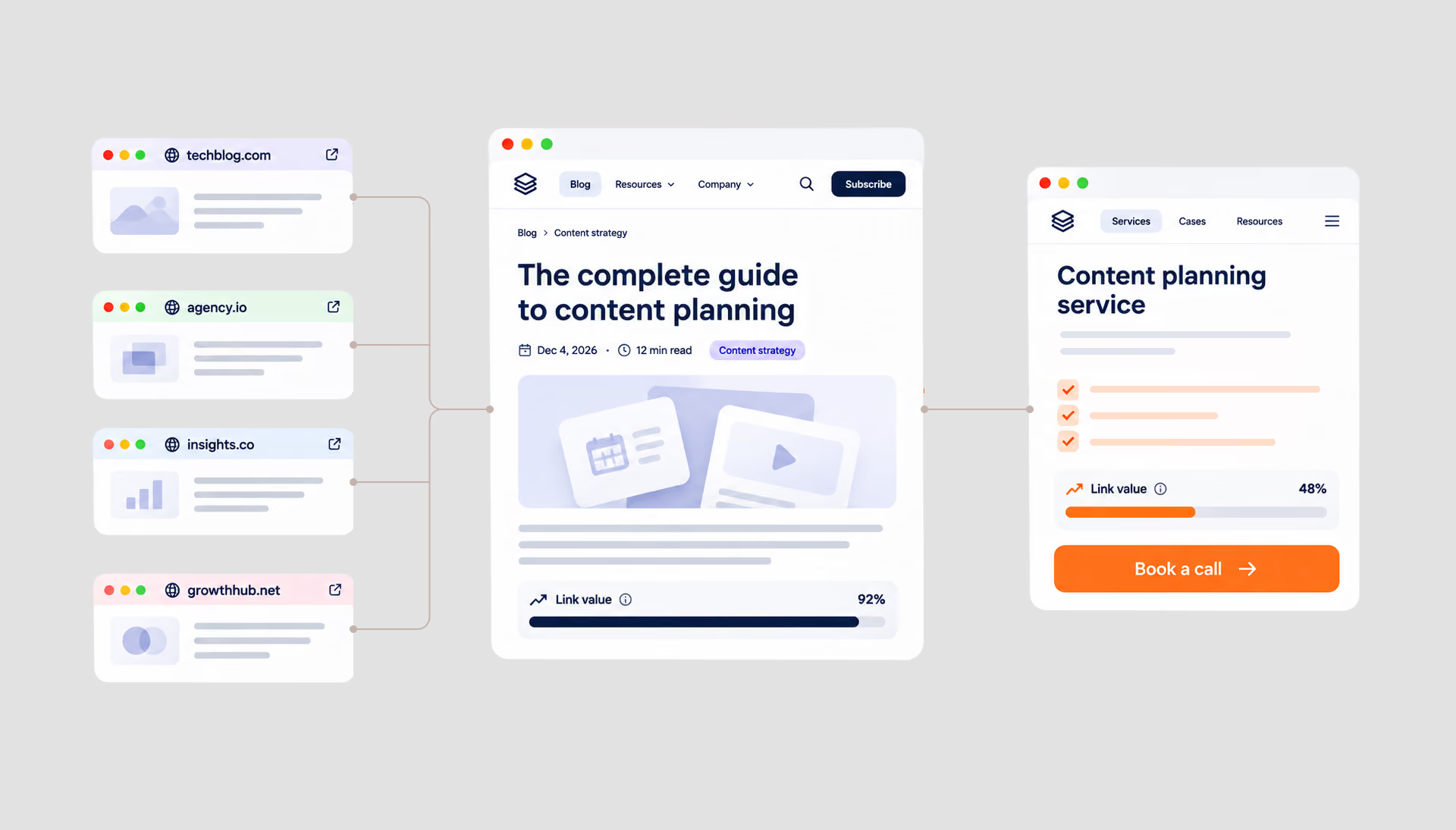
Its exact weight isn’t public, and no fixed value is assigned to each link. Relevant internal links from well-established pages can help strengthen the ranking signals of a destination URL. This allows site owners to support priority pages using the authority their site has already earned.
They clarify topical relevance and site structure
When several narrow articles point to one broader resource, and that resource points back to them, search engines better understand the relationship between the URLs. Anchor text also helps, as it describes what each destination is about.
A planned category hierarchy gives internal links a clearer structure and helps connect related content. Our guide on website structure explains how to design categories, URL paths, and navigation with search in mind.
They improve user experience and engagement
Someone who reaches the end of an article with a question still open tends to stay on the site if the answer is only a click away. A route to a deeper explanation, a definition, or a related service gives that person a next step, so going back to search results becomes less likely. Over time, the number of pages viewed per visit may grow, along with the share of sessions that reach a conversion step.
Each internal link should help readers find relevant information and clarify the relationships between related pages for search engines.
How internal links can boost rankings without new pages
Internal linking can support different SEO goals depending on which pages need attention and where relevant connections are missing. Here are several opportunities to consider.
Strengthen pages that already rank on page two or three
Pages ranking in positions 11–30 already have some search visibility, making them useful candidates for internal linking improvements. The Performance report in Google Search Console can help identify these opportunities through average positions and impressions for relevant queries. Adding a few contextual links from related, well-performing articles is a low-cost way to test whether those connections help improve rankings.
The outcome differs from case to case. If rankings show no improvement after crawlers have processed the changes, the limiting factor may be the content itself or the strength of competing results.
Connect high-authority pages to priority pages
Referring domains are rarely spread evenly across a site. Backlink tools can sort URLs by referring-domain count, and the top of the list usually includes a few familiar types:
- Older guides. Articles published years ago have had more time to be cited, and many keep attracting new mentions.
- Original research. Surveys, benchmarks, and data studies give other authors figures to quote, so they often earn links without outreach.
- Free tools and templates. Calculators, checklists, and downloadable resources tend to be shared because they solve a practical task.
- The homepage. Brand mentions, directories, and partner sites usually point here by default.
A contextual link from one of these sources to a related service or product may help strengthen the destination URL, provided the topics are relevant to each other.
Support high-intent pages with existing informational content
Most people who land on a blog article are still figuring out their problem, and only some of them will look for a provider during the same visit. For that group, a clear path from the article to a service or pricing section makes it easier to move from researching a problem to considering a provider.
A post that ranks for the cost of a service, a comparison between providers, or help with choosing one draws readers who are close to a purchase decision. Posts like these are better suited to this role than broad explainers. The service link itself tends to fit after the article has walked through the problem and shown why professional support may be useful.
Reduce orphaned or underlinked pages
After a redesign, a migration, or the end of a campaign, some sections drop out of the menu and lose the paths that once led to them. Those with no internal links left are known as orphaned pages, while those with few relevant connections to other parts of the site may be underlinked. Crawlers may visit them rarely, and visitors can hardly find them at all.
Each of these pages calls for a separate decision. One that still answers a real question can be connected to related articles, while one that duplicates a stronger resource is usually better merged into it.
Improve site structure with strategic internal links
As a site grows, articles on the same subject are often published months apart and are not linked to each other. Links between related pieces, and from them to relevant category or service pages, make important pages easier to reach and help search engines understand the website hierarchy without any change to the URLs.
This review is more straightforward when the content follows a plan. The SEO content strategy guide on our blog describes how to organize topics so that new and existing pages fit into the same structure.
Build topic clusters from existing content
Search Console data can help find articles that already cover separate parts of a broader topic. A comprehensive pillar page can take on the main subject, the other pieces can become supporting articles for narrower questions, and together they form a topic cluster.
Once relevant internal links connect them, search engines get a clearer view of how the pieces relate, and readers can move from a general overview to specific details. The site ends up using its existing content more fully.
How to build an internal linking strategy step by step
A systematic approach makes internal linking easier to manage and measure. The steps below show how to identify opportunities, make relevant changes, and evaluate their impact on existing pages.
Step 1. Audit existing links and technical issues
Search bots explore a site by moving from one URL to the next, which means a crawler that works the same way can show what they are likely to find. The report from a full crawl then serves as the baseline for later decisions, and a few issues in it usually need checking first:
- Broken internal links. Filtering the crawl by 4XX status codes shows which addresses no longer exist and which articles still point to them.
- Redirects and redirect chains. URLs that respond with 3XX codes show where navigation passes through one or more hops, and outdated HTTP addresses usually appear in the same report.
- Orphaned pages. Comparing crawl results with the XML sitemap and analytics data helps identify URLs that may lack incoming links or remain inaccessible through site navigation.
- Crawl depth. Most crawlers can report click counts from the homepage, making key service or product sections buried deep in the hierarchy easier to identify.
- Nofollow misuse. The nofollow attribute sometimes appears on navigation links or within body copy pointing to important pages, potentially limiting their SEO value.
- Too few incoming links. The inlinks count next to each URL shows which priority sections receive support from only one or two places.
On larger sites, an internal link audit may also reveal signs of indexing or rendering issues that require further investigation. A comprehensive SEO audit can help identify the underlying problems and prioritize fixes, some of which may require developer support.
{{banner-2}}
Step 2. Choose priority pages to support
Spreading new links evenly across a site rarely moves any single URL far enough to matter. A short list usually works better, built from what brings leads or revenue: service and product offers, high-intent blog posts, articles sitting just below the top ten, and landing pages with clear conversion potential.
Conversion data from analytics, combined with positions and impressions from Search Console, helps narrow the list to the URLs where better visibility would pay off most. Each of them also needs a target topic or query, which later makes it easier to match relevant sources and anchors to it.
Step 3. Find relevant source pages
The articles that will point to priority URLs are chosen by two criteria. Their subject should be close to the target’s, and they should already have some strength of their own, which usually shows in steady organic traffic, backlinks, or rankings for neighboring queries.
Searching with the site: operator plus the domain and topic, for example site:example.com/blog "technical SEO", can bring up articles that already discuss the subject and may contain a sentence where a link fits. In Search Console, the Links report lists the URLs with the most internal and external links, giving a picture of how connections are spread across the site.
Step 4. Map pages into topic clusters
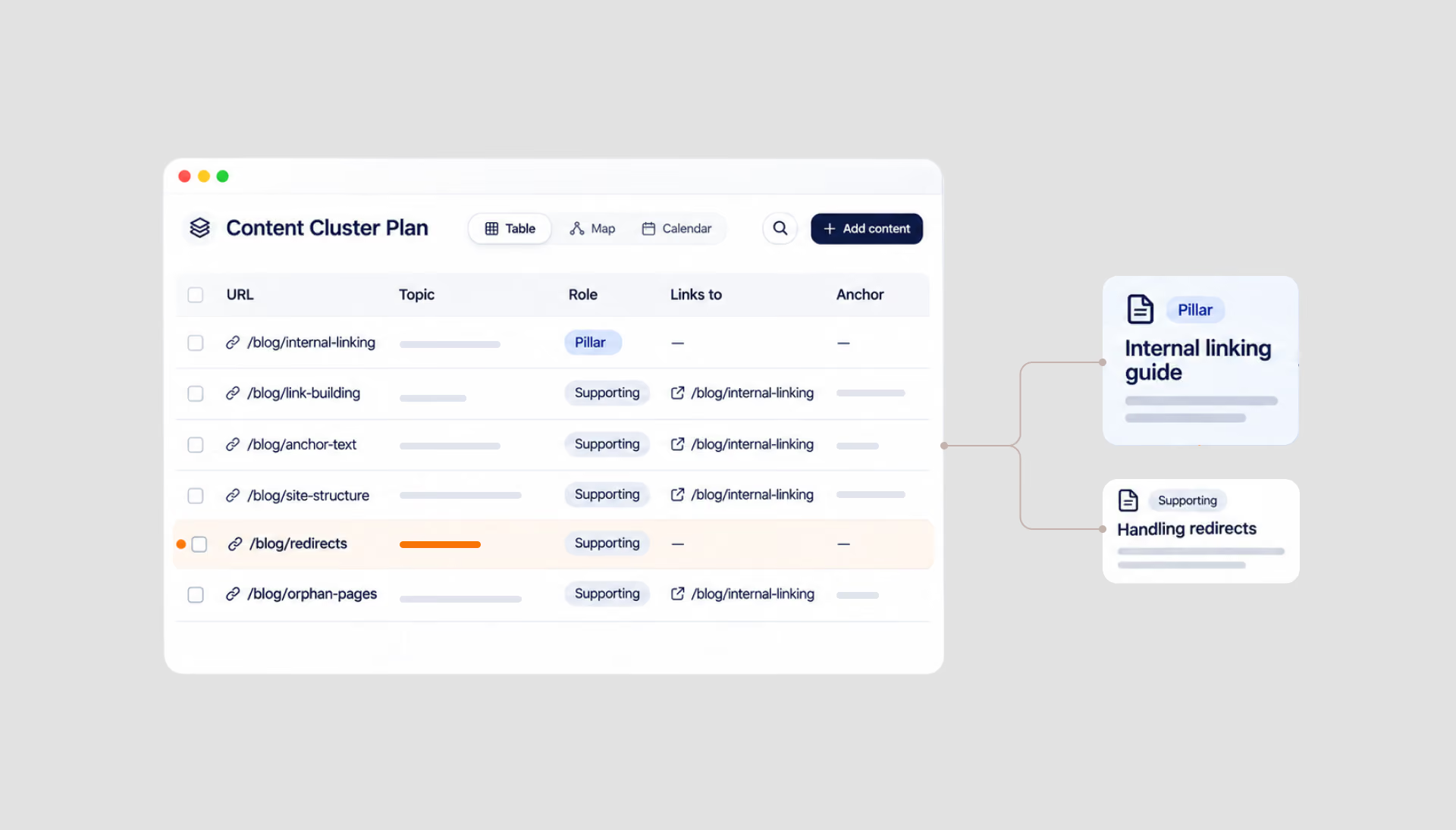
A spreadsheet with one row per URL is usually enough for the map, with columns for the topic, the role in the group, the addresses it should point to, and the planned anchors. With the wording agreed in advance, writers can add connections later without guessing which phrase to use.
Comparing planned connections against the crawl results reveals gaps. Common examples include supporting articles that omit references to their pillar and pillars that point to only some members of the cluster.
Step 5. Add contextual links naturally
A new link fits better after a sentence that introduces a need addressed by the destination. For example, an article about website design costs could link to a website design services page when discussing what professional design includes. Google’s guidance also advises against placing several anchors right next to each other, since a chain of them leaves little context for each one.
Older articles sometimes have no sentence that leads to the destination. A short added line that explains the connection usually reads better than bending an existing one to fit the anchor, which can change its meaning.
Step 6. Write clear anchor text
The clickable words of a hyperlink tell readers and search engines what to expect after the click. Google recommends making them descriptive, reasonably concise, and relevant to the destination. Both exact-match and partial-match anchors can work when they fit the context. Avoid forcing the same keyword into every link, and choose wording that clearly describes the destination.
The wording also needs to fit the search intent behind the destination. A phrase that promises an explanation works poorly when it leads to an offer, and a product name sets the wrong expectation when it opens a general overview. Our guide on SEO keywords explains how to research and group the terms each URL targets, helping writers choose relevant anchor text.
Step 7. Track results and update links regularly
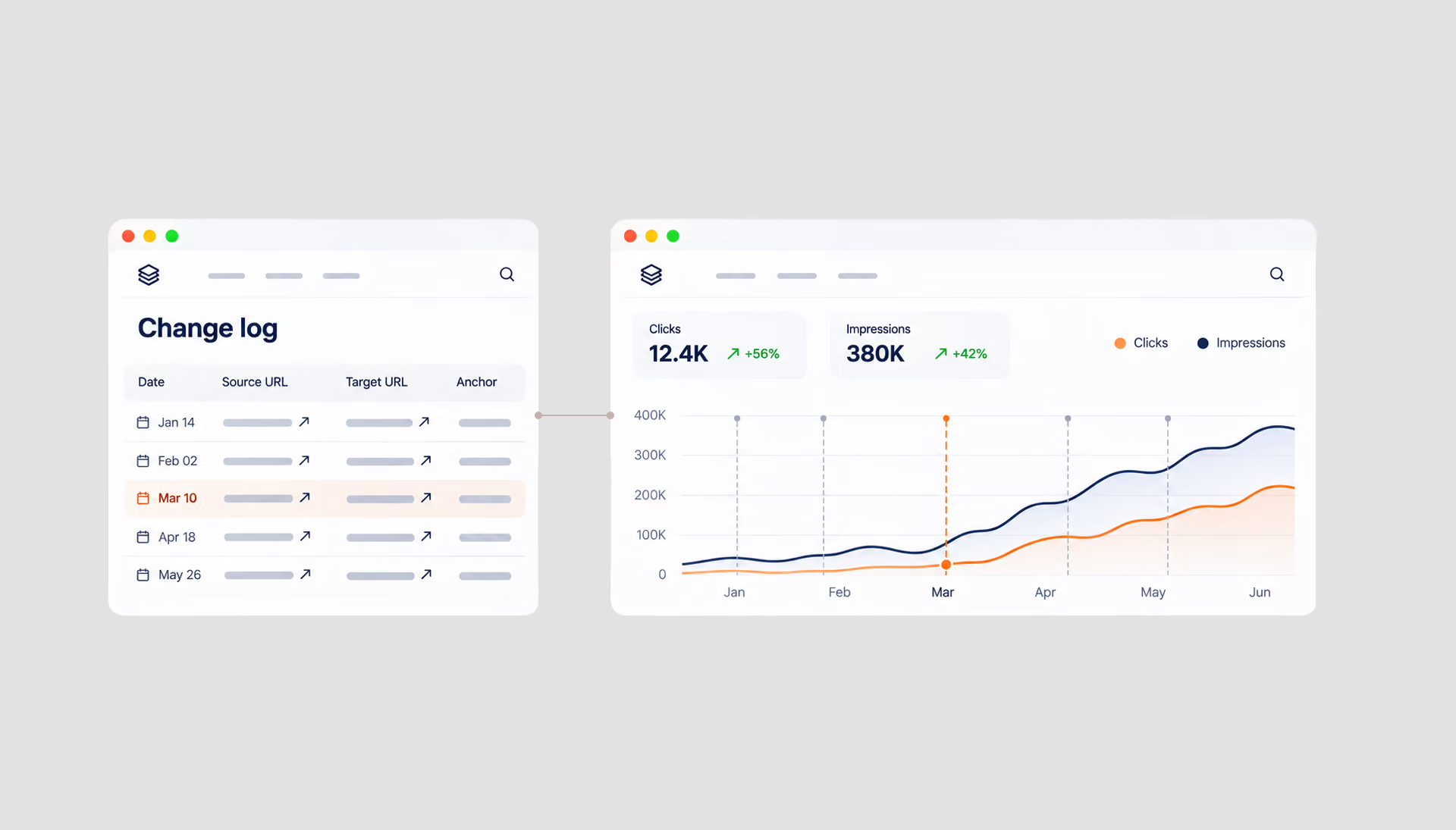
Search engines need time to recrawl the source articles and process each change, so the effect may take several weeks to appear. A simple log with the date of every edit and the URLs involved gives a reference point for later comparisons of rankings, clicks, impressions, crawl stats, and engagement.
The site continues to evolve, as articles get rewritten, merged, or moved to new addresses. A quarterly internal linking audit helps catch the resulting problems before they accumulate.
Internal linking best practices
Most problems with a site’s navigation come from small decisions repeated across hundreds of articles, such as which source to choose or how many connections to add to one text. Several internal linking best practices help keep those choices relevant and useful, whether an article is new or has been online for years.
Link from relevant pages, not just powerful ones
An article with dozens of backlinks can look like the ideal starting point for every new connection. Its usefulness for a particular destination still depends on how close the two topics are. A quick check is whether both texts rank for overlapping queries or belong to the same topic cluster. If they do, even a modest post may be a more relevant source for the destination than a popular one on a distant theme.
A relevant link from a modest page can be more valuable than one from an authoritative but unrelated source.
Keep important pages within a few clicks
The shorter the path from the homepage, the easier it is for visitors and crawlers to reach a URL. The right distance differs from site to site, yet key service, product, and category sections usually belong within a few steps. Hubs that gather related material and direct links from the homepage shorten the route, while long pagination in blog archives pushes older articles further down.
Match every link to search intent and page context
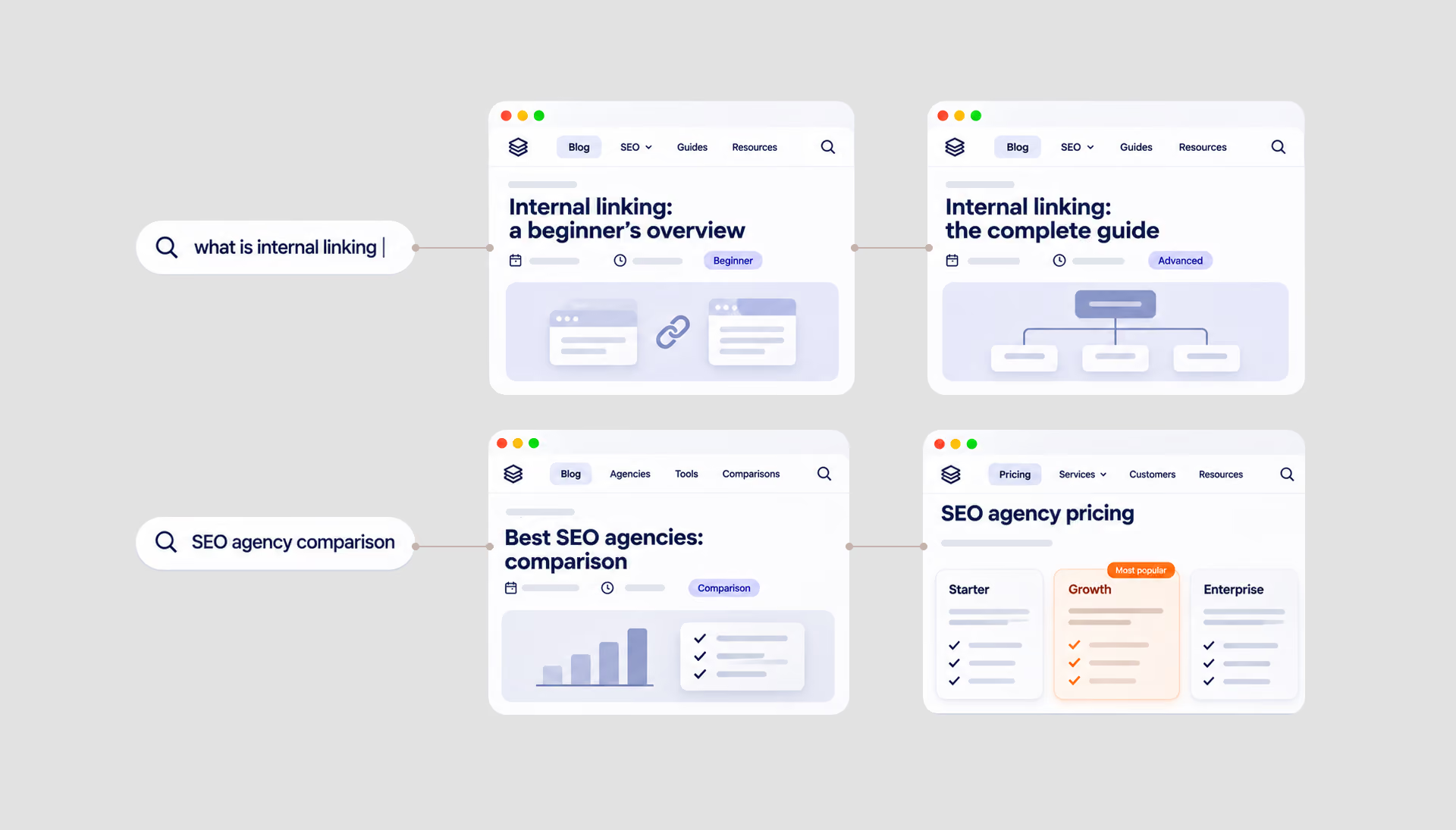
Readers usually arrive at each article with a specific goal, and the search terms it ranks for in Search Console usually show what that goal is. Someone who found a beginner’s overview through a “what is” question is rarely ready for a pricing table, while a visitor comparing providers may welcome one. Destinations chosen on that basis keep the next click consistent with the reason for the visit.
Avoid adding too many links on one page
Google’s documentation names no ideal count of anchors per article and suggests that if the total seems excessive, it probably is. Every extra anchor competes for the reader’s attention, and the original PageRank model distributes a page’s ranking value across its outgoing links.
Review internal links after content updates
When an article shifts to a new topic, links from other articles may still use anchors that reflect its former focus. Those references need to be reviewed so they continue to describe the destination accurately. The Links report in Search Console or a crawler’s inlinks list identifies the source URLs containing such anchors. The edited article itself may also gain new sections that call for connections to material published after its first version.
Common internal linking mistakes to avoid
Even with a clear internal linking strategy, small mistakes can weaken the connections between pages. Some come from overlooking relevant linking opportunities, while others result from outdated URLs or poorly chosen anchors.
Linking only from menus and footers
A service listed in the main navigation can seem well covered, since it stays in view wherever a visitor goes on the site. Template elements, however, repeat the same anchor across the whole site and say nothing about which articles relate to that service. Mentions inside related blog posts add the missing context and help search engines understand how the offer relates to those topics.
Using vague anchors like “click here”
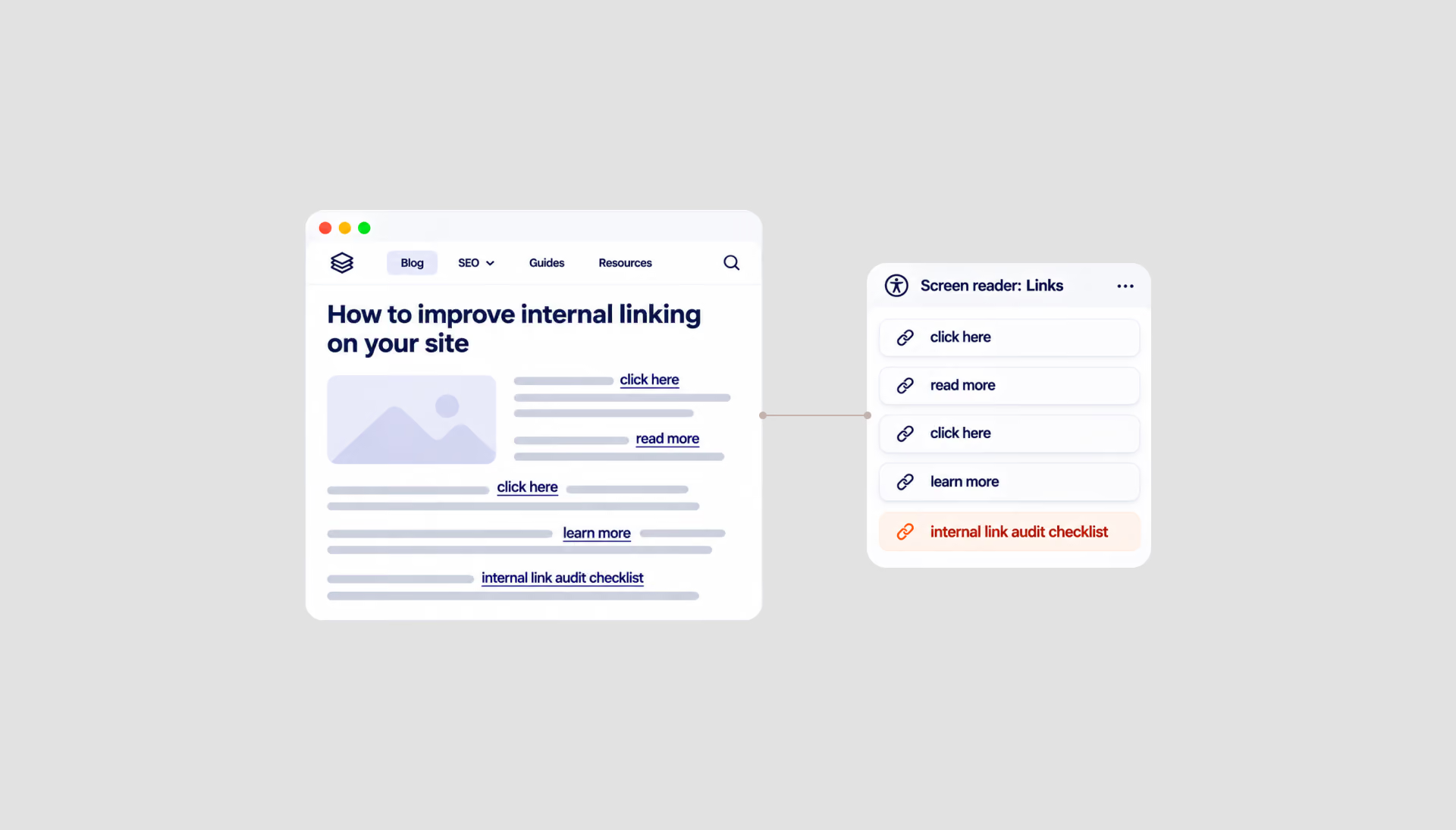
Google’s guidance treats generic phrases such as “read more” as unhelpful for readers and crawlers alike. Wording of this kind says nothing about the destination. Read the anchor on its own and check whether its meaning remains clear without the surrounding text. This is especially important for screen reader users, who may navigate links separately from the surrounding text.
Overusing exact-match anchor text
Repeating one keyword verbatim across every mention of a destination can look unnatural. Google’s documentation also warns that keyword stuffing in anchors violates its spam policies. A separate risk arises when an identical phrase leads to different URLs. This can make it harder for search engines to distinguish the purpose of each page, particularly when their content also overlaps.
Ignoring old pages with traffic or backlinks
Articles published years ago are rarely opened again once the editorial calendar moves on. Many of them still bring steady visits and hold more backlinks than anything newer on the site. Their existing links may still point to pages that no longer match current priorities. Adding relevant references to target URLs can help direct readers to those sections and distribute internal link equity.
Forgetting to update links after URL changes
A new slug, a merger of two articles, or a move to a different structure usually comes with redirects that keep old addresses working. Hyperlinks in body copy, menus, and related-content blocks often stay as they were, so each click and crawler visit may pass through an extra hop. After several rounds of changes, these redirects can form chains that add unnecessary requests during crawling. Pointing anchors to the final destinations right after the change keeps paths short and makes future migrations easier.
How to measure internal linking performance
The effect of internal links is often mixed with other changes on the site, so measuring it depends on a clear baseline and a list of pages that received new links.
Track keyword movement for linked pages
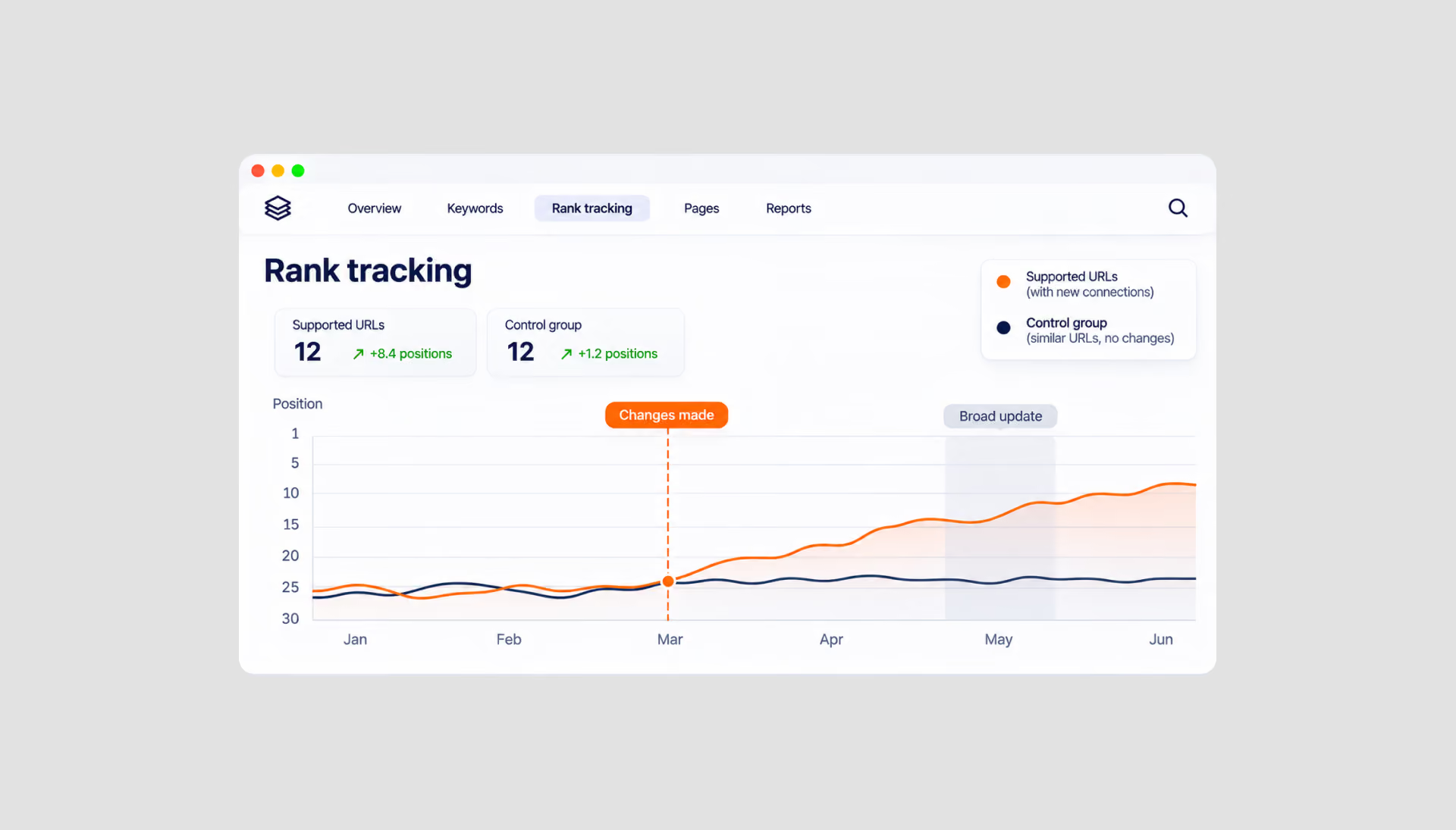
Keyword rankings can show whether priority pages gained visibility after new internal links were added. A rank tracker set up before the work begins provides a baseline and makes it possible to follow position trends over time.
Similar URLs that received no new connections can serve as a comparison group, helping separate real improvements from broader search fluctuations. If the movement coincides with a broad algorithm update, the wider trend needs to be considered before treating it as a result of the linking work.
Monitor clicks and impressions in Google Search Console
The Performance report lets you filter data by URL and compare two periods of equal length for each supported destination. Growing impressions with stable clicks may mean it now appears for more searches but still sits too low to attract visits. Rising clicks for its main target terms can indicate improved visibility, although changes in search demand and snippet appeal may also contribute.
Check crawl depth and orphan pages
A fresh scan of the site after the changes shows whether priority URLs have moved closer to the homepage and whether fewer addresses remain without incoming connections. The Crawl Stats report in Search Console provides a broader view of Googlebot activity and crawl errors across the site. Comparing the new scan with the first audit helps identify which structural issues remain unresolved.
Make your existing content work harder
The takeaway is simple: improving SEO doesn’t always mean creating something new. Existing pages may already have the relevance, traffic, or authority needed to support better results, provided the right connections are in place.
Rather than linking pages at random, focus on the ones with the greatest potential and give readers clear paths between related topics. Keep reviewing those paths as your content evolves. A good internal linking strategy isn’t measured by how many links you add, but by how effectively your existing pages work together.
FAQ
How many internal links should a page have?
Google doesn’t specify an ideal number of internal links per page. A long guide may naturally contain more links than a short service page. Focus on connecting readers to relevant resources rather than reaching a fixed number.
What is the best anchor text for internal links?
The best anchors describe the target page in a few natural words that fit the sentence. For image links, the alt text serves as the anchor, so it should describe the image and convey the link’s purpose.
How often should you audit internal links?
Audit frequency depends on how often content and site structure change. Sites that publish or update content often may benefit from monthly checks of broken links and redirects. A separate review is worth doing after any redesign or migration.
Can internal links help existing pages rank higher?
They can, especially for pages that already rank just outside the top results and have content that matches search intent. Links alone are unlikely to lift a page whose content is weaker than competing results.
Are too many internal links bad for SEO?
A large number of links is not a problem by itself. Issues usually appear when links are added without regard to relevance, footers or sidebars are filled with keyword-rich anchors, or excessive linking makes the page harder to navigate.