



Launching a new website is exciting, but the real challenge begins when you wait for Google to notice it. If your site isn’t fast indexed by Google, people won’t find your pages, and your early work won’t bring the results you expected. Acting early to boost your website’s exposure shortens delays and accelerates initial results.


A smooth launch is defined less by the moment a site goes live and more by the technical setup, content signals, and authority markers that follow. With the right approach, you can appear in search results sooner, avoid costly indexing delays, and start collecting valuable data from day one.
This guide walks you through each step on how to index a website, from technical setup to internal linking and authority signals, so you can launch a site that Google wants to explore. You’ll also learn how to use the right tools, avoid common mistakes, and build a foundation that supports long-term organic visibility.
Understanding how indexing works
Search engines don’t just stumble upon pages — they pick up on certain signals that tell them what to explore, evaluate, and store. So, how does it work? Let’s find out.
What indexing actually means in SEO
In SEO, indexing determines whether a website URL is included in a search engine’s database and becomes visible to users. This process evaluates content quality, technical readiness, and relevance. Well-organized pages with clear headings and descriptive links help search engines efficiently identify important content.
Crawling vs. indexing vs. ranking
People often use these terms interchangeably, even though they describe different stages of the same process. When those distinctions blur, explaining why a site with solid effort behind it still fails to gain visibility becomes much harder. Each term serves a specific purpose, so separating them helps show how the overall flow actually works:
- Crawling is when bots access your pages.
- Indexing is when those pages get stored in Google’s database.
- Ranking is where your pages appear in search results after being analyzed for relevance.
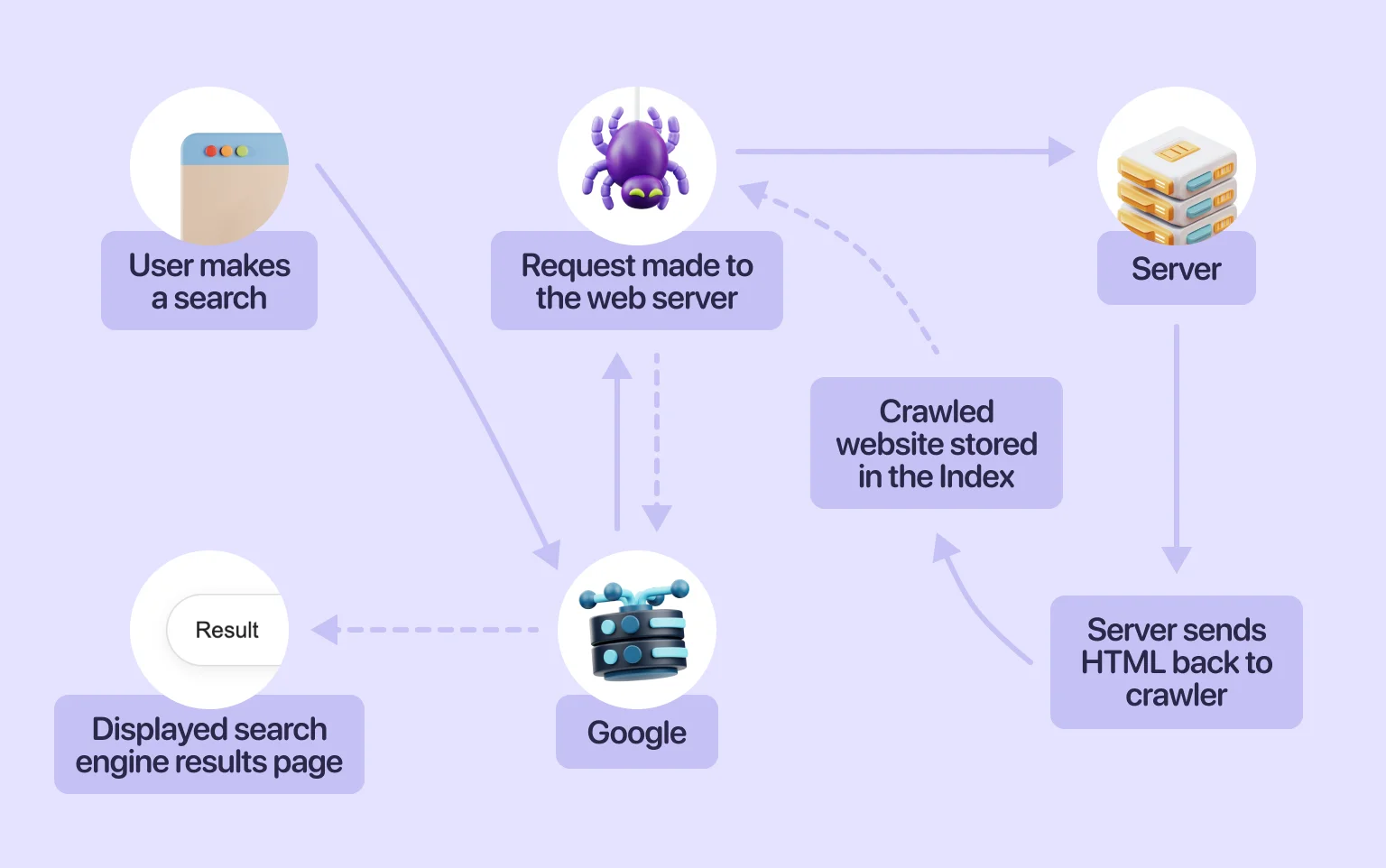
Mixing up these terms often leads to the wrong fixes. For example, you might focus on crawling when the real issue lies in indexing — a misdiagnosis that prevents effective resolution. For a broader view of how SEO and development decisions intersect across these stages, see our article on SEO and web development.
Setting up the technical foundations
Before launching the site, it must be hosted in a reliable technical environment. The process of creating such a foundation involves several stages, which we explore below.
Choose a сrawl-friendly hosting and CMS
Good hosting does more than keep your site online. It impacts how often search engines access your pages and how quickly new content becomes available. If you’re trying to learn how to get Google to crawl your site, start with a CMS and server setup that loads fast and stays stable.
Platforms optimized for SEO, combined with reliable hosting, help remove friction during crawling. For practical ways to improve speed and stability early on, see our guide to SEO tips for new websites.
Secure your site with HTTPS
Google and the like expect every modern site to use HTTPS. Without it, browsers show warnings, and search engines may limit crawling or indexing. Securing your site is one of the simplest things you can do when looking at how to get indexed on Google faster.
Security and indexing issues can feel complex at first, but they’re usually straightforward to resolve. Early action — grounded in a solid understanding of SEO fundamentals — helps ensure your site remains accessible and crawlable from day one.
Optimize Robots.txt before launch
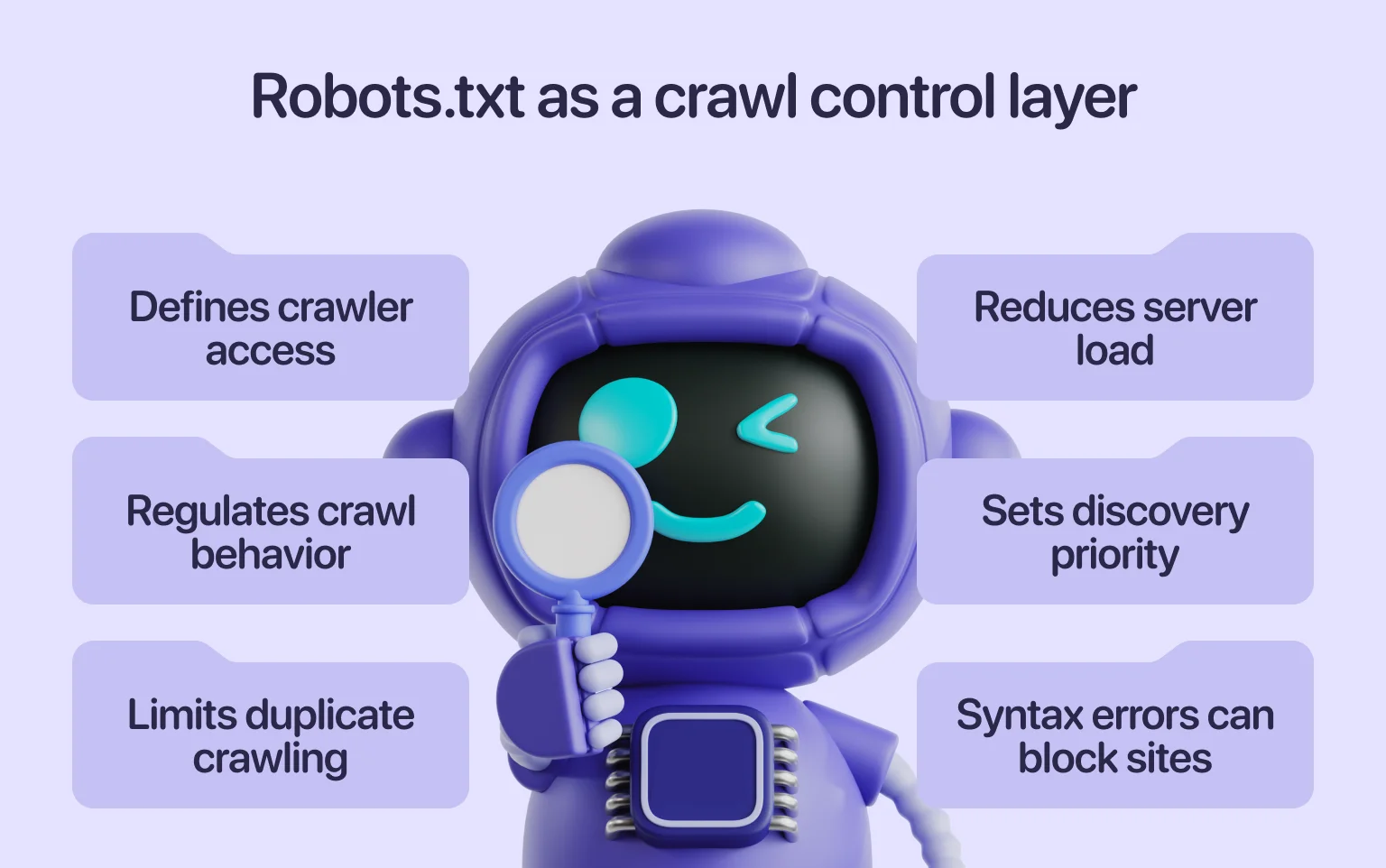
Robots.txt tells crawlers which pages they can visit. It defines access rules that control crawl behavior, limit unnecessary duplication, and reduce server load. Also, Robots.txt affects prioritization, determining which sections are prioritized first during discovery.
A single misplaced slash can block your entire site from search engines, so reviewing this file before launch is critical. If you want a full walkthrough on proper setup and common mistakes, our complete guide to Robots.txt explains how to format directives and avoid issues that slow indexing.
Ensure fast loading speed
Speed is crucial for crawl frequency, especially for new domains without established authority. Slow-loading pages result in fewer URLs being accessed and may delay indexing. Improving load times is one of the most effective ways to help search engines index content more quickly.
Before launching, it’s essential to identify and fix any hidden performance issues that could hinder page discovery. Addressing these early leads to more consistent crawling. A technical audit helps surface problems with server response times, image compression, code efficiency, caching, and other factors that affect how quickly pages are discovered.
Generate and submit an XML sitemap
An XML sitemap is a roadmap for search engines. It tells crawlers which pages are important and helps them discover new content more quickly. If you want your site to be indexed pages SEO friendly, this file should be accurate and well-organized.
To make an XML sitemap effective, ensure it includes all priority URLs, avoids duplicates, and uses consistent formatting. Properly optimized files help search engines process updates faster and prioritize the most important content.
Create an HTML sitemap for users
While XML sitemaps guide bots, an HTML sitemap helps visitors navigate the site and discover related pages. It provides a clear overview of the site’s structure and ensures that important pages remain easy to reach. By reinforcing internal links and reducing navigation friction, the HTML map supports engagement signals that contribute to long-term SEO performance.
Leverage canonical tags to prevent duplicates
When launching a new site, duplicate pages often appear unintentionally. Canonical tags signal the preferred version of each URL, helping search engines consolidate indexing and ranking signals on a single page. Applying clear canonicals reduces ambiguity during discovery, keeps crawl efforts focused, and supports a more predictable site structure as content grows.
Mobile-first readiness check
Most major search engines, including Google, rely on mobile-first indexing. The mobile version of your site is therefore the primary reference used during discovery and indexing. Pages that load slowly or render inconsistently can delay indexation and limit early visibility.
A focused usability review helps uncover issues beyond speed, such as rendering errors, broken navigation, or layout inconsistencies across devices. A stable mobile experience supports faster indexing and stronger engagement from the outset.
“A well-prepared technical foundation ensures your site is discoverable, fast, and easy to navigate from day one.”
Internal linking and content signals
With the technical foundation in place, internal linking becomes the main driver of early discovery. Initial pages define the site’s focus, signal which URLs matter most, and shape how crawlers move through the structure.
A key factor here is distance from index (DFI) — how many clicks a page is from the homepage. According to the “three-click rule,” important pages should be reachable within three clicks. Pages buried deeper see significantly lower indexation rates. While not an official Google metric, this is a well-established SEO principle that holds up in practice.
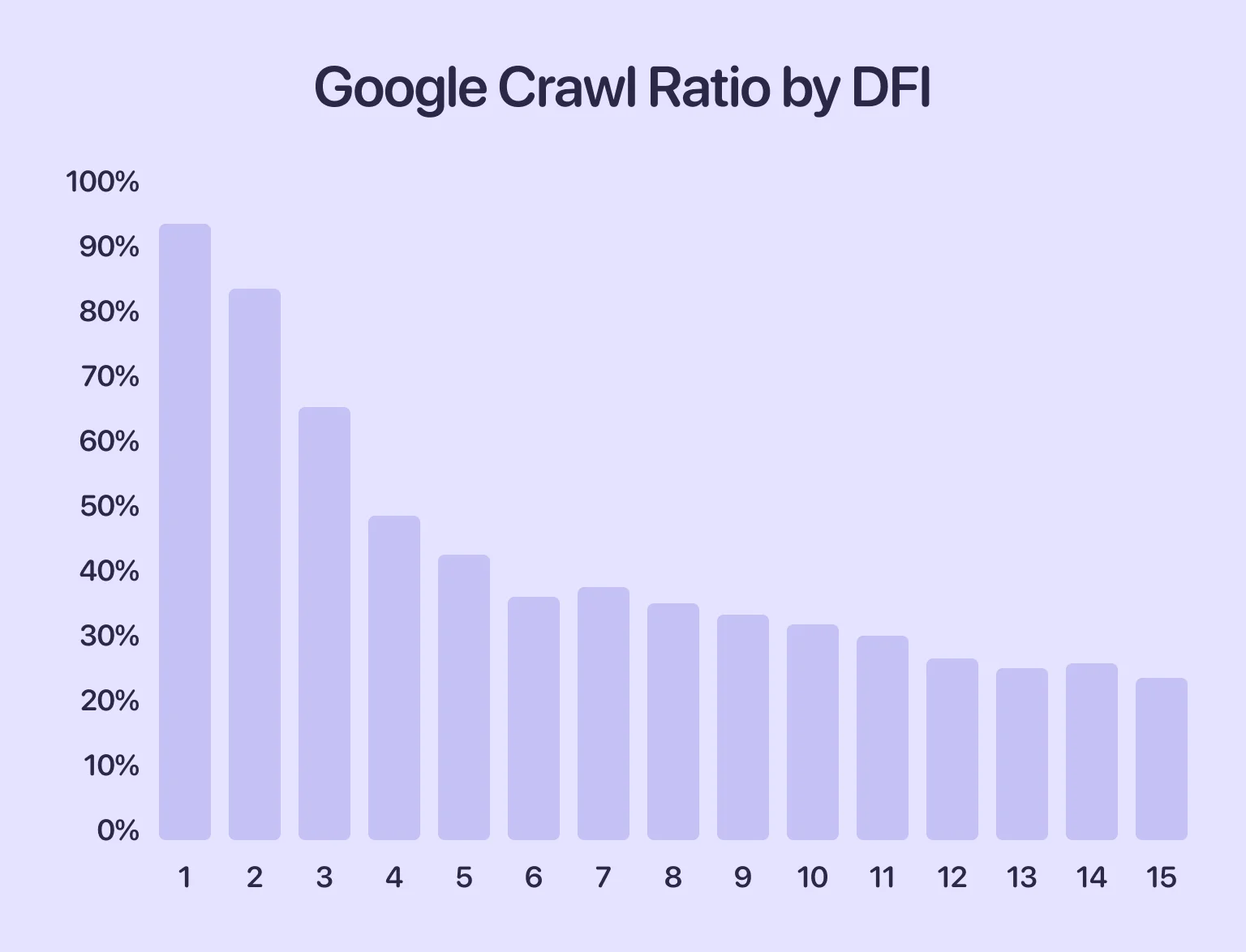
In this screenshot, we can see that the deeper a page is in the site hierarchy, the lower the chances it will be crawled. In other words, if it takes four clicks to reach a page, there’s less than a 50% chance that Google will discover it, crawl it, and include it in the index. That’s why it’s important to organize your internal linking properly.
Now, let’s look at how to structure links effectively and use content to maximize indexing.
Create a strong homepage hub
As your homepage is usually the first page discovered by search engines, it should have clear links to the important sections of your site. A structured homepage helps to distribute authority across your content more quickly. For example, if you plan to submit a URL to Google later, having the correct internal links in place beforehand makes it easier for the search engine to access all areas of your website. Your homepage should link to categories, key landing pages, and any priority content that defines your business.
Smart interlinking between early pages
After launching your website, it is important that every key page is connected to at least one other page. This helps search engines to follow paths naturally, rather than having to guess where your content is located. Strong internal links are one of the simplest ways to make key pages more accessible. Use descriptive anchor text and ensure that the links feel logical to users.
Publish cornerstone content first
Before announcing your site, publish a small set of foundational pages. These pages establish topical focus, answer core questions, and give search engines a clear reference point for what your site represents. Thin or placeholder content leaves that context undefined. Strong cornerstone pages demonstrate expertise, guide early crawling, and support faster, more reliable indexing from the start.
Avoid “orphan pages” at all costs
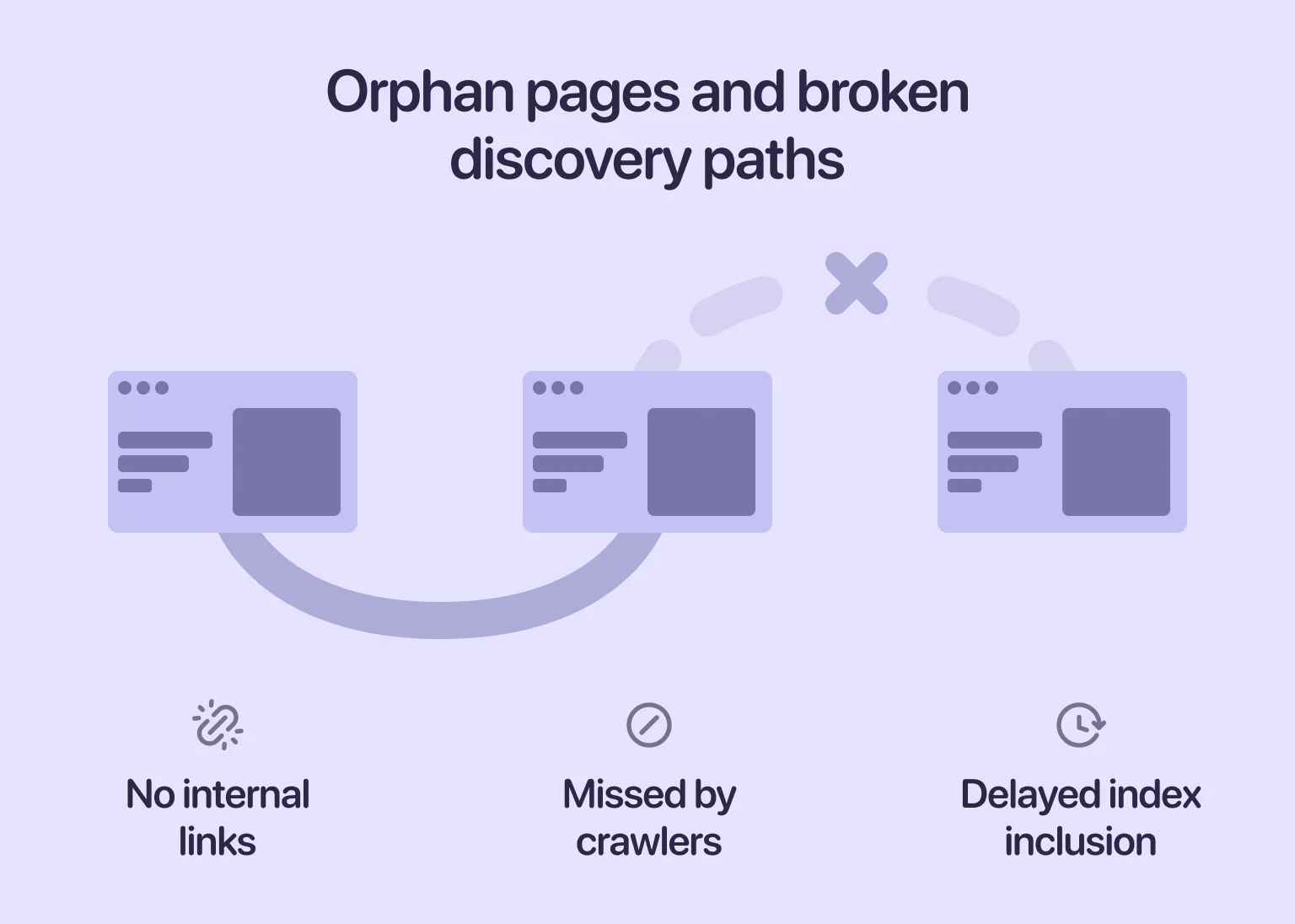
Orphan pages are URLs with no internal links pointing to them. Because search engines rely on links for discovery, these pages are often missed entirely during crawling and indexing. When certain URLs take unusually long to appear, broken internal connections are usually the cause. An SEO audit helps identify orphan pages, weak link paths, and other structural issues that prevent content from being discovered.
Ensure сontent uniqueness and quality
New websites face tough competition. If your content is too similar to other pages online, search engines may skip indexing altogether. That’s why every important page needs to provide value that stands out early. Using original insights, clear explanations, and well-structured information gives indexing algorithms better reasons to include your page.
External signals to speed up indexing
Once your internal structure is ready, external signals help search engines pick up your new site faster. They show that real users are engaging with your content, which helps speed up discovery. In the following sections, we examine these signals and their role in accelerating early visibility and indexing.
Building authority links early
You don’t need dozens of backlinks at launch. However, a few relevant mentions make a noticeable difference. Even one or two links from credible sites can show search engines that your domain matters. At an early stage, this kind of external validation helps establish baseline trust and reduces friction during initial discovery.
Social media signals and content sharing
Sharing your site on social media helps to generate initial visits. Search engines track traffic patterns, and sudden spikes in engagement can trigger more frequent crawling. Although social links don’t directly affect your ranking, they still help with discovery. When people talk about your site on social platforms, awareness naturally spreads, and curiosity among new visitors is aroused.
Embedding your site in business directories and citations
Listing your business in trusted directories, especially local or niche categories, helps search engines verify that your website is legitimate. These listings also create new entry points for crawlers. Adding citations is a practical measure, as links from well-known directories are frequently followed during initial discovery.
Using RSS feeds for content discovery
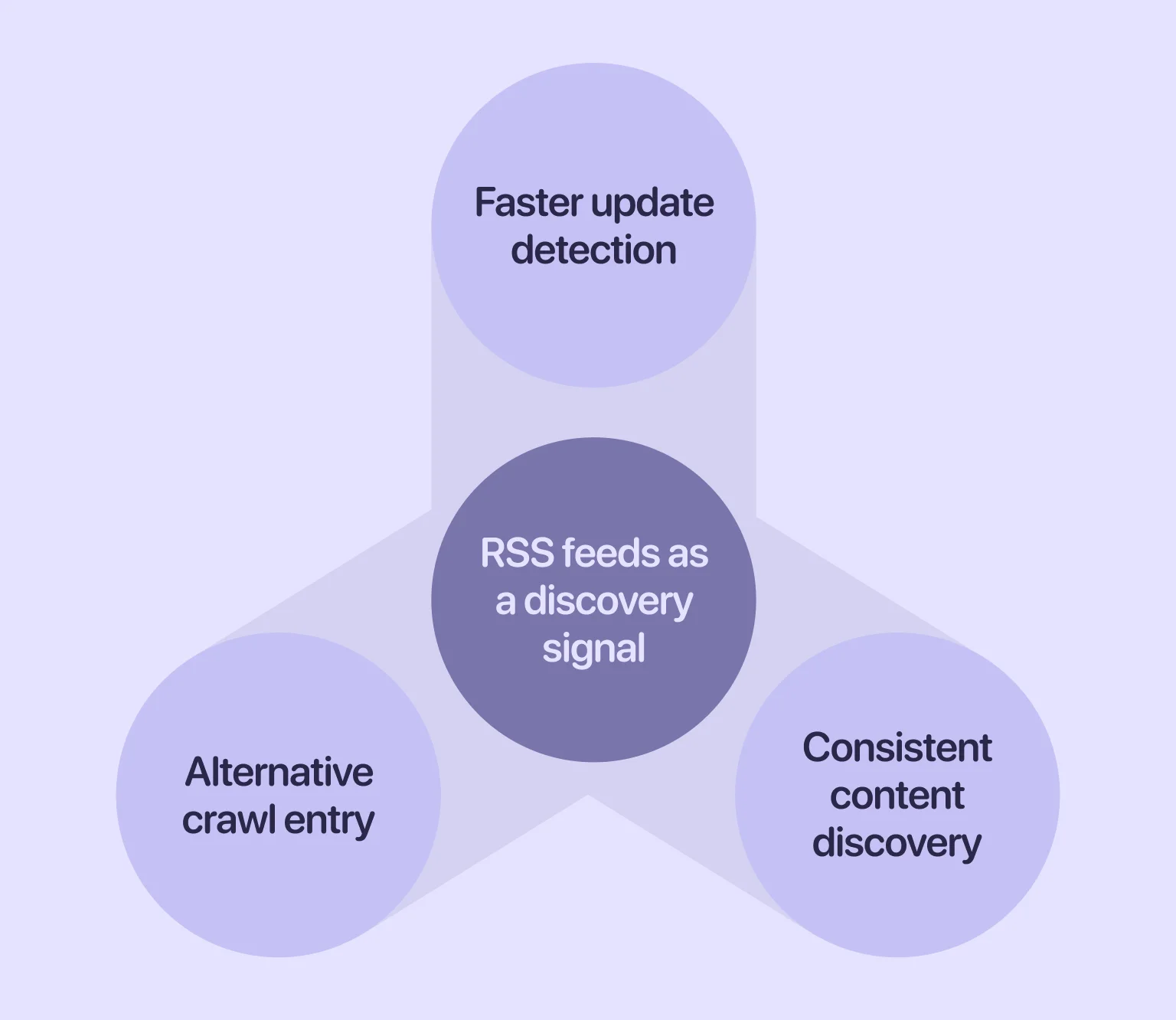
Really Simple Syndication (RSS) feeds give search engines another way to detect updates on your website. When new URLs appear, crawlers can pick them up even if they haven’t reached the page through internal links yet. A valid RSS file continuously publishes fresh entries to make new content easier to find. Such an approach is particularly helpful for new blogs or news sections that are still building authority.
Advanced indexing acceleration tactics
If you want more control over how quickly your site is indexed, there are a few advanced techniques that can help. These go beyond the basic setup and enable search engines to process your pages more efficiently. Now it’s time to take a closer look at those techniques.
Structured data markup to stand out
Structured data clarifies what your content represents, giving search engines explicit context beyond standard HTML. Implementing schema markup early helps crawlers interpret pages more accurately, supports faster inclusion of rich content, and improves indexing quality over time.
Cloudflare and edge SEO techniques for crawlability
Edge-level optimizations such as Cloudflare Workers, transform rules, and caching improve server responsiveness. Faster responses encourage more consistent crawling, particularly for new domains without established crawl priority.
Updating content frequently to trigger recrawls
Search engines revisit pages that show signs of ongoing change. Content that remains static for long periods is crawled less often, which can slow discovery. Updating existing pages — by refining explanations, expanding sections, or improving structure — prompts recrawls and keeps content active in the index.
Submitting your site to Google
Direct submission can speed up the early discovery process. When your setup is solid, Search Console becomes the main tool for communicating with Google. Let’s examine how to leverage these opportunities effectively.
How to use Google Search Console for indexing
Search Console allows you to request indexing, inspect individual URLs, and identify crawling or coverage issues. When content is technically sound, this tool helps ensure new pages are processed without unnecessary delay. For more complex crawling or indexing challenges, SEO consulting can support early-stage sites by identifying structural and technical factors that limit visibility.
When and how to use Google Indexing API
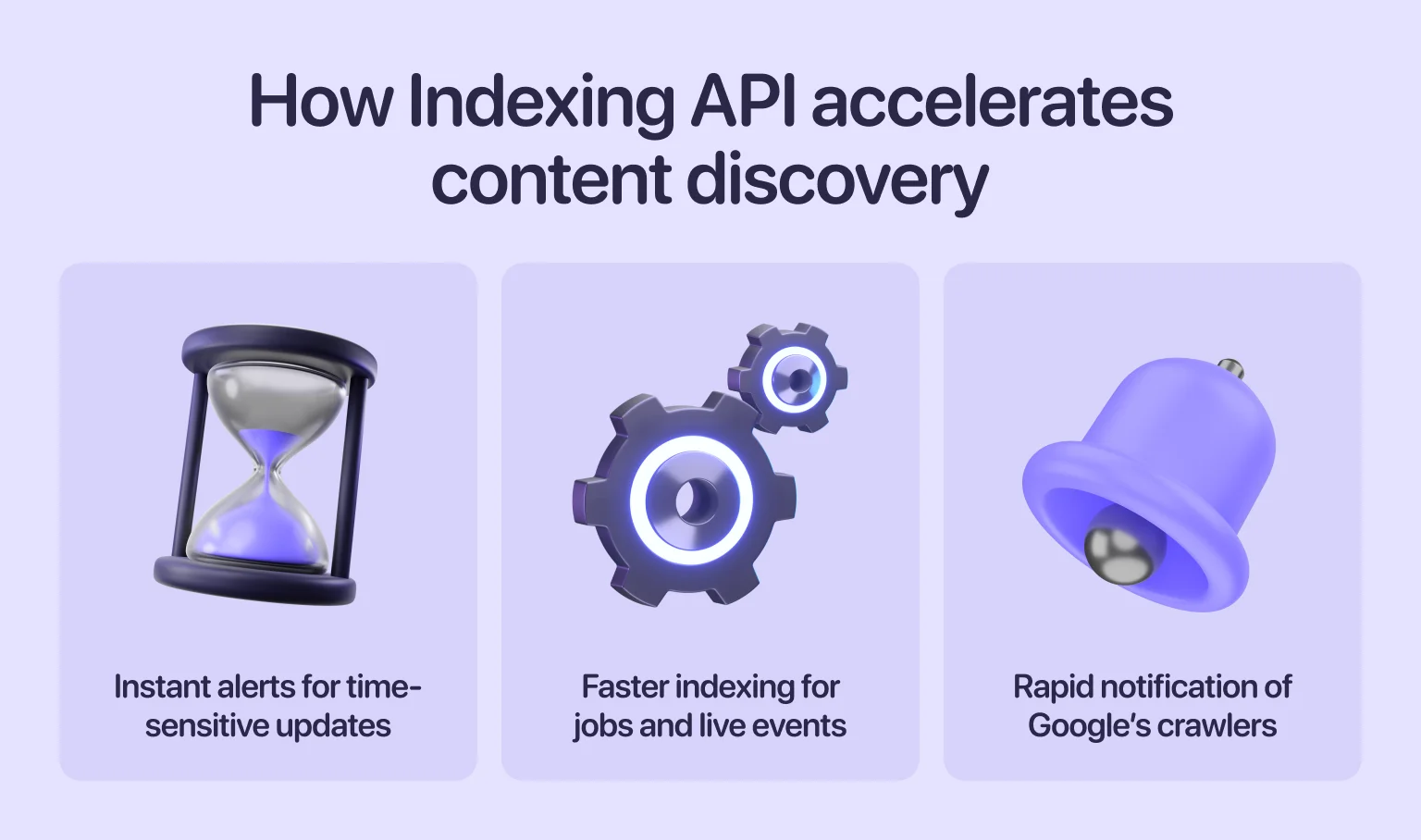
The Indexing API is intended primarily for job postings and live events. That said, it’s sometimes used to speed up discovery for narrowly defined, time-sensitive content. When applied carefully and within scope, it can help notify Google of urgent updates.
Other indexing tools and ping services
Ping services such as Pingomatic or FeedBurner notify search engines when new content is published or updated. While they don’t guarantee immediate indexing, they can provide additional discovery signals — particularly for blogs or frequently updated feeds.
Submitting your site to other search engines
Google may dominate search, but it isn’t the only engine that indexes and surfaces content. Platforms like Bing and Yahoo maintain their own indexes and still influence where and how content is discovered. Submitting your site to these ecosystems helps extend visibility beyond a single platform.
Bing supports direct sitemap submission through Bing Webmaster Tools, making it easier to signal new or updated pages. Because Yahoo relies on Bing’s infrastructure, this submission effectively covers both. While traffic volumes may be lower, these engines contribute to a broader reach and a more resilient search presence.
Common indexing issues and fixes
Even with a well-prepared launch, indexing issues can arise. The sooner you recognize the problem, the faster you can resolve it. Read on for a detailed overview of the issues that slow down site discovery and how to address them.
Unwanted noindex directives
It’s easy to leave a noindex tag on pages after they have been used for staging or development. When that happens, Google skips the page entirely. These directives can unintentionally obscure important content, particularly during the initial launch stages. To help Google index your web page faster, review all templates and verify that the noindex tag only appears where intended.
Wrong or conflicting canonical tags
Canonical tags indicate to Google which version of a webpage is preferred. When used correctly, they help to consolidate duplicate content. However, when used incorrectly, they can point crawlers to the wrong URL, slowing down indexing. Even if your setup is otherwise correct, misconfigured canonicals can block critical pages from appearing. This affects the SEO signals and overall crawl efficiency of indexed pages.
Overuse of nofollow on internal links
Nofollow tells Google not to pass signals through a link. Applying the attribute to internal links prevents crawlers from discovering content and slows indexation. In some cases, it blocks entire sections of a site. To support efficient crawling, internal links should remain followable and reflect the site’s natural structure.
Duplicate pages or thin content
Duplicate pages often confuse search engines and reduce crawl priority. Thin content can lead to selective indexing, especially on new sites. When pages don’t offer value, a search engine may skip them entirely. This can slow your progress toward faster Google indexing, since quality is one of the strongest indexing signals.
Weak or missing internal links to important pages
If your most important pages have no internal support, Google has fewer paths to reach them. Weak linking structures are one of the most common reasons new websites fail to index key URLs. Strengthening internal connections early supports the efficient discovery of every critical page.
Crawl blocks in Robots.txt
A minor typo in Robots.txt can block entire sections of your site from being crawled. Before launch, always double-check that your file allows access to important URLs. If Google can’t crawl a page, it can’t index it. Regularly reviewing Robots.txt helps prevent overlooked errors that could hinder discovery.
Sitemap errors
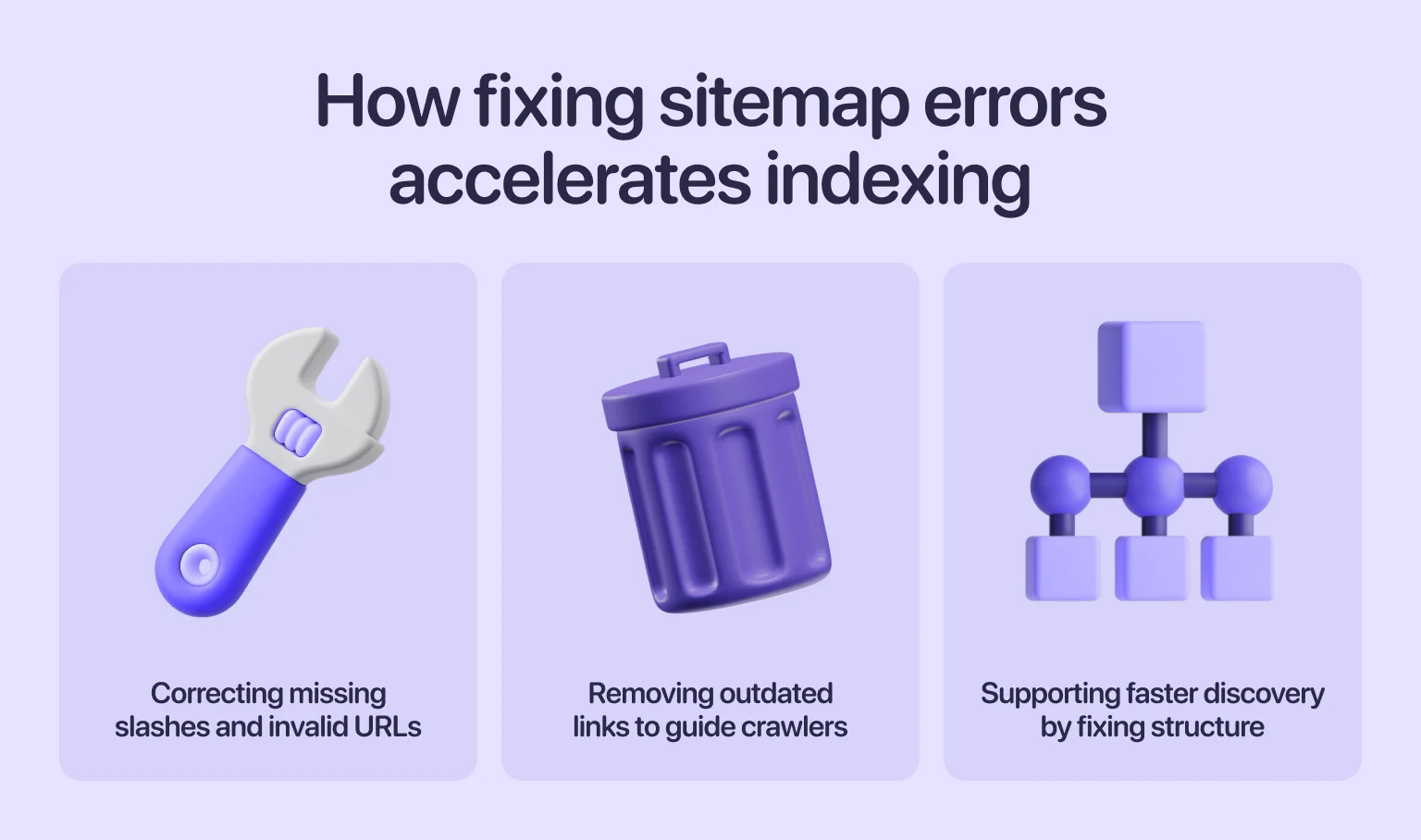
Sitemaps outline your site’s structure, but errors in the file can mislead crawlers. Incorrect URLs, missing slashes, or outdated links may prevent pages from being discovered. Fixing these issues speeds up page indexing and reduces hold-ups during early discovery.
Crawl budget wastage on low-value pages
If your website uses up crawl budget on unnecessary URLs, such as filters, tags, or temporary pages, Google may crawl fewer of your important pages. This is a bigger issue for large websites. To get indexed on Google faster, remove or block low-priority URLs and help crawlers focus on what matters.
Manual actions and security issues
When a site violates guidelines or has security problems, Google may slow or block indexing entirely. Malware, hacked content, or spam signals often lead to warnings in Search Console. These issues directly affect how Google crawls your site, so resolving them early ensures smoother indexing.
Tracking and monitoring your indexing progress
Once your site is live and Google has begun crawling it, monitoring becomes an ongoing process. Tracking your indexation status helps you spot problems early and measure how well your launch strategy is performing. Let’s explore how to make this process more efficient and actionable.
Using Google Search Console coverage reports
Coverage reports show which pages are indexed, excluded, or blocked. They also explain why certain URLs weren’t added. If you are analyzing how to index a website on Google, these reports provide the most accurate view of Google’s decision-making.
Look for:
- “Indexed” pages
- “Discovered – currently not indexed”
- “Crawled – currently not indexed”
Understanding these labels helps you adjust your content or technical setup before issues worsen.
Checking index status via “site:” operator
Typing site:yourdomain.com into Google shows which pages appear in the index. While it’s not a precise tool, it’s useful for quick checks. This helps confirm whether your key pages appear after you submit a URL to Google and request indexing.
Third-party tools to monitor indexation
Tools like Ahrefs, Semrush, and other crawlers help you track index status over time. They can alert you when new pages appear or when coverage unexpectedly drops. These insights support your long-term work on indexed pages, especially as your site grows.
“Indexing becomes predictable through continuous measurement rather than assumptions made at launch.”
How long indexing really takes
Indexing is rarely instant. Even with the right setup, it can take anywhere from a few hours to several days — and sometimes even weeks for low-authority domains. Search engines crawl new sites cautiously to ensure stability, relevance, and quality.
Maintaining a consistent approach is key: publish quality content, build solid internal links, and remove technical barriers. Over time, your crawl rate will increase, and indexing will become more reliable.
Final thoughts
Launching a site is more than hitting “publish.” Early discovery depends on technical readiness, a clear structure, and content that sends the right signals to search engines. When these elements work together, indexing happens naturally — without unnecessary delays or guesswork.
Whether you’re launching your first website or expanding a more complex one, a strong foundation gives you a faster start and greater control over how your content is discovered and evaluated over time.
FAQ
Should I pay for faster indexing services?
Paid indexing services often promise quick results, but they rarely offer long-term value. Search engines prioritize quality, so focus instead on improving your content and crawl readiness.
Does adding backlinks really speed up indexing?
Yes, backlinks can help crawlers find your site sooner. These links act as pathways that lead bots to your pages, supporting early discovery.
What’s the difference between Google Indexing API and Search Console requests?
The Indexing API notifies Google directly, but it’s limited to specific content types. Search Console requests are broader and support more pages.
Can I control exactly which pages get indexed?
Not completely. You can guide Google with sitemaps, internal links, and technical signals. However, search engines ultimately choose which pages to include.
Why is my sitemap submitted but pages still not indexed?
A sitemap only helps discovery. If the content is thin, duplicated, or blocked, Google may ignore it.
Does indexing guarantee rankings?
No. Indexing means your page can appear in results, not that it will rank well. Rankings depend on relevance, quality, and competition.